Aion 2 legion manager
BetaYour legion's Item Level, from one screenshot.
Members /upload their Stat Info screen. CoGM ranks the legion by Item Level, posts raid signups by role and keeps attendance.
Members upload their own screenshots, and officers can upload for them.
- Discord · #raid-signups
Elyos Legion signups are open, lock in your role.[Raid] 🔗 Manage EventSunday, October 25, 2026 9:00 PM - 11:00 PM (in 6 days)10 /10 (+1)━━━━━━━━━━━━━━━━━━━━━━━━━ 1 Kael 4 Ryn 2 Liora 7 Mirelle 3 Orin 5 Nyx 9 Tor 10 Vex 6 Sable 8 Iri 12 Ashen (RDPS)14 Neris11 HaldenCoGM Events • ends Oct 25, 2026 ✅ Attending ❓ Tentative 👋 Absent 🪑 Bench ❌ Withdraw Tank, Healer, Support, DPS and RDPS seats on one post. - Discord · /upload
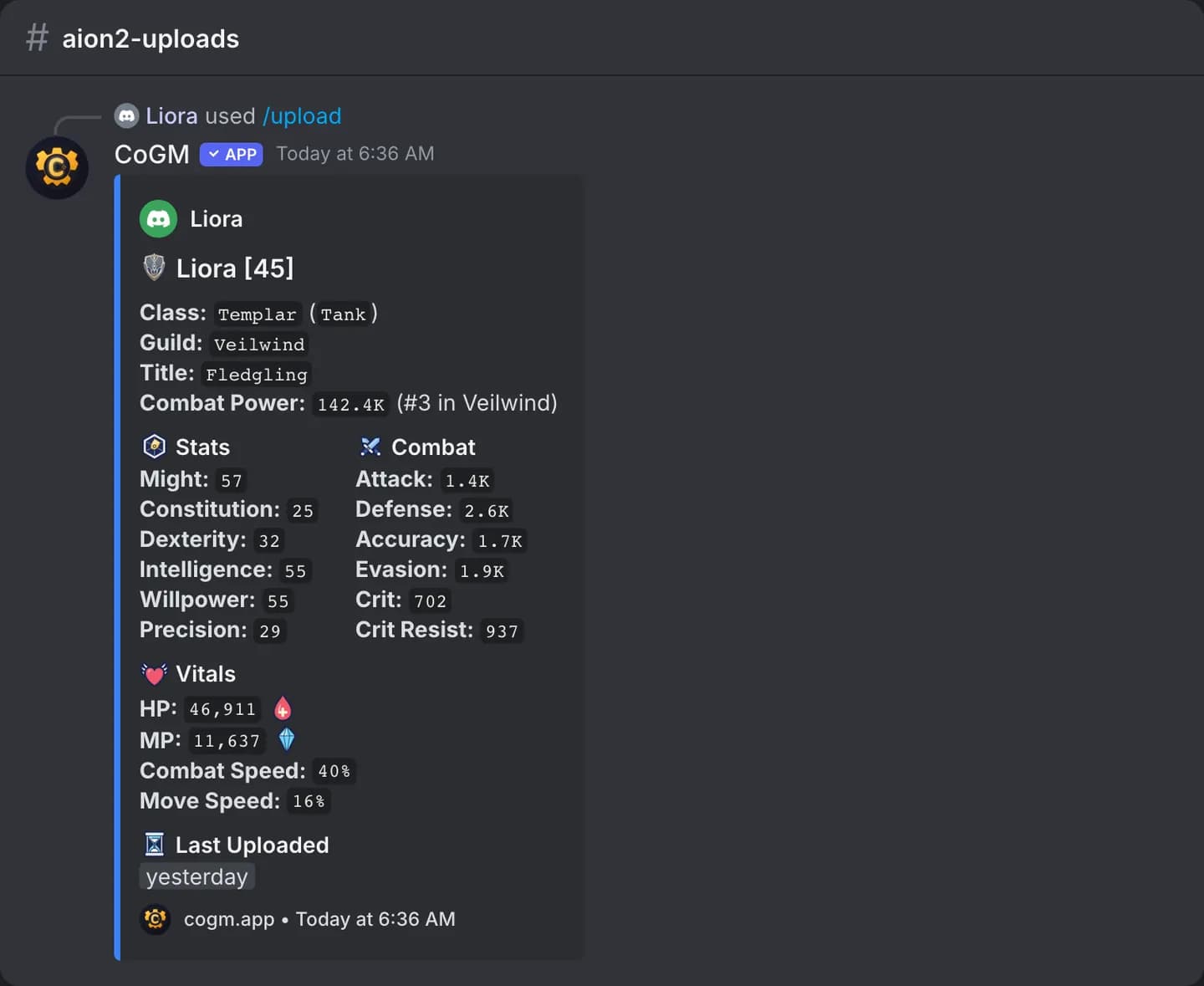
Item Level and Combat Power from each member's Stat Info screenshot. - Discord · DM
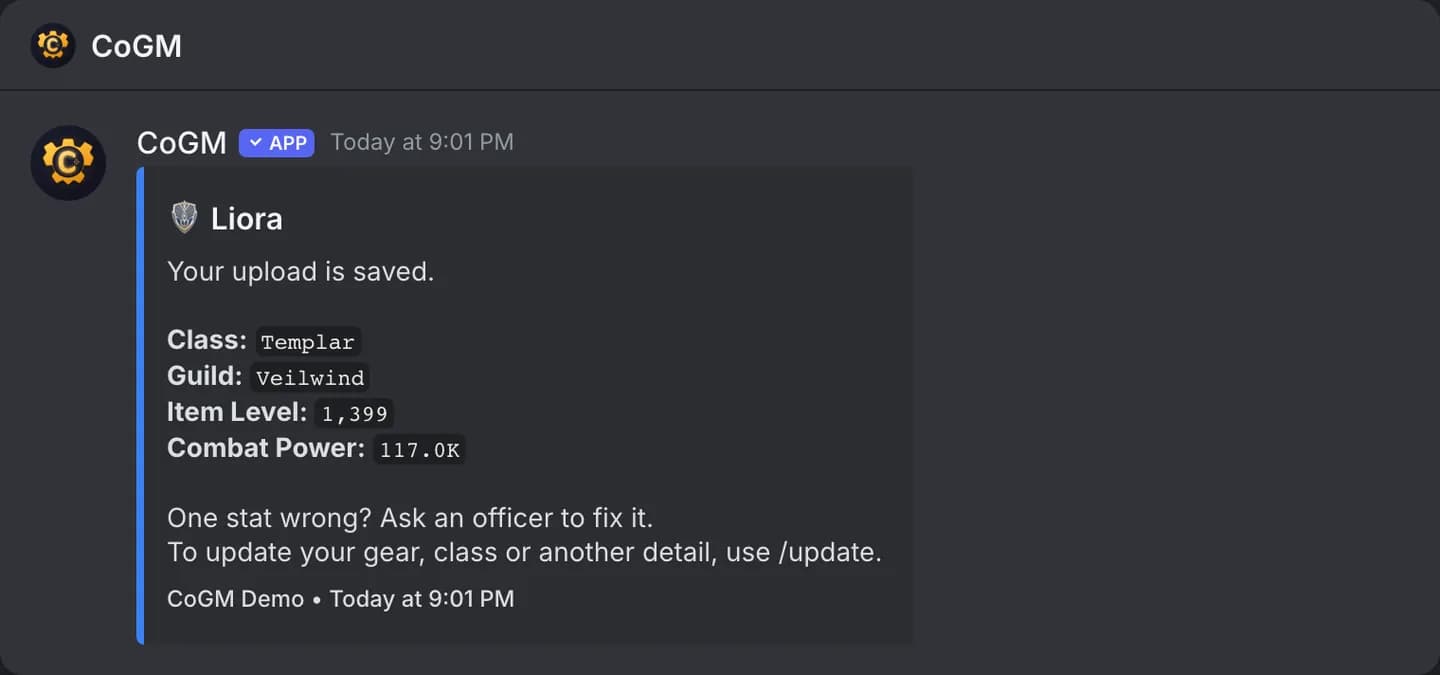
Each member gets a private message with what was saved.
One raid week, start to finish.
From the first upload to the attendance sheet, on the same four screens every week.
Monday
Members upload
Each member runs /upload with the Item Level view of the Stat Info screen, and the bot replies with their rank in the legion.
Wednesday
Post the raid
Post from a template. Setup adds Abyss Rift, Fortress Siege, World Boss, Raid, Dungeon and Arena.
Sunday 8:30 PM
Seat the parties
Drag signups into parties of 5. The 10-player raid is two parties.
Sunday 9:00 PM
Attendance from voice
Run /attendance in the raid's voice channel, or mark it on the event page.
What your officers stop doing by hand.
Three jobs. Each one shows the screen your officers use for it, then the features behind it, with Pro marked.
Raid nights for the legion.
Seats by role, a party builder for parties of 5 and attendance from voice.
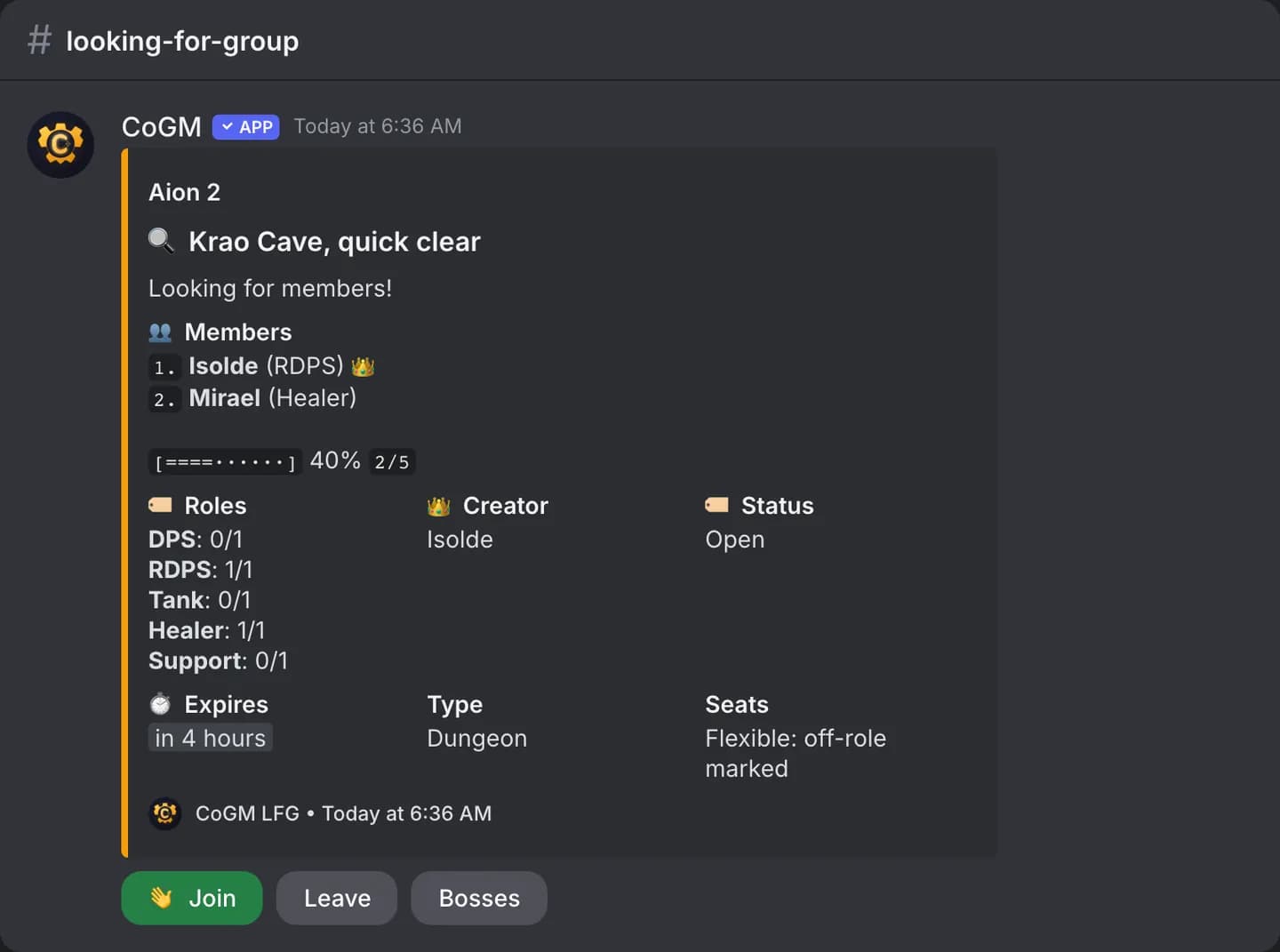
Tank, Healer, Support, DPS and RDPS seats on one post, with bench, tentative and absent.
- Event templates
Abyss Rift, Fortress Siege, World Boss, Raid, Dungeon and Arena. Abyss Rift and Fortress Siege take the whole legion with no seat plan.
Up to 5 players per party. The 10-player raid is two parties, and the layout posts to Discord.
- LoadoutsPro
Save party boards with seats for a member, a role, or a class, and load them into any event.
- Auto-fillPro
Seats every attending member who has no party yet, spreading each role evenly.
From the raid's voice channel, from the signups, or marked by hand.
- Group finder
Dungeons, Transcendence, the raid, world bosses, PvP and the Abyss, with flexible or strict class seats. The waitlist is Pro.
Item Level ranks the legion.
Set a minimum, and the roster, each member's profile and Statistics follow it.
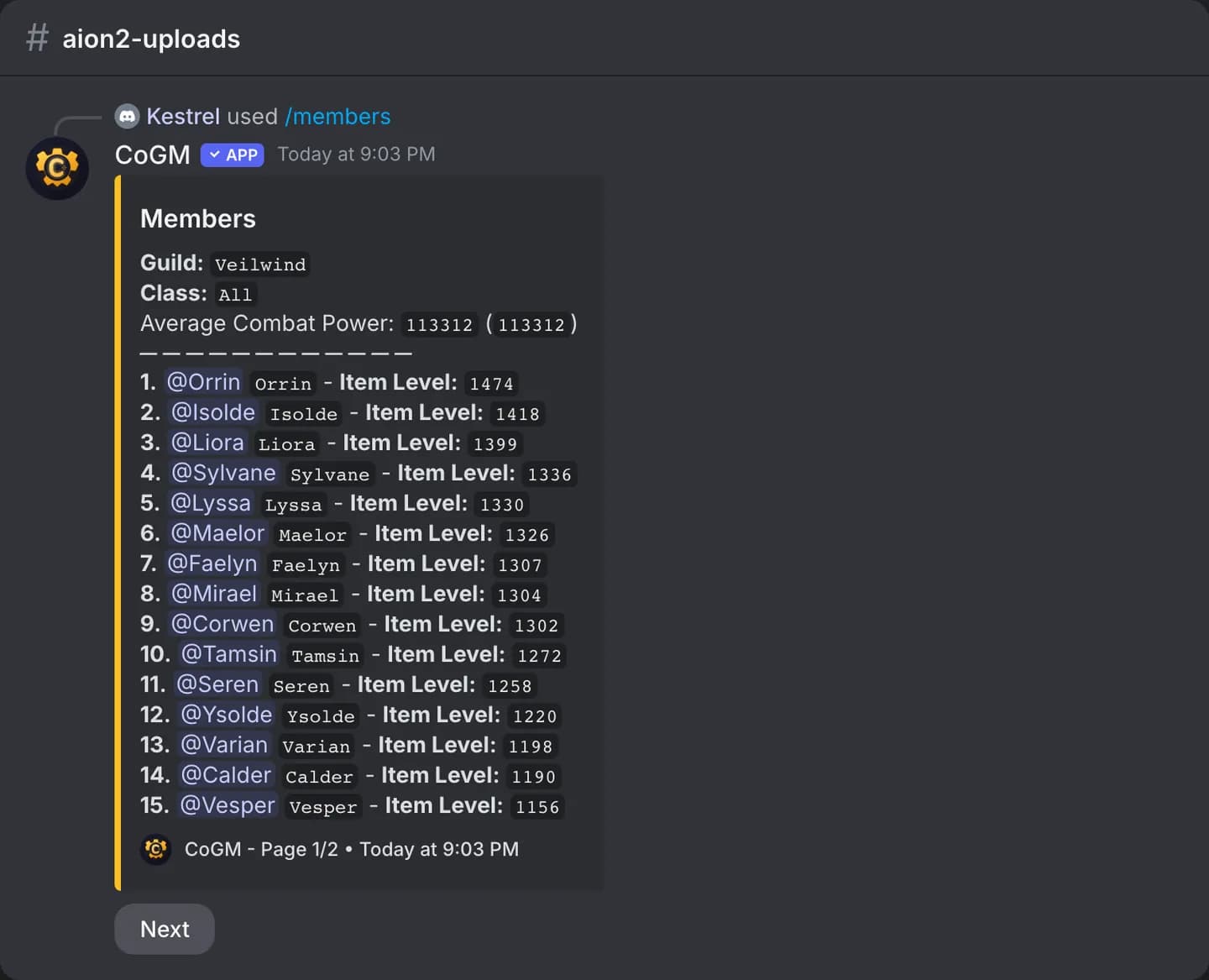
- Stat Info upload
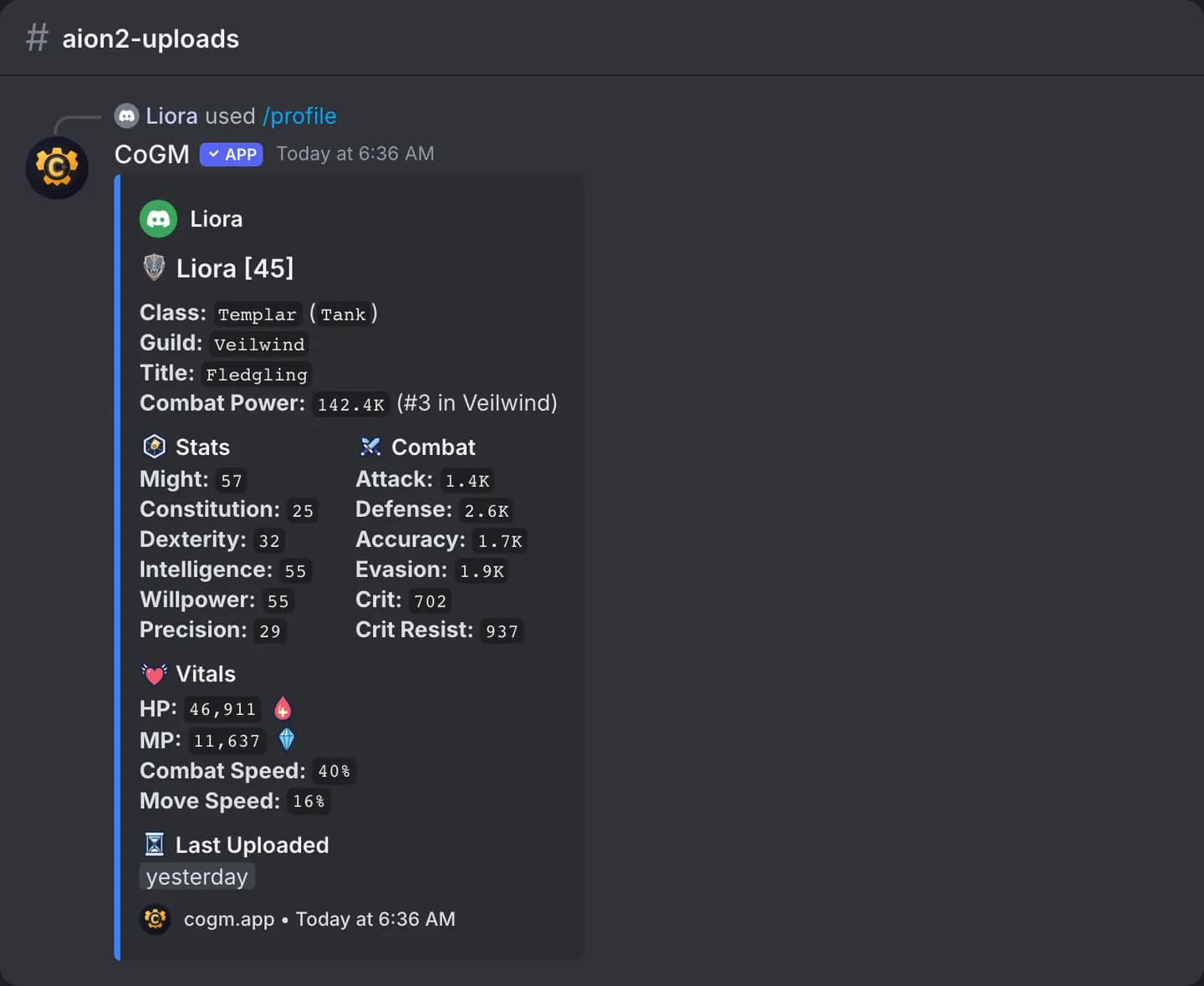
Members run /upload in Discord with a screenshot of the Stat Info screen. CoGM reads the level, title, Item Level or Combat Power, and stats into their character.
Every member with class, role, Combat Power and when they last uploaded.
- Item Level ranking
The legion ranked by Item Level, with Combat Power beside it, from each member's last upload.
- Minimum Item Level
Set it at setup or in Game settings. The roster marks members under it and filters to them.
- Item Level chart
The signup post's Charts menu shows the signups' Item Level spread, with the legion minimum on it.
- ComparePro
Two or three members side by side, picked from the roster.
- Class make-up
Roles and classes across the legion on the Statistics page, beside the Item Level spread.
Applications, absences and strikes for the legion.
New members apply on cogm.app or with /apply. Once they join, their card, absences and strikes are a command away.
The legion form from setup, on cogm.app and with /apply.
Members file leave from Discord or the dashboard; event pings skip them until they are back.
- Quests
Post quests for legion members to complete for XP rewards.
- Strikes
Officers issue and pardon strikes with /strike.
Post announcements to Discord and the web dashboard.
Pick which Discord roles post events and edit the roster.
Every officer change, with who made it.
Aion 2 DPS meter
CoGM works with aion2t: when your members share their fights with CoGM, their boss kills land in your legion's Performance pages. Fights that send buffs or skills get a timeline of buff windows, the kill and each player's totals.
Aion 2 guides.
Free to use, with no sign-in needed.
- Leveling guideLevel 1 to 45, zone by zone.
- Interactive mapFeathers, hidden cubes, kisks, sealed dungeons and villages.
- Aion 2 docsUploads, the roster, statistics, events, LFG and the commands.
More for Aion 2 legions
Set up in one evening.
Five steps before your next raid.
- 1Set up the legion on CoGMRegion, faction, the member role and a minimum. The event templates come with it.
- 2Add the bot to your DiscordPick the channels it posts signups in.
- 3Ask members to /uploadThe Item Level view of the Stat Info screen ranks them.
- 4Post a test raidMembers learn the role menu before the first real night.
- 5Share fights from aion2tMembers turn on sharing with CoGM in the meter.
Set up your legion tonight.
Start managing your legion in minutes.
Free up to 30 members with uploads per guild. Pro $10/mo for up to 300 members with uploads, plus $5/mo per 200 more.