Aion 2 Setup Guide
A new Aion 2 legion opens on its setup page. Four rows are required and two are optional. Most legions finish it in a few minutes.
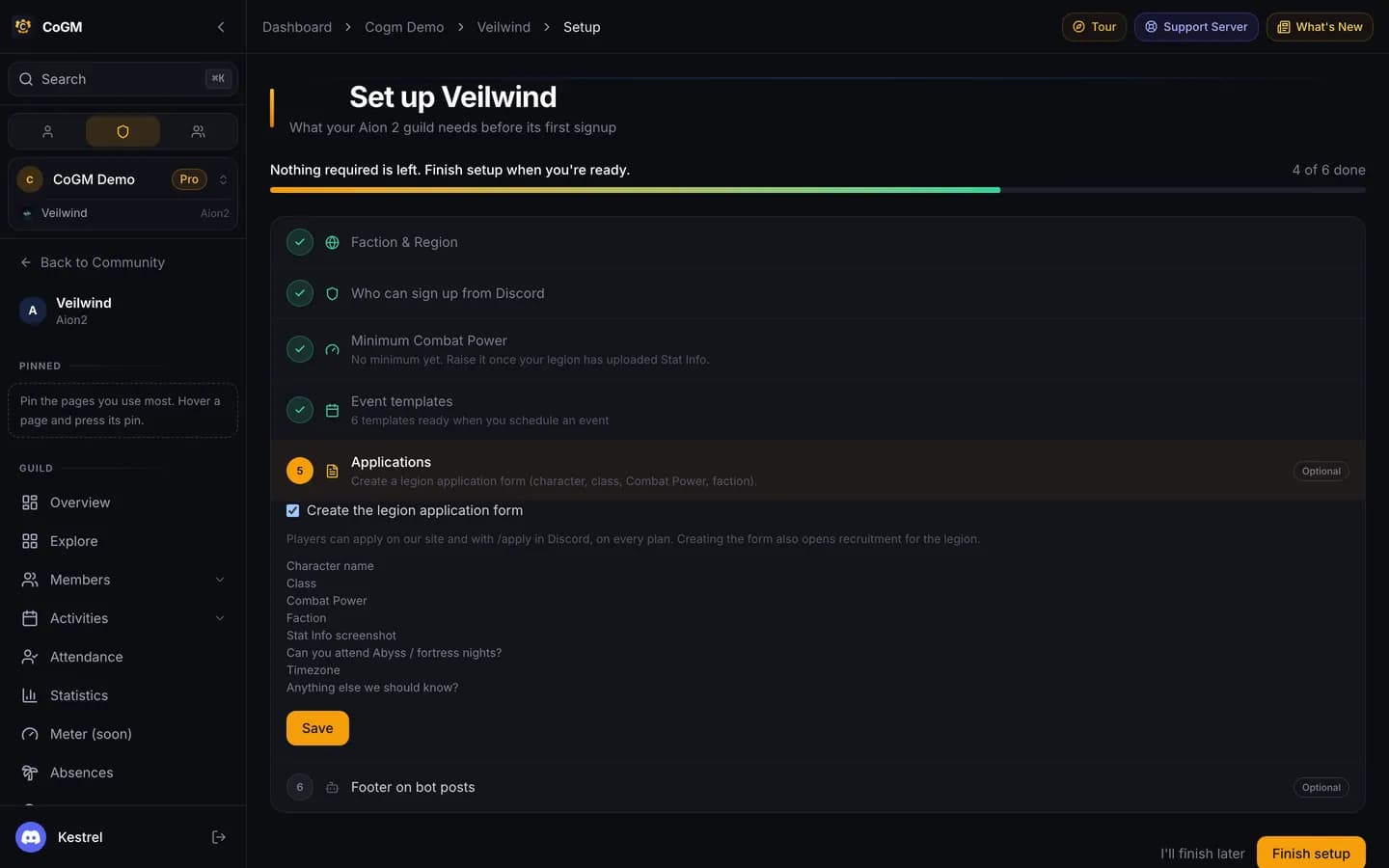
Only the legion's owner and community admins can open the setup page. Open a row, fill it in, and press Save. When nothing required is left, press Finish setup. I'll finish later leaves the page, and the legion overview links back until you finish.
Required
Faction and region
Elyos or Asmodians, and the region your legion plays on: NA West, NA East, South America, Central Europe, Japan. The two factions play apart, so one CoGM legion is one faction. If you picked these when you created the legion, the row is already done.
Who can sign up from Discord
Pick the Discord role your members have. Anyone with it can sign up from Discord and is added to the roster. The officer role is optional. CoGM suggests roles with names like Member, Legion or Officer. If the community has no Discord server yet, connect one first, or skip this row until you do.
Minimum Combat Power
Members under this number show as undergeared on the roster. It starts at 0, which means no minimum. Raise it once your legion has uploaded Stat Info. Type the full number, for example 116000 for 116.0K.
Event templates
Save adds 6 ready-made templates to your legion. You pick one when you schedule an event:
- Abyss Rift: up to 40 signups, no seat plan
- Fortress Siege: up to 40 signups, no seat plan
- World Boss: up to 10 signups, no seat plan
- Raid: up to 10 signups in a seat plan, with at most 2 Templar, 2 Cleric, 1 Chanter
- Dungeon: up to 5 signups in a seat plan, with at most 1 Templar, 1 Cleric, 1 Chanter
- Arena: up to 4 signups, no seat plan
You can edit every template later under Activities > Templates. Saving this row again puts back their original settings.
Optional
Applications
Tick Create the legion application form and press Save. The form asks for the character name, class, Combat Power, faction, a Stat Info screenshot, Abyss and fortress availability, timezone, and anything else. Creating it also opens recruitment for the legion. Players apply on cogm.app or with /apply in Discord, on every plan.
Footer on bot posts
The small line at the bottom of every CoGM post in your Discord. Your legion name works fine.
After setup
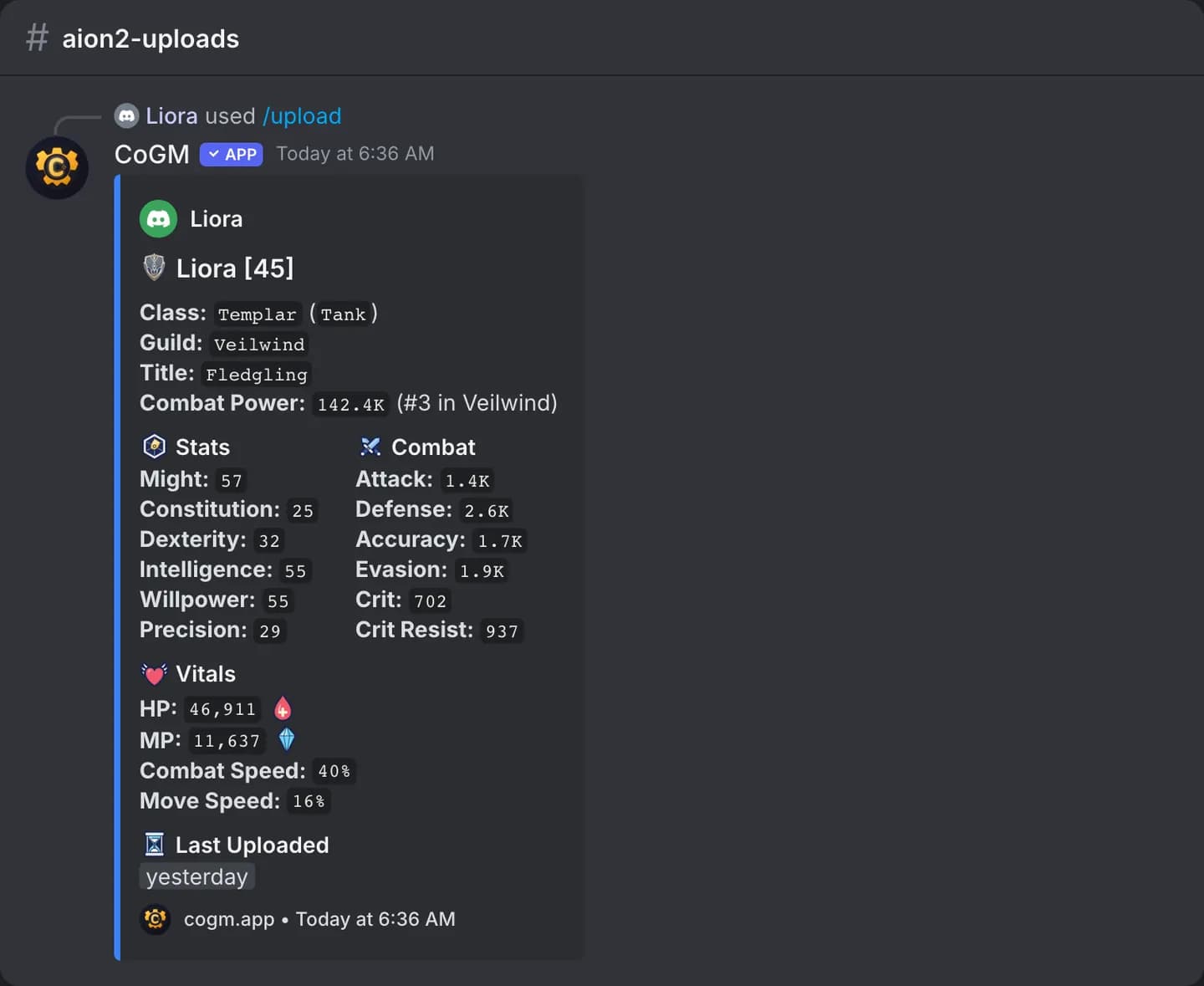
Ask members to run /upload in Discord with a screenshot of their Stat Info screen and pick their class. The bot posts their card with Combat Power and their rank in the legion, and the roster fills in.
- Post your first event from a template, and record attendance on its page or with /attendance.
- Looking for Group is on Pro. See Looking for Group.
- Everything CoGM does for Aion 2: Aion 2.