CoGM Logger
Record your Black Desert node wars and sieges on your PC. Every kill goes to your guild's CoGM event log: who killed whom, from which guild, and where on the map.
The logger runs on a Windows PC. Send yourself the link, or grab it here:
Download for Windowsv1.36.1 · cogm-logger-installer.exe · 15.4 MB · Sep 23, 2026
- Windows 10 or 11
- Free for every guild
- Updates itself
What your guild gets
Upload a war and CoGM parses and scores it. Nobody types anything in.
Every kill and death
A full kill feed with K/D per player for your guild, your allies and every enemy guild.
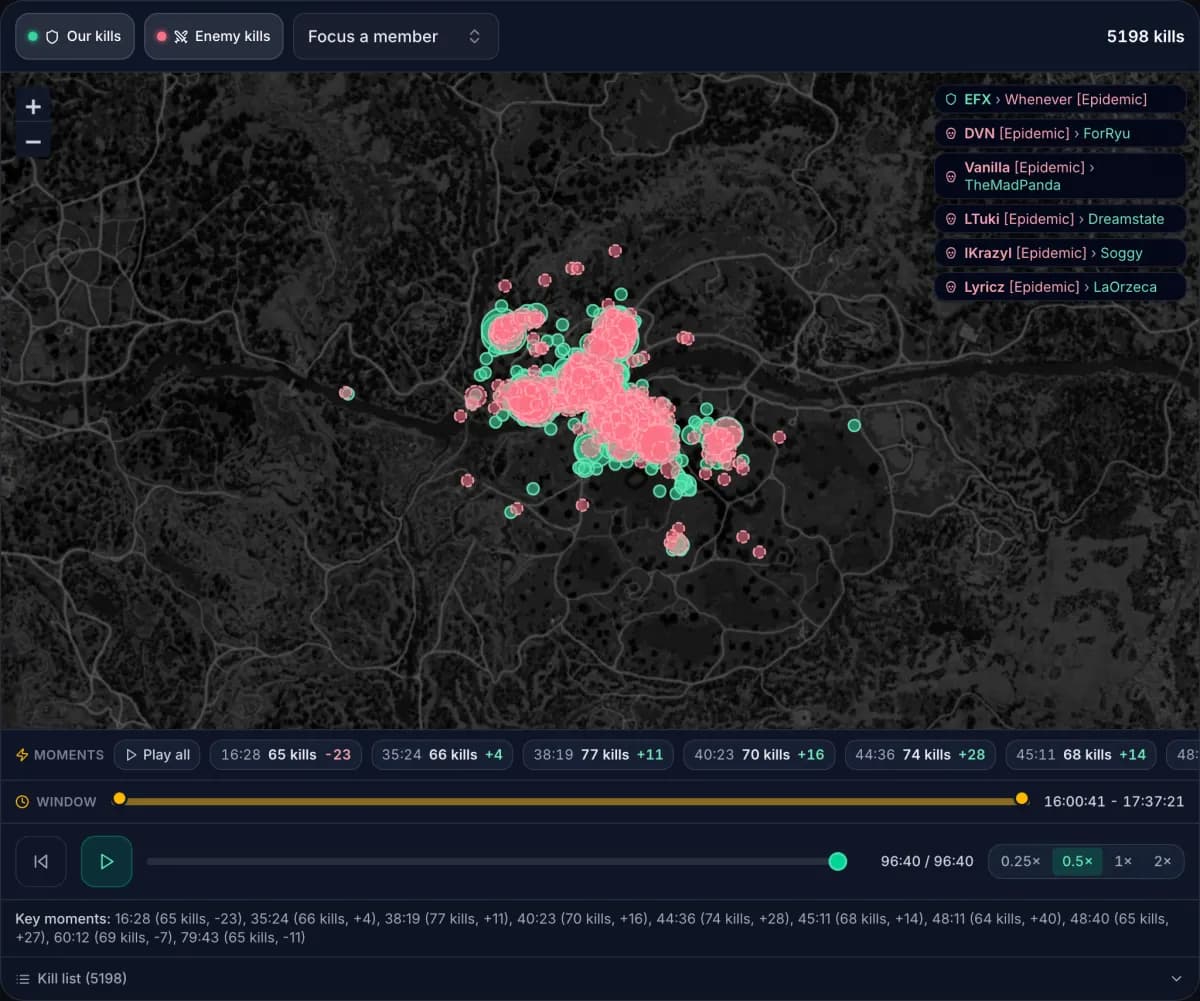
Kills on the map
Each kill lands where it happened, with a heatmap across wars and a timeline you can replay.
Recaps in your Discord
War recaps and scoreboards post to your server, plus guild-vs-guild history over time.
Classes and performance
Class breakdowns, capped and uncapped detection, and each player's form across wars.
Set it up in four steps
About five minutes. You only do steps 1 to 3 once.
Install it
Run cogm-logger-installer.exe. If you don't have Npcap yet, the installer downloads it from npcap.com for you.
Get your guild's token
An officer creates it in your guild's Settings, under PvP. Each guild has its own token, so wars land in the right event log.
Open token settingsPaste it into the logger
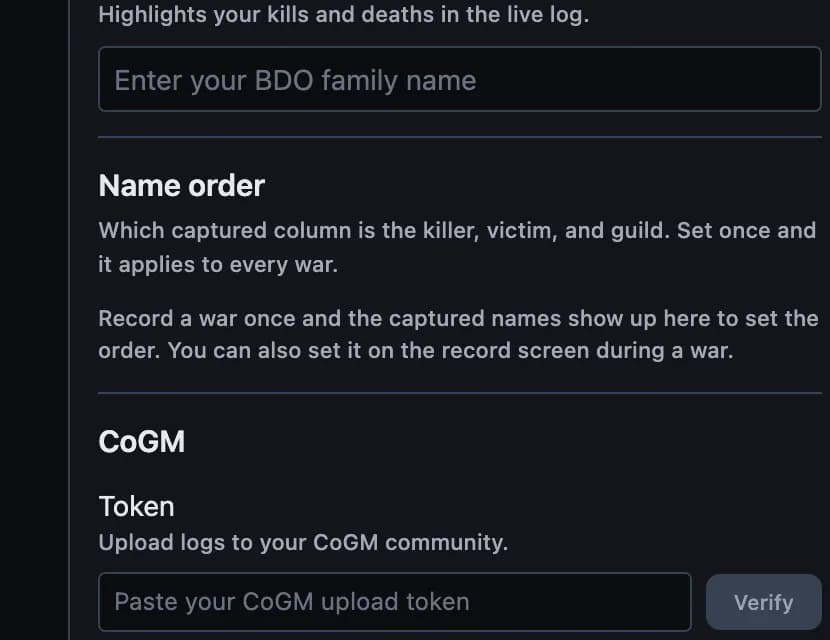
Open the logger's Settings, paste the token under CoGM and click Verify. It stays saved through updates.
Record the war, then upload
Click Record before or during the fight and stop when it ends. Check the name order reads Family 1 killed Family 2 from Enemy guild, flip it if not, then click Upload.
Npcap
Npcap is the Windows network driver the logger uses to read the combat messages your game receives. Its license doesn't let us ship it inside our installer, so setup fetches the official copy from npcap.com.
No kills showing while you record?
Npcap is missing or was installed without the setting the logger needs. Install it yourself:
- Download the installer from npcap.com.
- Run it and tick Install Npcap in WinPcap API-compatible Mode.
- Restart the logger and record again.
Questions
- Is it safe for my account?
- It reads the same combat messages the game already shows you in chat. It doesn't read game memory, inject anything or touch your game files.
- Windows warned me about the download
- If SmartScreen says it protected your PC, click More info, then Run anyway. The full source is on GitHub if you want to check it first.
- A BDO patch broke it
- The logger spots the changed messages and holds the upload. Click Send to CoGM and we push a fix to every logger within minutes. Nothing to reinstall.
- Do I need to update it?
- No. New versions download on their own and apply the next time you open it.
- My upload was rejected
- The token was revoked or your guild changed. Ask an officer for a new one and paste it in again.
- The logger won't open
- Start it with --mode=browser to open it in your browser instead, then tell us in the support server.
Open source
The code lives at github.com/nots0ggy/cogm_logger. It's built on Ikusa Logger by sch-28, whose capture engine and log format do the hard part. Go star his repo too.
Need a hand?
Ask in the CoGM support server or read the logger docs.