Aion 2
Run an Aion 2 legion on CoGM: read every member's Stat Info screen, rank the roster by Combat Power, post groups with class seats, and see how the legion is doing.
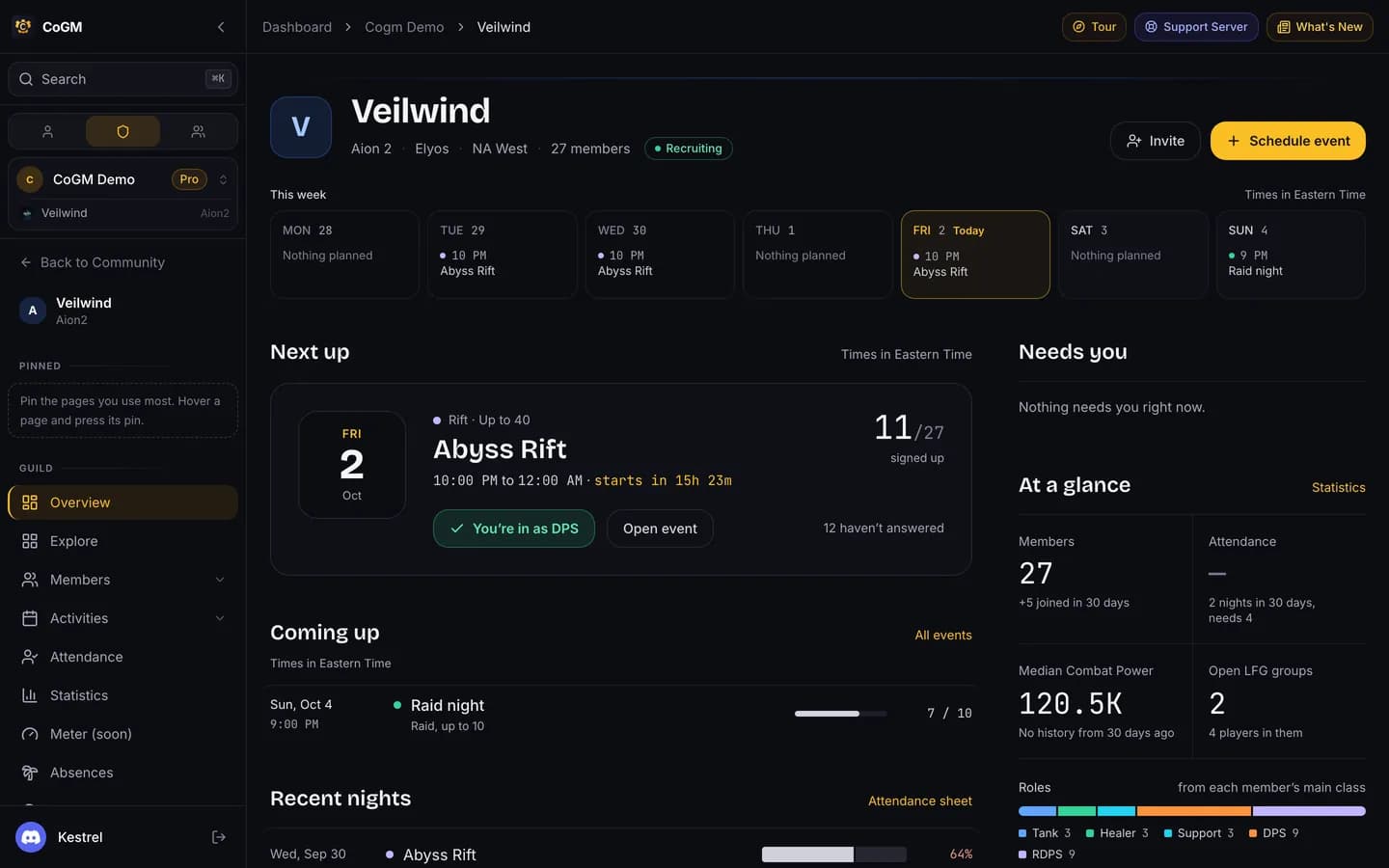
Aion 2 is open on CoGM in beta. On CoGM an Aion 2 guild is called a legion. One CoGM legion is one in-game legion on one server and faction. The level cap is 45 on Global and 50 in Korea, and uploads accept either. For the short version, see the Aion 2 page.
Set up your legion
Create a community, add a guild with Aion 2 as its game, and pick your region and faction. The legion opens on its setup page: faction and region, the member role, a minimum Combat Power, and 6 event templates (Abyss Rift, Fortress Siege, World Boss, Raid, Dungeon, Arena). Row by row: Aion 2 Setup Guide.
If your community runs more than one game, each legion claims its own Discord channel for uploads, so the bot knows which game a screenshot is for.
Classes and roles
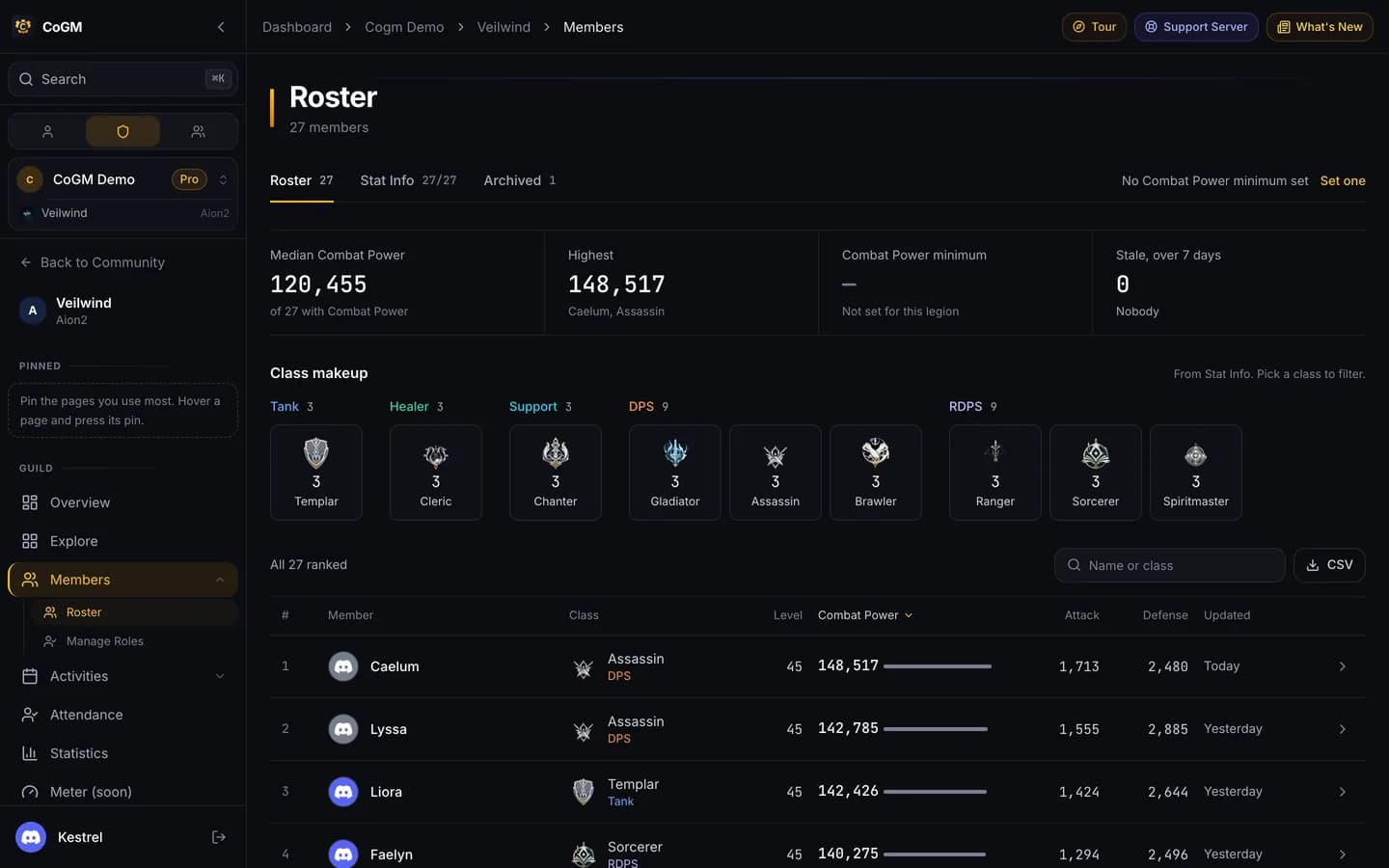
Every class has one role, and the role follows the class: change the class and the role changes with it. The roles are Tank, Healer, Support, DPS, RDPS. RDPS is ranged damage.
- Tank: Templar
- Healer: Cleric
- Support: Chanter
- DPS: Gladiator, Assassin, Brawler
- RDPS: Ranger, Sorcerer, Spiritmaster
Upload the Stat Info screen
Members run /upload in Discord with a screenshot of the Stat Info screen (press P, then Stats). CoGM reads:
- Character name, level and title
- Combat Power, the number under your level
- Might, Constitution, Dexterity, Intelligence, Willpower and Precision
- Attack, Defense, Accuracy, Evasion, Critical Hit and Critical Hit Resist
- HP, MP, combat speed and movement speed
- The ten stats on the outer ring of the wheel
Pick your class in the class option. On a first upload with no class on file, the bot asks you to pick one before it saves. After a successful upload, the bot sends you a private message with what it saved.
Change things later
- /update gear re-reads a new Stat Info screenshot and keeps your name and class.
/update classchanges your class. Your role follows it.- Officers fix a member's class or level with /edit (fields Class and Level (Aion 2)). Run it in the legion's channel or pick the legion in its
guildoption.
Look people up in Discord
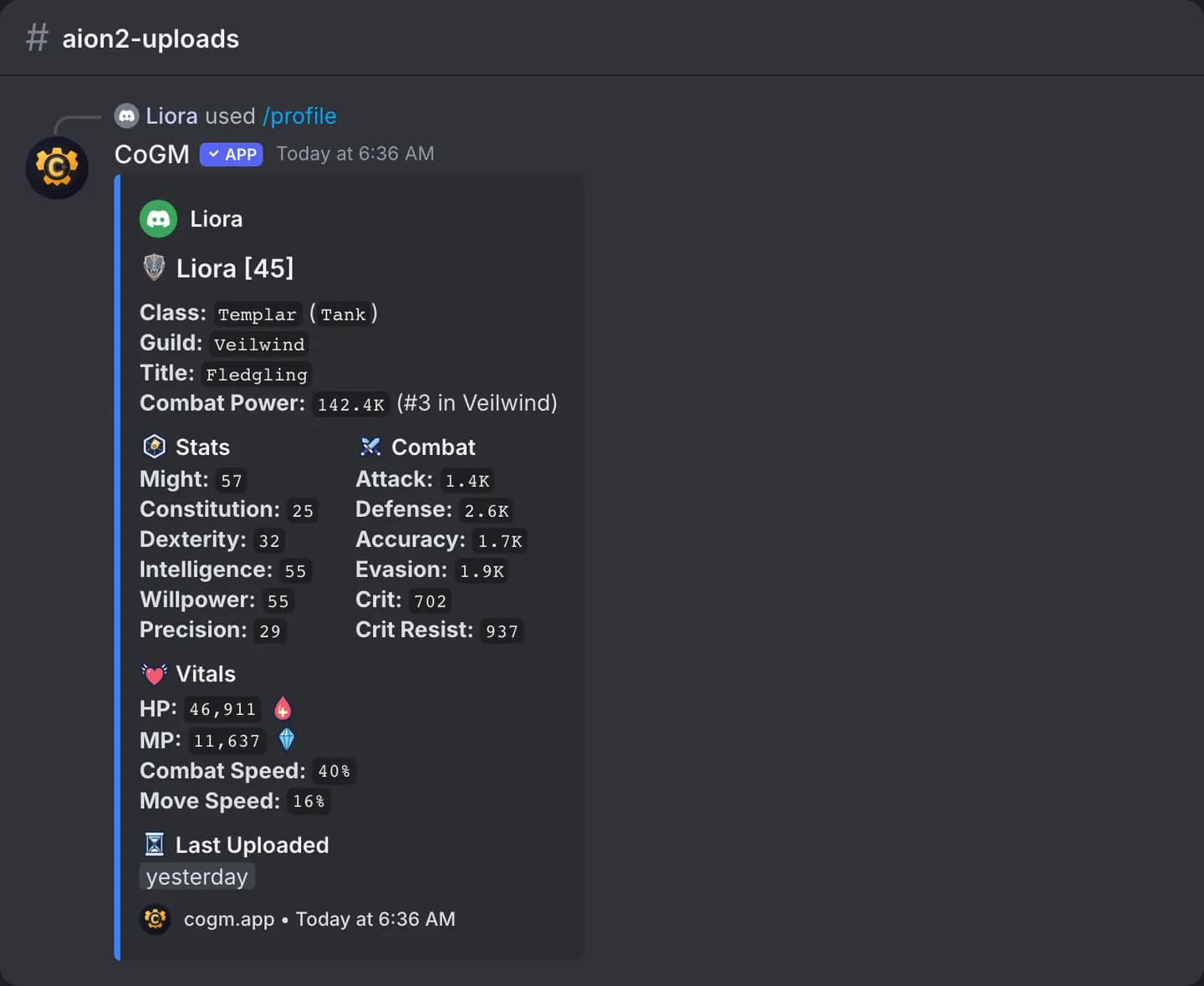
- /gear and /profile show a character card: class, level, title, Combat Power with the member's rank in the legion, the stats, and when it was last uploaded.
- /members lists the legion sorted by Combat Power, Attack, Defense, HP, Accuracy or Evasion, and filters by class.
- /remind sends a private message to members whose Stat Info upload is older than the number of days you pick.
The roster
The Roster page lists every member with their class, role, Combat Power and when they last uploaded. Open a row to see the full Stat Info read, including the outer ring as a wheel. Officers can set a minimum Combat Power for the legion; members under it are marked. Members who have not uploaded in a while can be reminded from the same page.
Compare puts two or three members side by side. Each member also has a profile page with their Combat Power over time.
Legion statistics
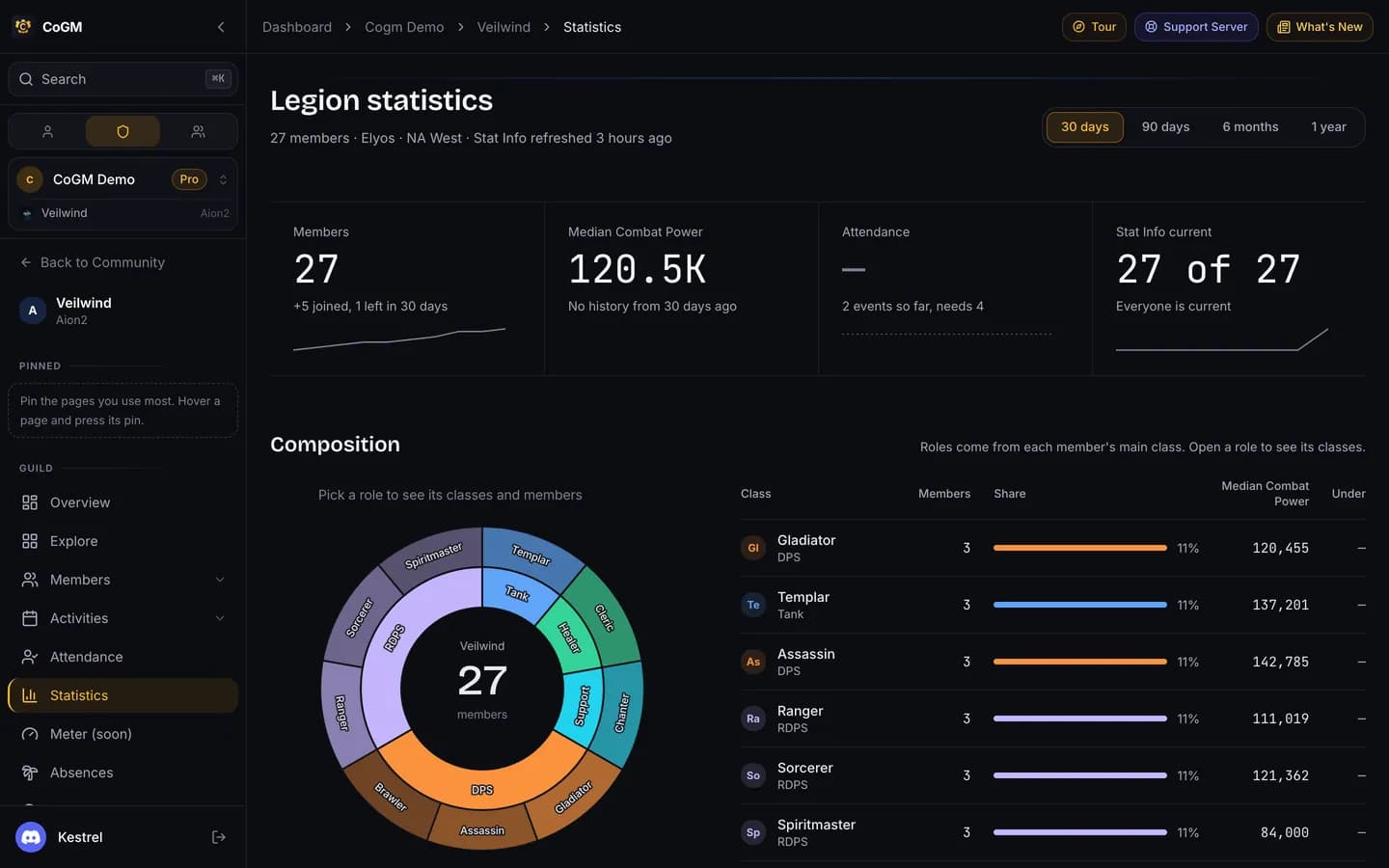
Officers get a Statistics page for the legion: the role and class make-up, Combat Power spread, who is active, event turnout, membership changes, and engagement once a few events have run. Members without the event permissions see that the page is for officers.
Events and attendance
Post events from the templates. Signups pick a role, and the seat plan fills one seat per role in a party of five; the 10-player raid is two parties. Abyss Rift and Fortress Siege take the whole legion with no seat plan. Record attendance on the event's page or with /attendance from a voice channel.
Looking for group
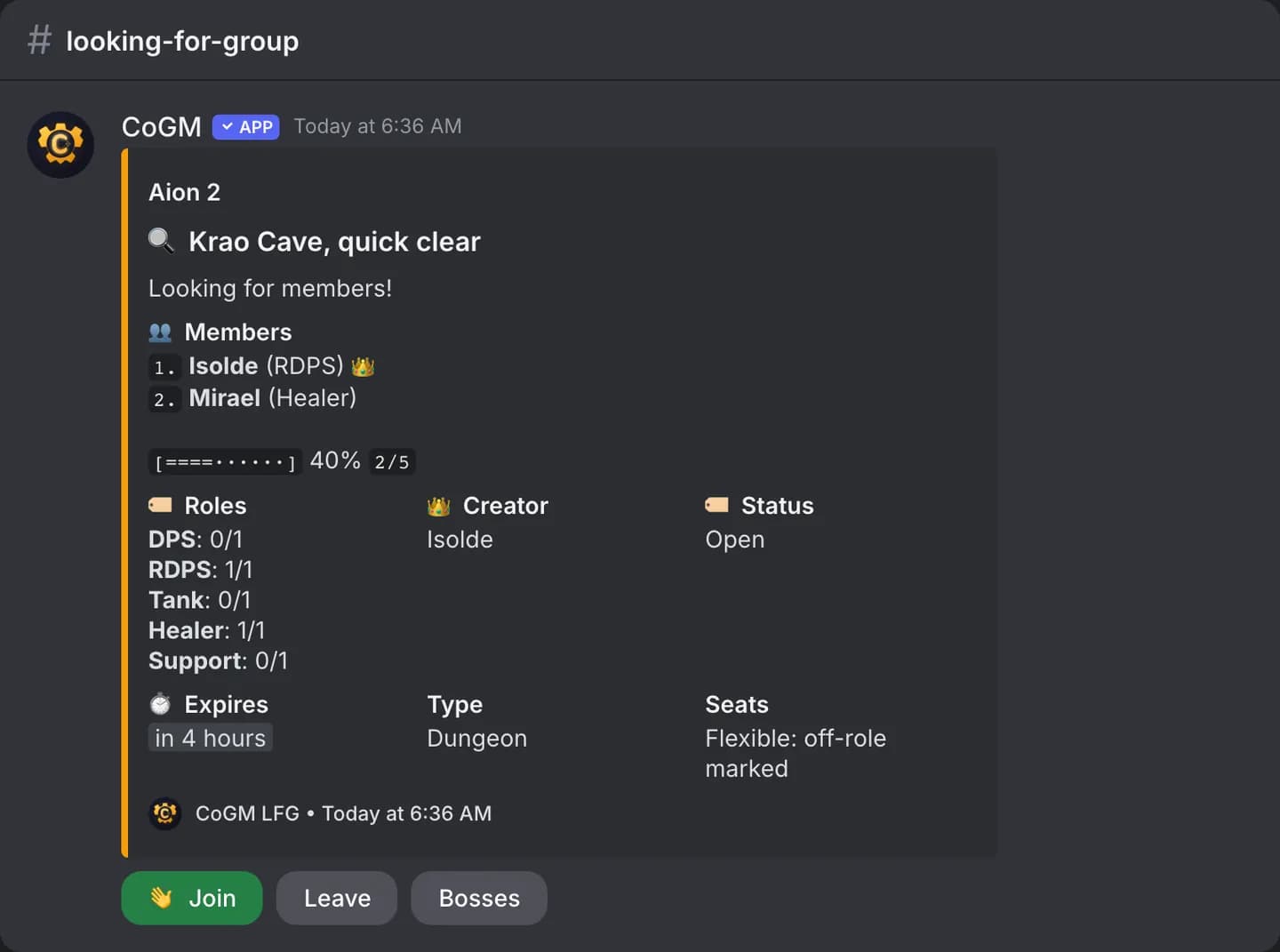
Looking for Group is on Pro. Members post groups with /lfg or on the dashboard. The list covers dungeons, Transcendence, raids, world bosses, PvP (Arena and Battleground) and the Abyss (Abyss Rift, Abyss Farming and Abyss Roaming). Pick a start time or leave it empty to start now.
Aion 2 groups have class seats. Flexible seats take any class and mark a player who is off their role. Strict seats only take a class that matches. Set it with the seats option.
More for the legion
- Absences: members file leave with
/absenceor on the dashboard, and event pings skip them until they are back. - Quests: officers post quests for members to finish for a reward.
- Strikes: officers issue and pardon strikes with
/strike. - Applications: the legion form from setup, on cogm.app and with
/apply.
Not tracked
CoGM does not read the Cube. Your legion is the guild itself, so there is no separate legion line on the character card.
Free and Pro
Free covers up to 30 members per guild. Pro is $10/mo per guild, with unlimited members.
On Free: Roster Management, Events & Scheduling, Attendance Tracking, Audit Log, Role Permissions, Party Builder, Class Composition, Applications, Announcements, Absence Management, Quests, Strike System, Gear Tracking, Gear OCR Upload.
On Pro: Loadouts, Looking For Group.