FreeBDO
/whois
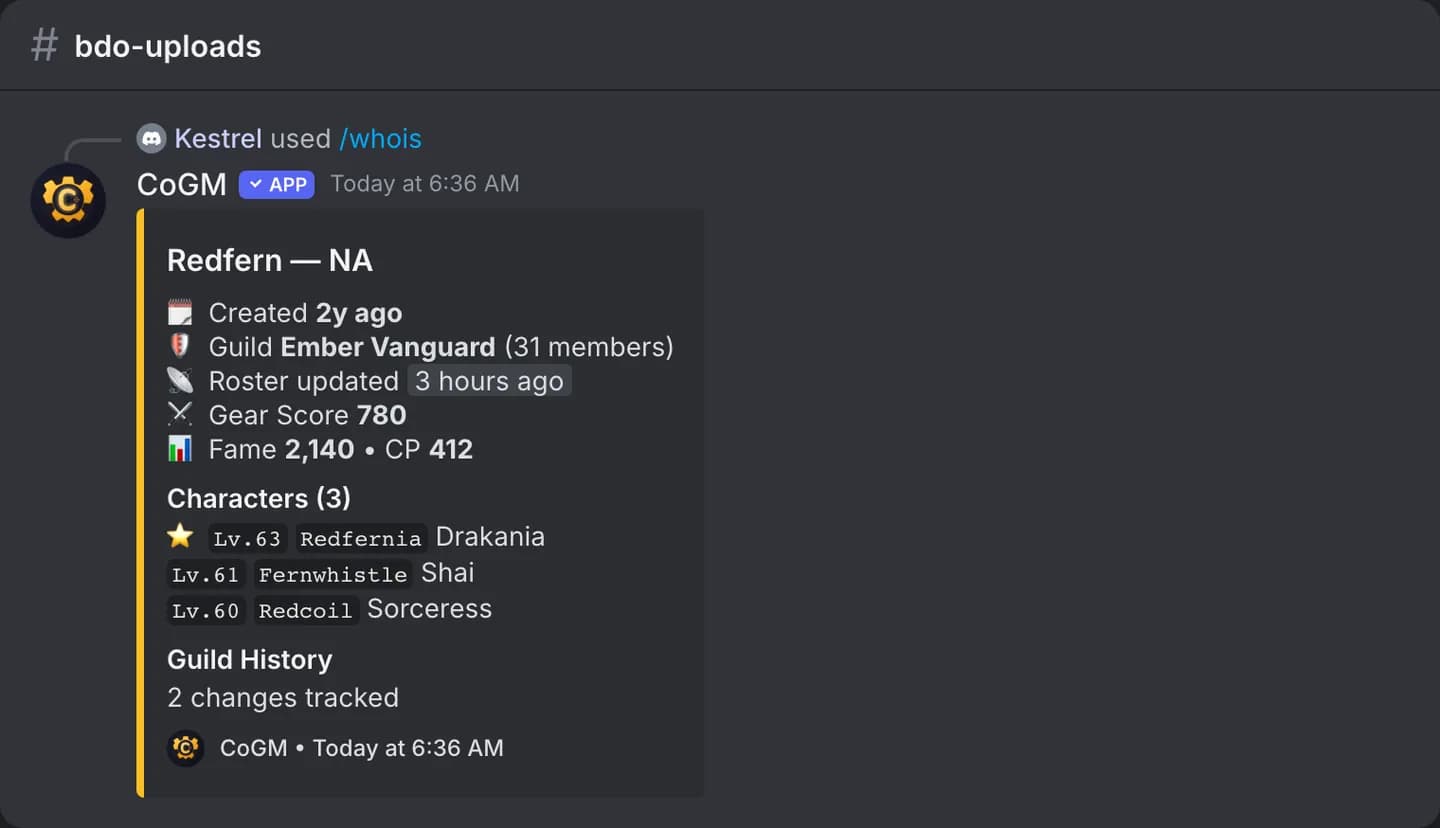
Look up any Black Desert Online family by name. See their characters, their current guild, and the guilds CoGM has seen them in before.
BDO
Who can use it
- Game: Black Desert Online. The command shows up in servers whose community runs Black Desert Online.
- Plans: Free and Pro. Anyone in the server can run it.
Options
/whois family_name:<name> [region]| Option | Required | What it takes |
|---|---|---|
family_name | Yes | The family name to look up. |
region | No | NA, EU, SA or SEA (Asia). Blank is NA. |
What you get
- The family's profile from the official Black Desert Online site: characters and current guild.
- A Guild History button that lists the guilds CoGM has recorded for the family.
- If the family hides its profile but CoGM knows its guild from a roster, the guild shows with "(Private)".
Family names are per region. If the lookup finds nothing, try the other regions. To scout a whole guild, officers use /guildscan.