PvP Analytics
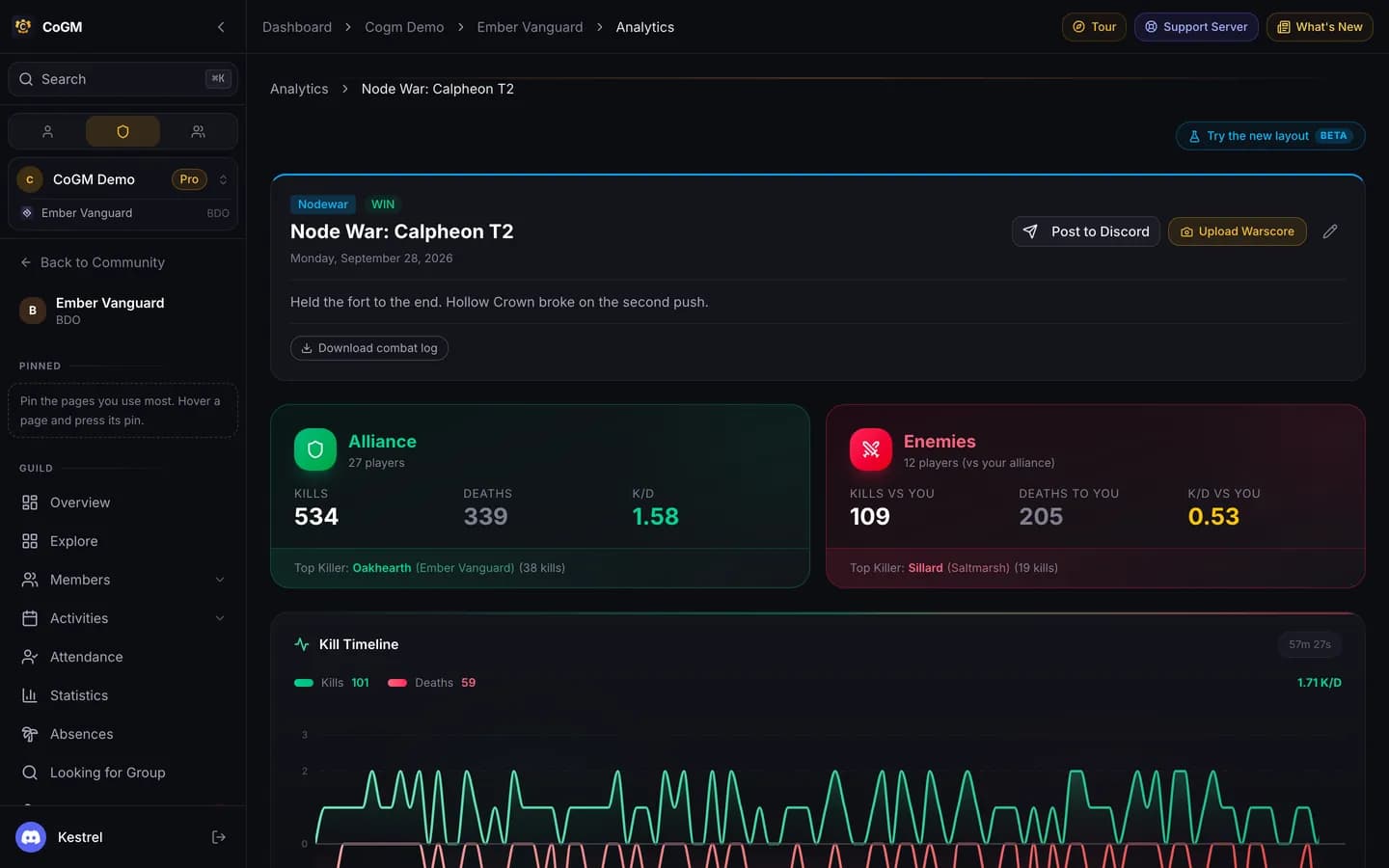
After a node war, siege or GvG, the log becomes a recap: kills, deaths and K/D for both sides, a kill timeline, a kill map and a post you can share in Discord.
Who can use it
- Game: Black Desert Online.
- Plan: free. Pro adds detailed warscore screenshots, the full My PvP view (charts, role comparison and detailed combat numbers) and AI fight analysis on each war recap.
- Permissions: members see My PvP, the Leaderboard and Benchmarks by default. Officers with View PvP Analytics see the Event Log, Calendar, Guild Matchups, Player Lookup and Alliances. Manage PvP Analytics covers uploads, the logger token and settings.
Get a war in
- CoGM Logger (best): record the war on Windows and click Upload. You get the full kill timeline and kill positions for the map.
- A .log file dropped on the Event Log gives the full kill timeline.
- A CSV export gives kills, deaths and performance per player.
- Warscore screenshots are read with OCR for the results. On a war that is already in, Upload Warscore adds damage, crowd control, heals and fort damage columns to the recap (Pro).
The war recap
Open a war from PvP Events → Event Log. The page has three tabs.
- Overview: kills, deaths and K/D for your alliance and for the enemies, top killers, the kill timeline and the player table. Filter the table by side, class and role. Wars from the logger add kills per minute.
- Statistics: charts and deeper numbers for the same war.
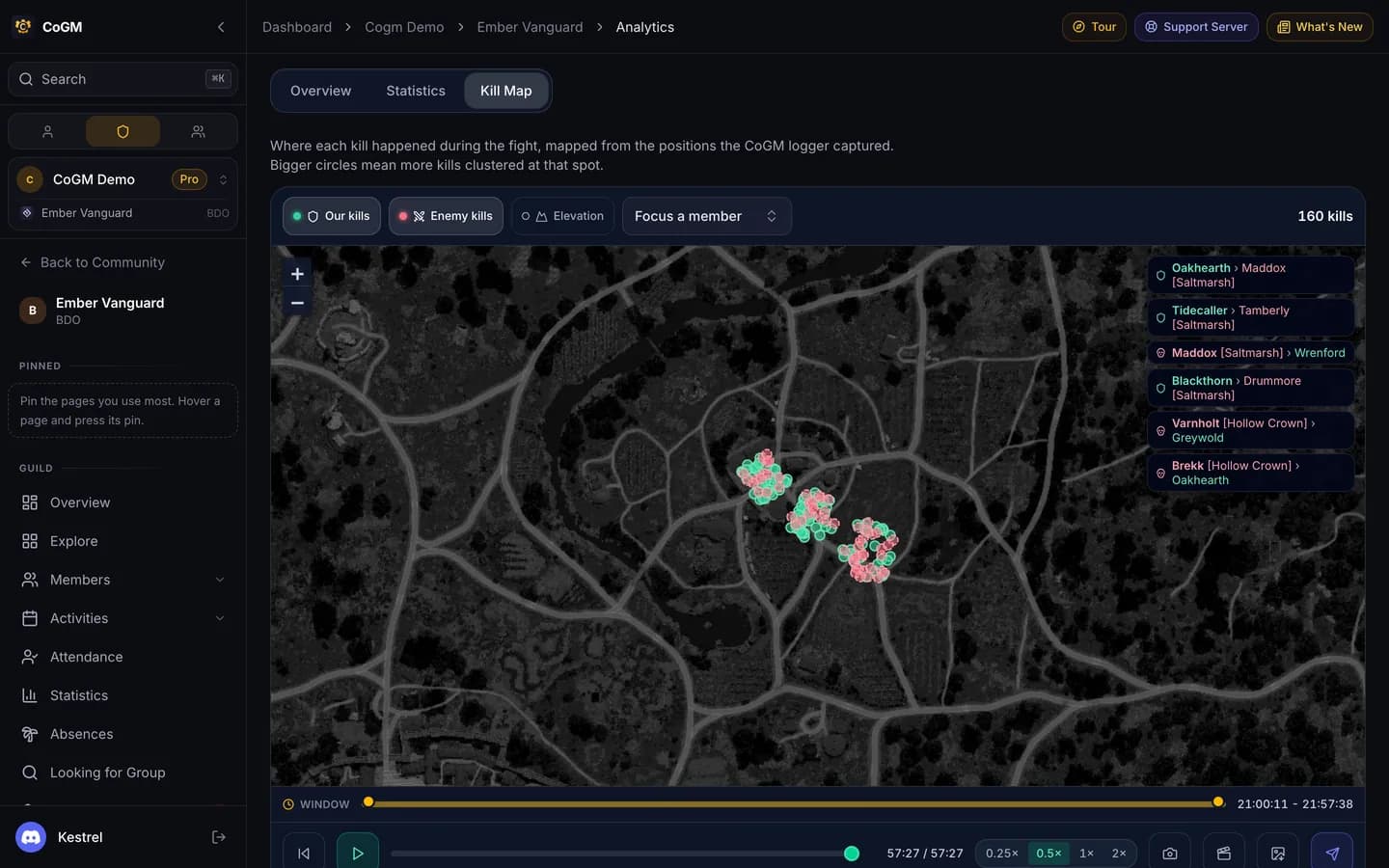
- Kill Map: every kill where it happened, with a replay you can play back at different speeds.
On Pro, a war with a combat log (from the logger or a .log file) also gets AI fight analysis on its recap: a written breakdown of role performance, problem areas and what to change next war.
Post to Discord shares the recap in a channel. In Settings → PvP Analytics → War Recaps, officers set the default channel and can post every recap automatically after an upload.
Leaderboard and benchmarks
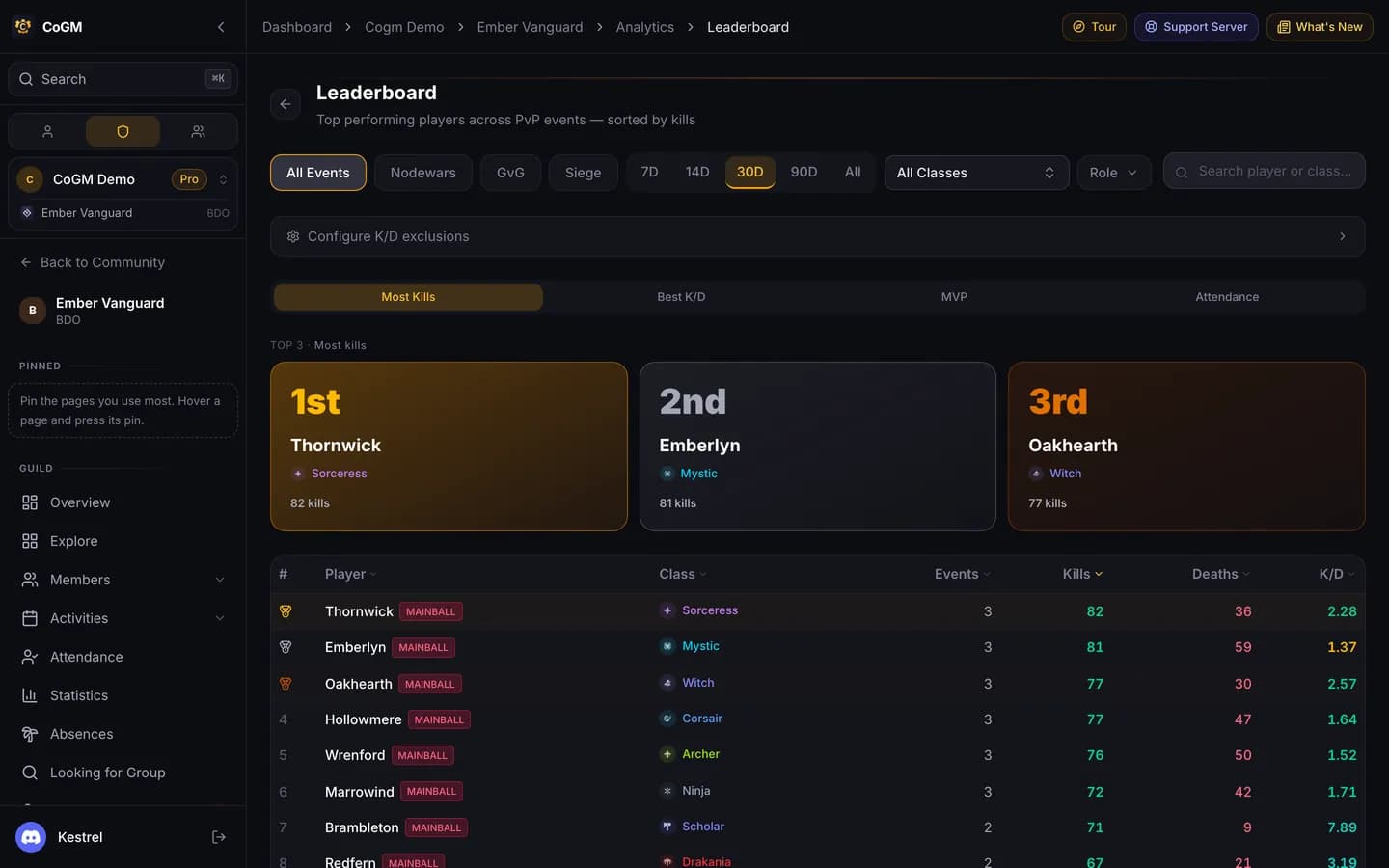
Performance → Leaderboard ranks members across your wars by Kills, K/D, Kills per war, Damage, MVP or Attendance, under your guild's war record for the range. Filter by war type (node war, GvG, siege), time range (Last 7 days to All time, or a custom range), class and role. Click a name to open the member's profile with their numbers for the same range.
Performance → Benchmarks shows the targets you set for each class next to where the class sits. Officers also see who meets them and who is below them, with an alliance K/D trend. To leave roles such as shotcallers or support out of K/D, set K/D Exclusion by Siege Role or Character-Level Exclusions in Settings → PvP Analytics. Benchmarks then shows how many members are not counted.
My PvP
Every member gets My PvP in the sidebar: their war history, totals and trends, plus Rivals & Targets (who they kill most and who kills them). On Free it shows the basics; Pro adds charts, a comparison with others in the same role and detailed combat numbers. Officers choose which sections members see in Settings → PvP Analytics → Member Analytics Visibility.
Matchups, lookup and alliances
- Guild Matchups: your record against every guild you have fought.
- Player Lookup: search any family name from your logs, including enemies.
- Alliances: group guilds into alliances so stats roll up by alliance. See BDO Alliance Tools.
- Calendar: your wars by date.
- Roster Activity: who joined or left the guilds you track. See Missing Data & Compare.
Pay members from war attendance