Gear Tracking Setup
Get every member's gear on the roster and keep it current. This guide is for Black Desert Online guilds. Aion 2, WoW Forever and Monsters & Memories use the same /upload with their own screenshot.
Set your target gear score
The setup page's Gear Baselines row sets your minimum gear score. You can change it later in the guild's Settings > Game, together with the gear tiers and the chart range. The roster colors each member by how close they are to the target.
Make sure members are on the roster
/upload saves gear to a roster row; it does not add people on its own. Set the guild's Discord member role so anyone with it is added, or let members join through an event signup or an application. See Get Your Members In.
Have members upload
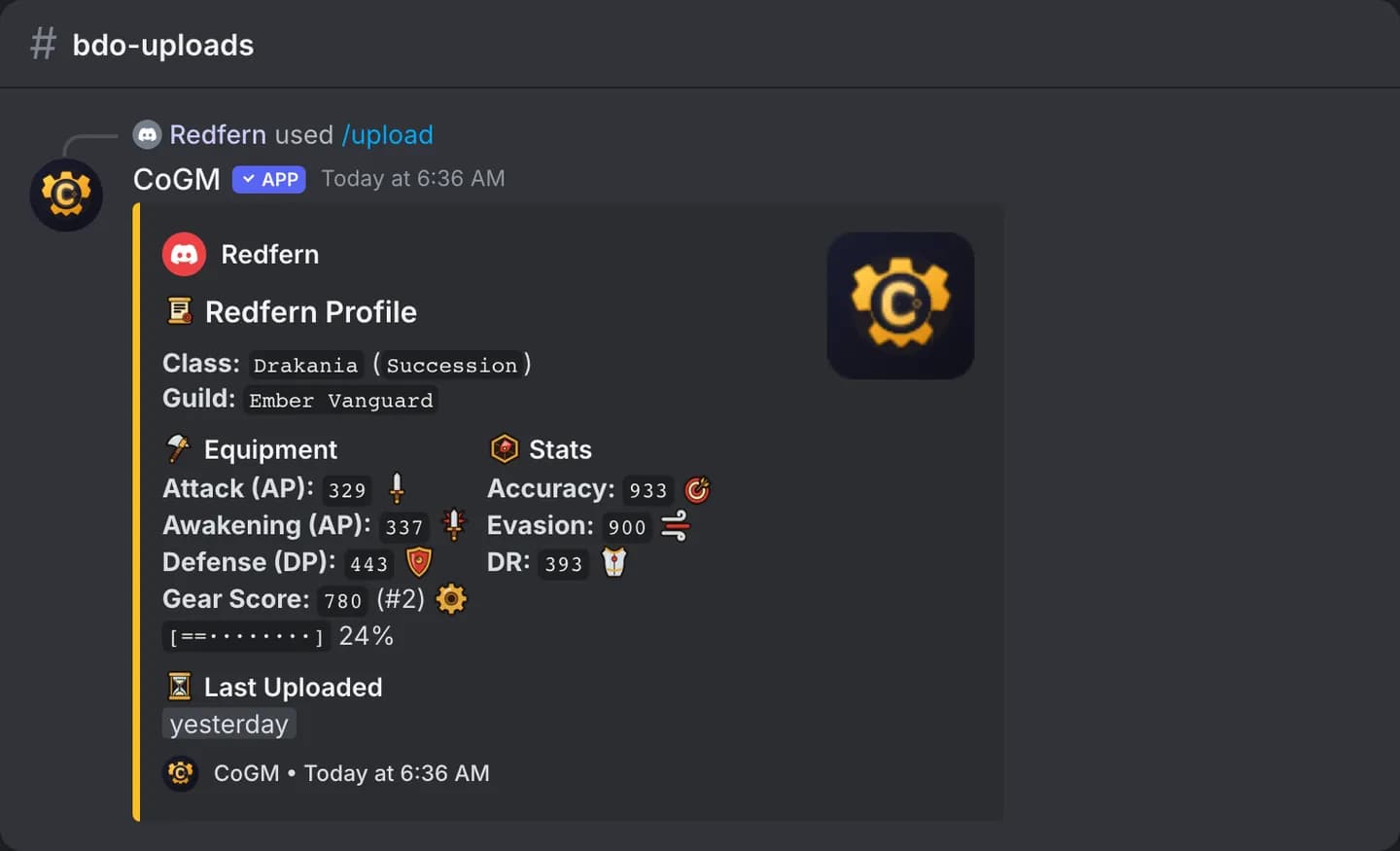
Each member takes a screenshot of their gear window in game and runs /upload with it attached. On the first upload they also pick their class and spec. The bot reads AP, Awakening AP, DP, accuracy, evasion and damage reduction, works out the gear score, and posts the gear card. The member also gets a direct message with what was saved.
An officer can upload for a member with the target option. Later, members use /update to read a new screenshot or change their class or spec.
Read the roster
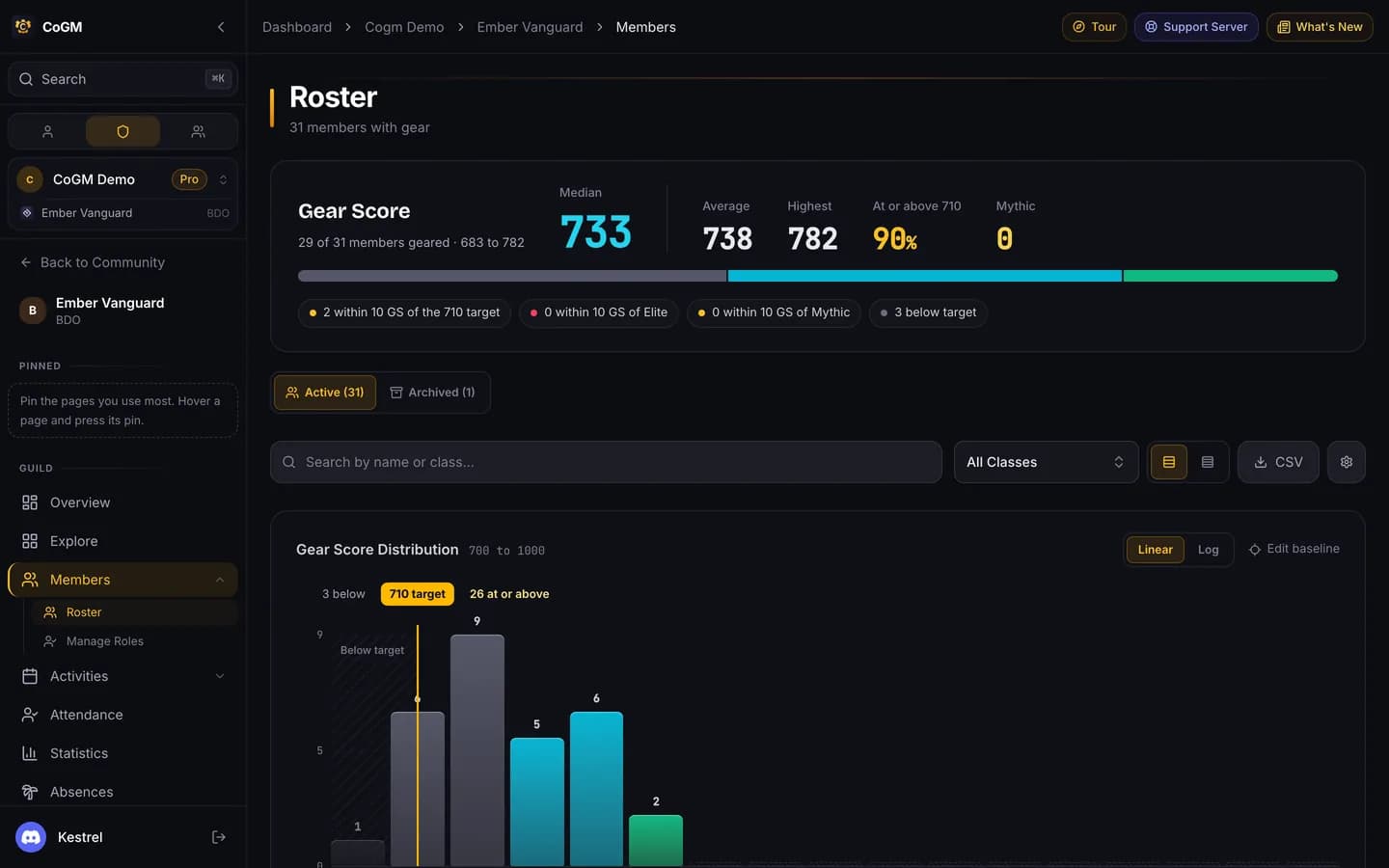
Open Members > Roster. The top shows the median, average and highest gear score and how many members meet your target. The table lists every member with class, role, gear score and when they last updated. Sort by any column, filter by class, open a row for the full details, or download the list as CSV.
Keep gear current
Gear goes stale. There are three ways to ask members for a new screenshot:
- One member: press
Remind to updateon their roster row. - Everyone behind: on the roster, show the members whose gear is older than the number of days you pick, and remind them all at once. /remind does the same from Discord.
- Automatically: turn on automatic reminders in Settings > Game and pick after how many days. They start off, at 30 days.
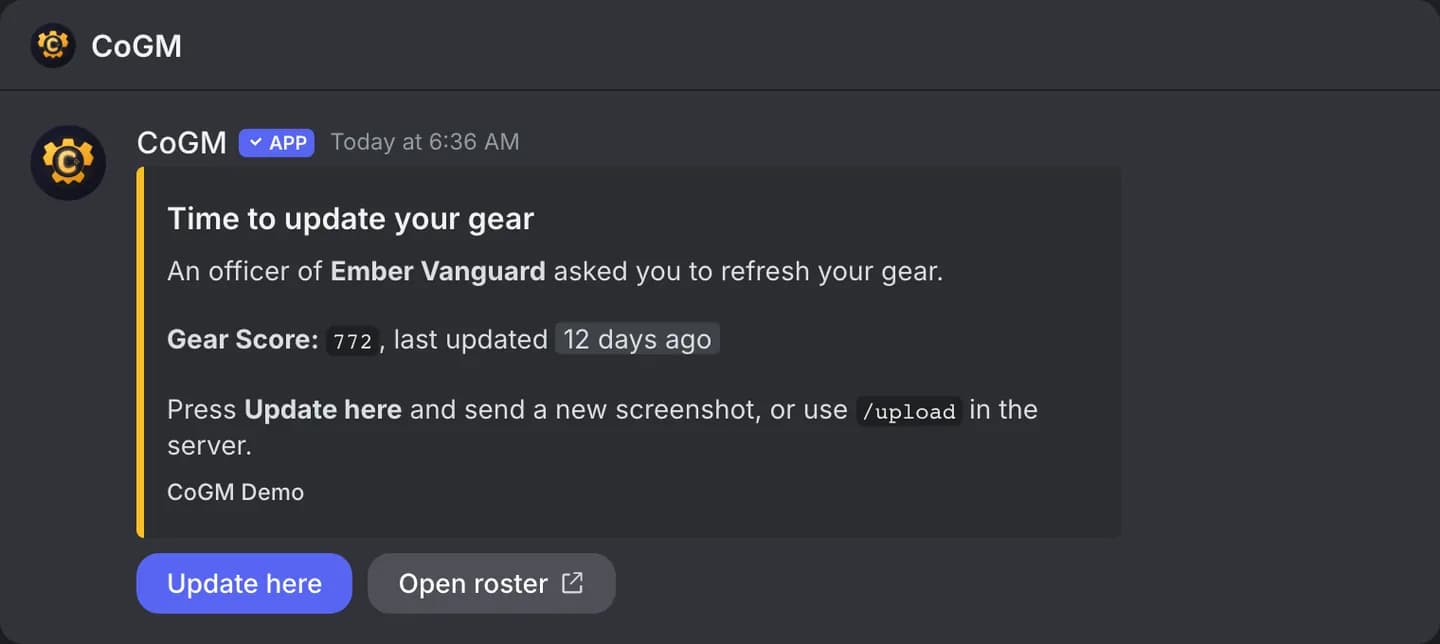
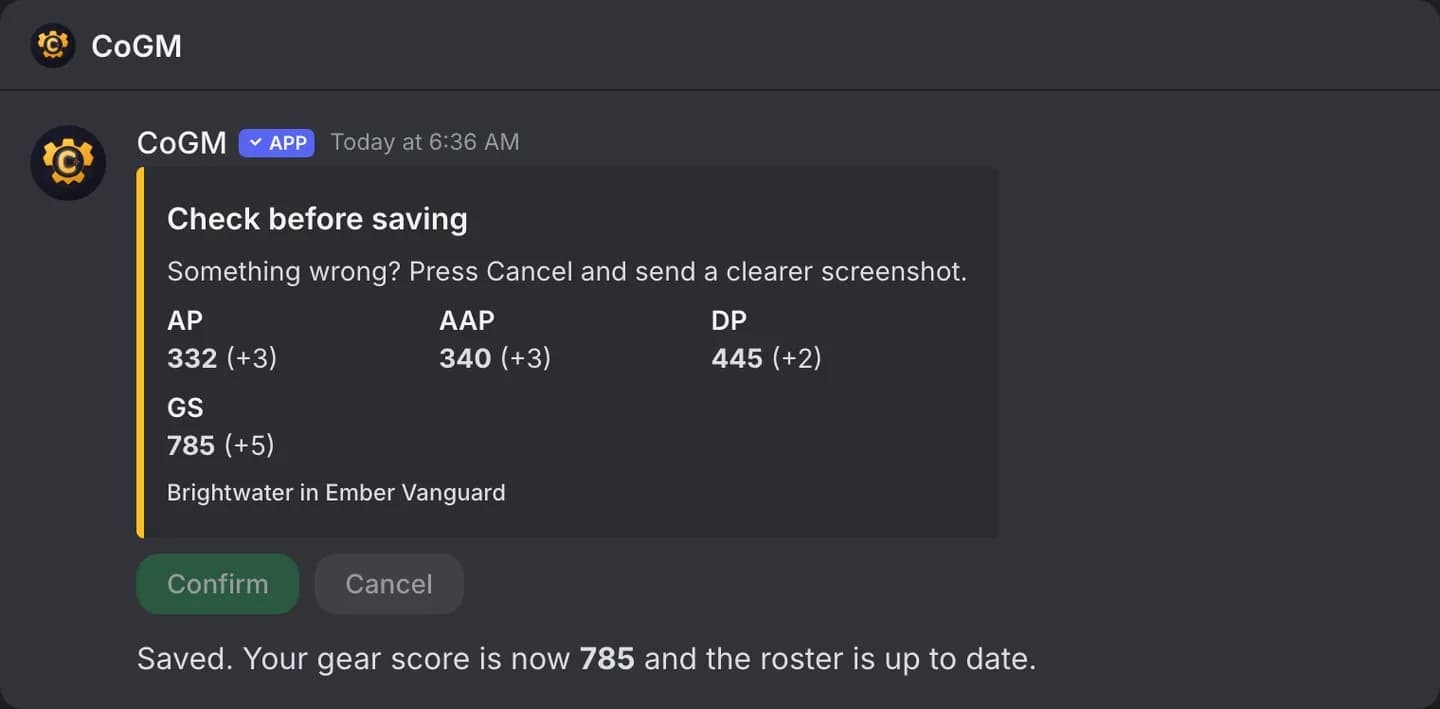
The reminder arrives as a direct message. The member can press Update here and send the new screenshot right in the message. The bot shows what it read, and saves it once they confirm.
Members with no upload, or an old one, are also listed on the Missing Data page. See Missing Data.
Upload limits on Free