FreeBDO
/alliance
An overview of your community's Black Desert Online guilds, and a check for Discord members who have not joined CoGM yet.
BDO
Who can use it
- Game: Black Desert Online. Plans: Free and Pro.
/alliance info: anyone in the server./alliance check: officers of the guild you check. An officer here is the community owner or an admin, anyone with the guild's officer role in Discord, or anyone whose guild role has Manage Gear or Manage Guild Members.
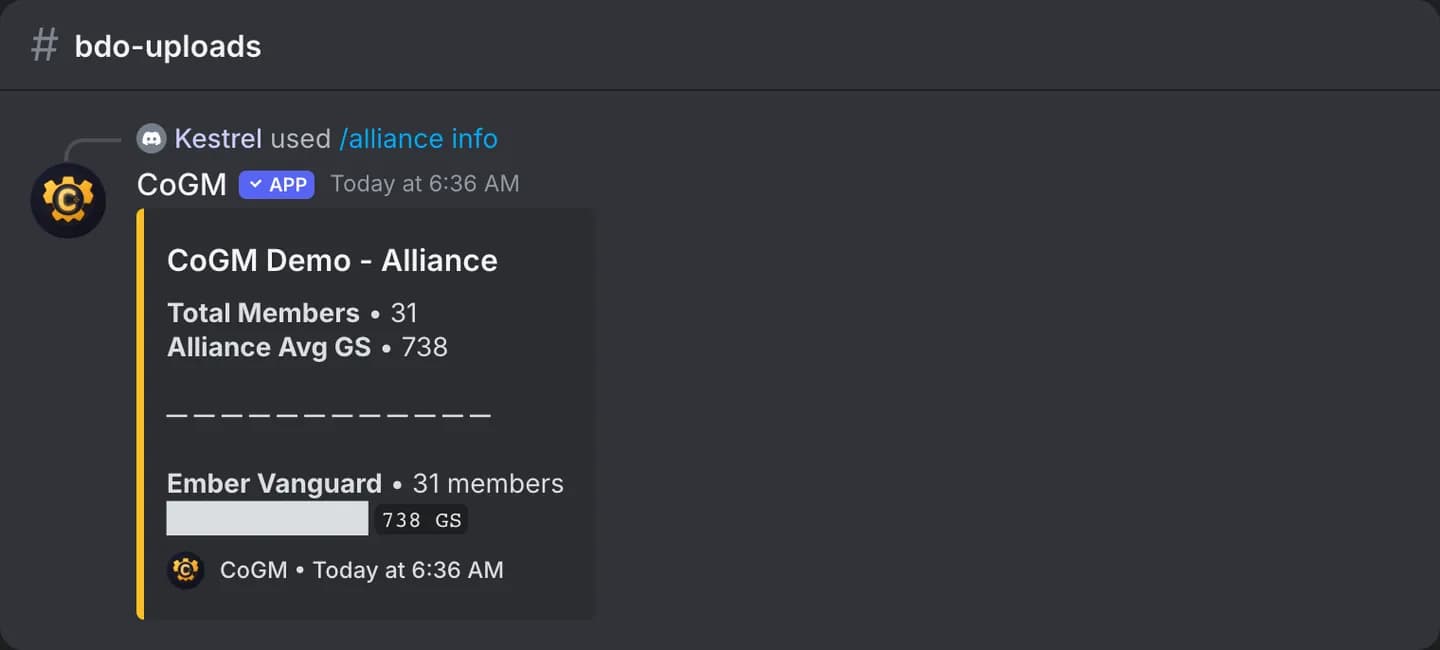
/alliance info
/alliance infoLists each Black Desert Online guild in the community with its current member count and average gear score, plus the total members and the overall average. Guilds for other games are left out.
/alliance check
/alliance check [guild]| Option | Required | What it takes |
|---|---|---|
guild | No | The guild to check. Blank uses the channel's guild, or asks you to pick one. |
Compares the people in this Discord server with the community's CoGM members. The reply shows how many are registered and unregistered, and names up to 30 who are not on CoGM yet, so you know who to chase.
This command covers the guilds inside your own CoGM community. To bring unregistered members in, point them to Get your members in.