Quick Start
Four steps on cogm.app create your community and its first guild. Then a short setup page for your game gets it ready for the first signup.
You need a Discord account. To add the bot you also need the Manage Server permission on your Discord server. If someone else runs the server, you can send them the invite link, or skip that step and connect it later.
Create your community and guild
Go to cogm.app, log in with Discord, and start a new community. The wizard has four steps.
Your community
Type a community name. The web address fills in from the name, and you can change it. A description is optional.
Discord
Pick your server from the list and add CoGM to it. The page notices when the bot joins, usually within 10 seconds. You don't have to wait: once you have opened the invite, press Continue and the wizard keeps checking for CoGM in that server while you fill in the next steps. If the bot is already in the server, there is nothing to add.
Someone else manages the server? Send them the invite link. Once your community is created, Settings > Discord also gives you a /link code to send them. It works once, for 24 hours. A server admin or a mod with Manage Server runs /link with it in the server. The community owner and admins who manage the bot settings can get one.
Not ready? Press Skip for now, or Continue without connecting if you have not picked a server. Signups from Discord, /upload and reminders stay off until CoGM joins, and you can connect it later from the community's Discord settings. If you picked a server but CoGM never joined, the bot DMs you a few setup tips, which you can turn off. See Invite the Bot.
Game
Pick the game this guild plays: Black Desert Online, Aion 2, World of Warcraft: Forever, or Monsters & Memories. You can add guilds for other games later.
Your guild
Name the guild as it shows in game, then fill in what your game asks for:
- Black Desert Online: your region.
- Aion 2: your region and faction (Elyos or Asmodians).
- WoW Forever: your region, faction and ruleset (Normal, PvP or Roleplaying).
- Monsters & Memories: your server.
Press Create your community and guild. CoGM creates both, and the bot's slash commands appear in your server.
Every new guild starts with its game's event templates, so your first event form opens on one. Once CoGM is in the server, it also picks a default channel for the guild's events: the first channel it can post in named like events, signups or raids, or else the channel its welcome went to. Pick another channel on the event form and press Make it the default to change it.
Pro trial for WoW Forever and Monsters & Memories
Run the setup for your game
For Black Desert Online, Aion 2 and WoW Forever you land on the guild's setup page. Each row is one thing to set. Rows marked Required are needed before you press Finish setup; the rest are Optional. Open a row, fill it in, and press Save.
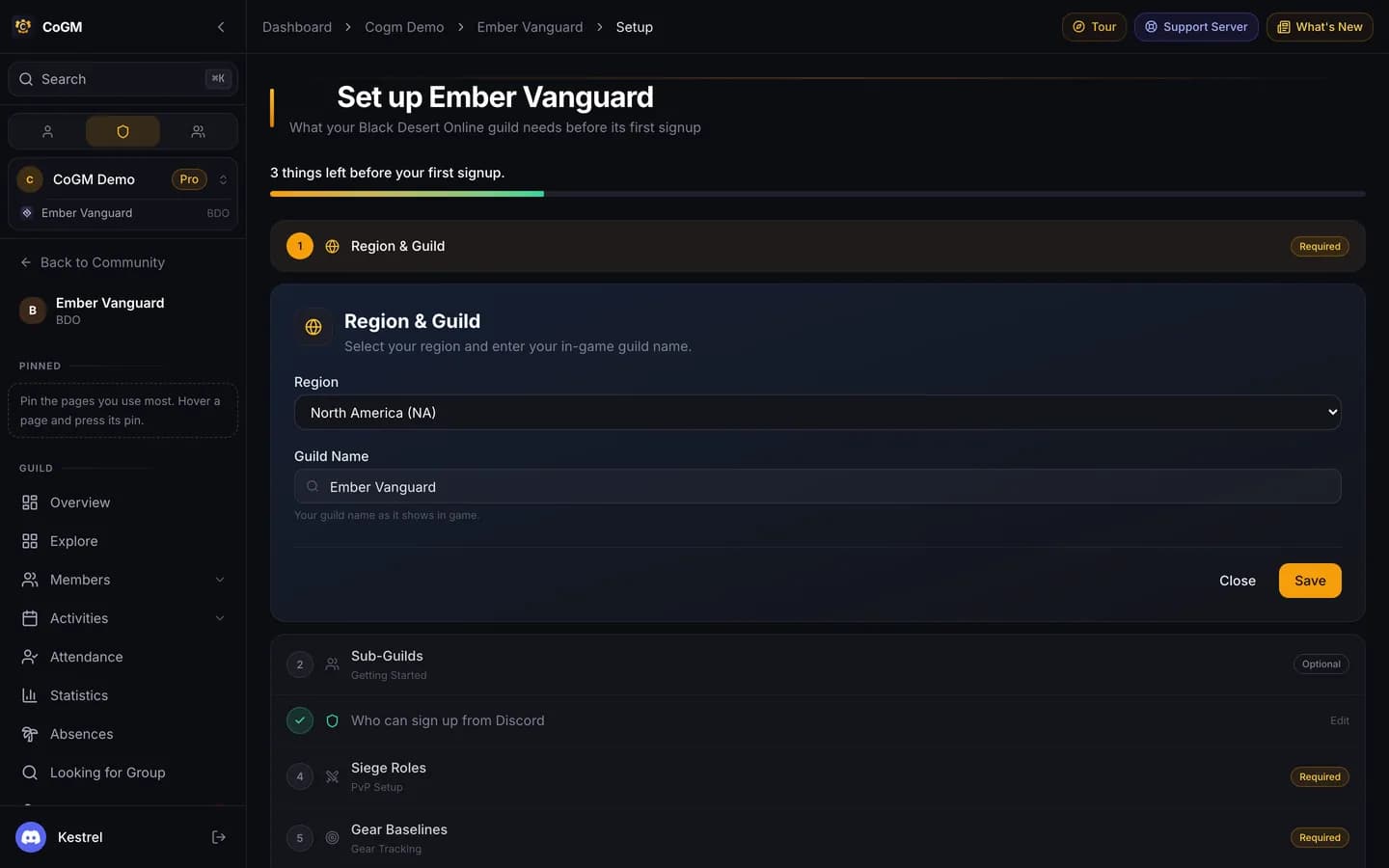
Not ready? Press I'll finish later. Until you finish, the guild overview's Needs you list shows Finish setup with the same count of things left as the setup page.
When you press Finish setup, a short tour of the guild starts. On Monsters & Memories, CoGM offers the tour after you finish the Set up card. To see it again, press Tour at the top of any page, or search for Take the tour. Close it early and the button reads Resume tour, so you pick up where you stopped. Members get a shorter tour of the pages they use.
Monsters & Memories has no setup page. Its guild overview opens on a Set up card: pick the member role and post your first event, then press Finish setup. CoGM then offers the tour. Each guide walks through the steps:
Next steps
- Get your members in: pick the Discord member role, post a signup, or open applications.
- Ask members to run /upload with a screenshot so the roster fills with their characters.
- Read the command list.
/tldrand/roastwork even before you link a community.