/gear
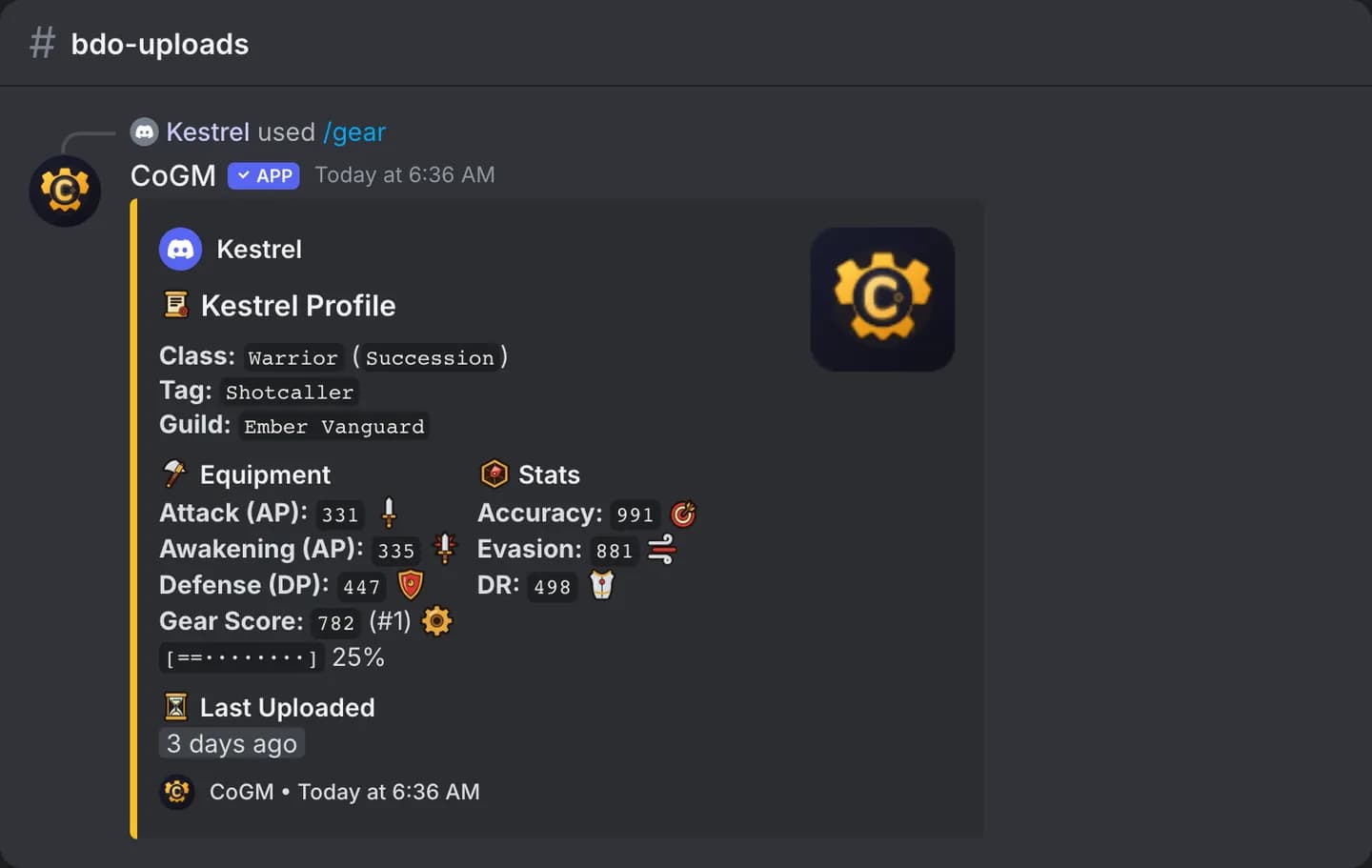
Show the card CoGM saved from your last upload, or another member's. Black Desert Online shows the gear profile. Aion 2 and WoW Forever show the character card.
Who can use it
- Games: Black Desert Online, Aion 2 and WoW Forever. A server that only runs Monsters & Memories uses /profile; a server that also runs another game keeps
/gear. - Plans: Free and Pro.
- Any member on the roster can view their own card and, unless the guild keeps gear private, anyone else's.
Options
/gear [target] [character]| Option | Required | What it takes |
|---|---|---|
target | No | The member to show. Leave it blank for yourself. |
character | No | Aion 2 and WoW Forever: which of the member's characters to show. Blank shows their main. Black Desert Online has one profile per member, so it does not use this option. |
Which card you get
The channel decides. In a channel that belongs to an Aion 2 or WoW Forever guild, or on a server that runs only one of those games, /gear shows that game's character card, the same one /profile shows. Everywhere else it shows the Black Desert Online gear profile.
- Black Desert Online: class and spec, guild, AP, Awakening AP or Talent, DP, gear score with the guild rank, accuracy, evasion, DR and the screenshot. If the member uploaded crystals with
/crystals, a Crystals button shows that screenshot. - Aion 2: Item Level with the legion rank, Combat Power, level and the combat stats.
- WoW Forever: level, class and the stats from the character panel.
Add crystals with /crystals
Black Desert Online only. /crystals attaches a crystal or lightstone screenshot to your gear profile. It does not change your stats. Anyone viewing your /gear card can open it with the Crystals button.
| Option | Required | What it takes |
|---|---|---|
file | Yes | Your crystal or lightstone screenshot. |
target | No | Officers only: the member to add it for. |
Private gear
When a guild turns on Private gear profiles, the reply is only visible to you. You can still view your own card. Officers and roles with the View Gear permission can view everyone's.
Common problems
character in a Black Desert Online channel returns a reminder that the option is for the other games.