Free
/events
List the community's upcoming events with their date, signup count and status. You can sign up for the first one straight from the reply.
Who can use it
- Games: all of them. Plans: Free and Pro.
- Anyone in a linked server can list events. Signing up needs a spot on the guild roster.
- Events are created on the dashboard by members with the Create Guild Activities permission. See Events & Signups.
Options
/events [limit]| Option | Required | What it takes |
|---|---|---|
limit | No | How many events to show, from 1 to 9. Blank shows 5. |
The reply lists events that are open for signups or running, soonest first, with how many members are attending and on the bench. Cancelled events are left out.
Signing up
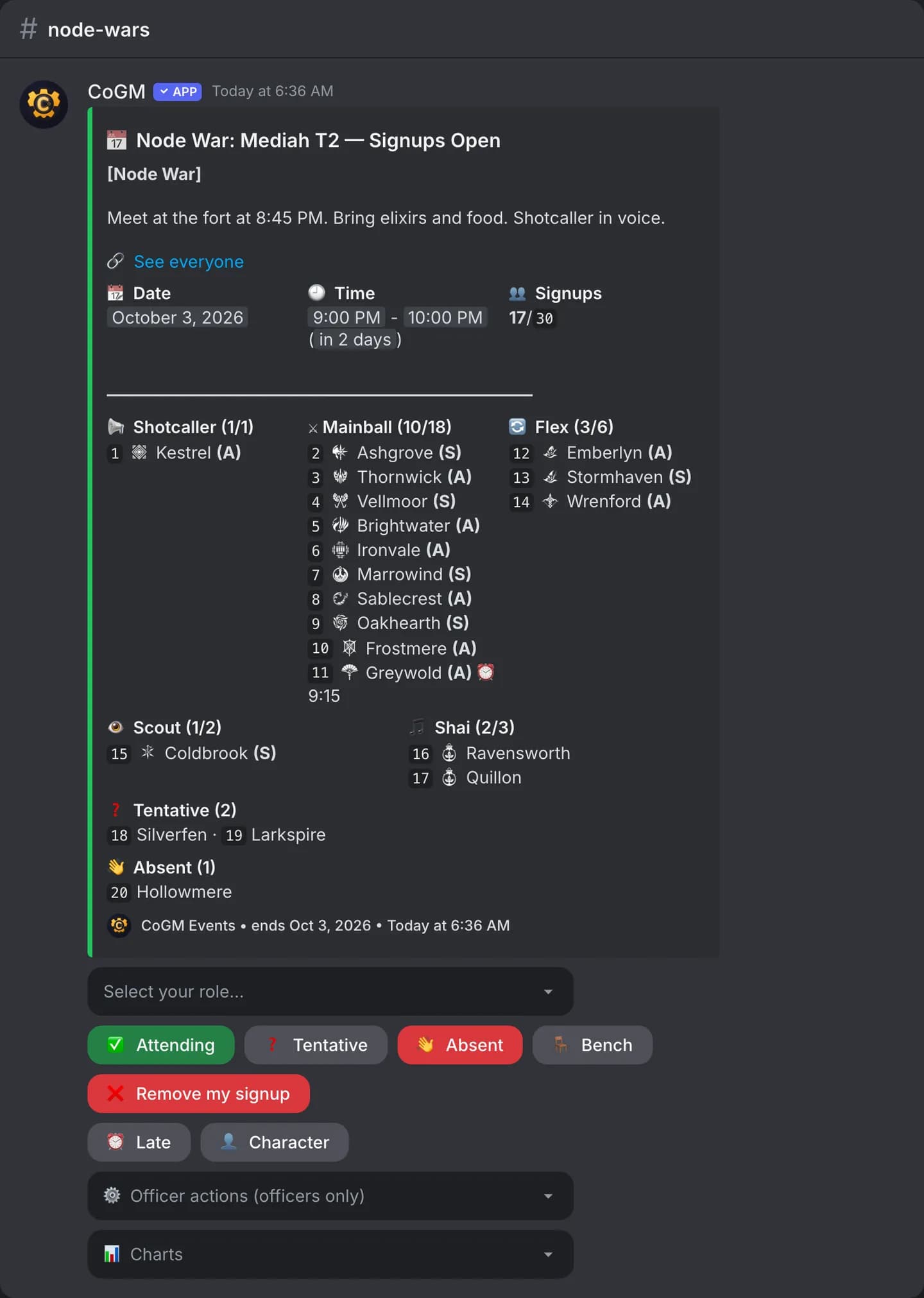
The buttons under a signup post, and under the /events reply for the first event, are:
- Attending, Tentative, Absent and Bench set your answer. When every seat is taken, Attending becomes Join bench.
- Remove my signup takes your name off.
- Late marks the time you will arrive. Character picks which of your characters you bring.
- The role menu picks your role, and the Charts menu shows the signup by class or role, privately.
- Officers get an Officer actions menu on the post.
Other posts the bot makes
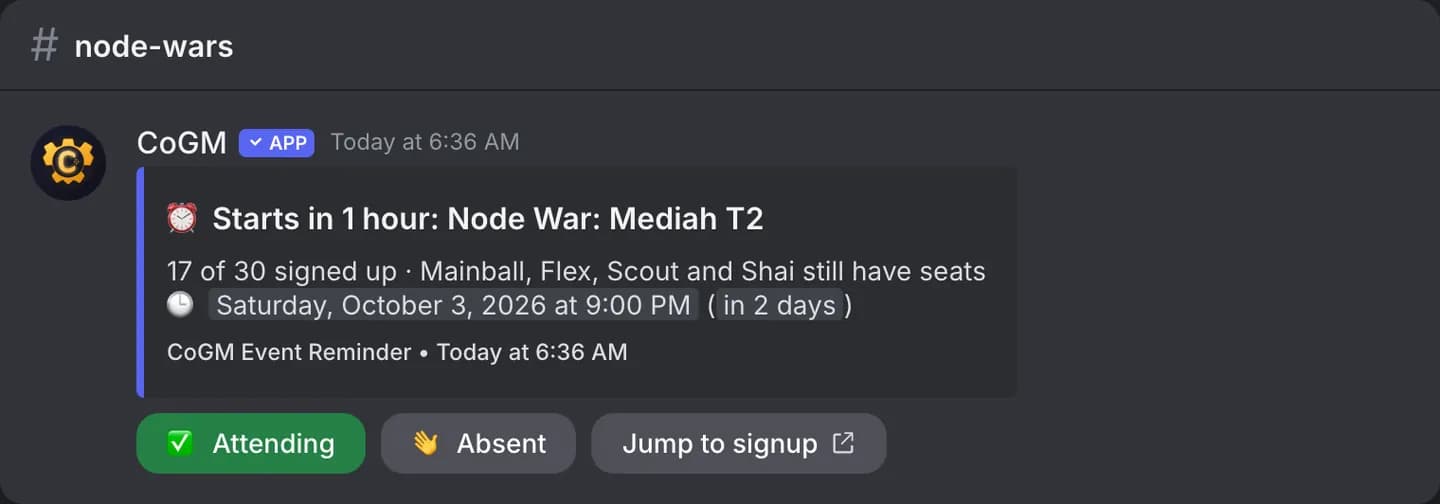
Before an event, the bot posts a reminder with the open seats. When an event fills, its post shows it is full. When an officer cancels an event, the post shows the reason. Members on approved leave are not pinged; see /absence.
To record who showed up, use /attendance in voice or mark attendance on the dashboard.