Guild League
Schedule league nights with time slots members sign up for in Discord, keep a roster per team for the season, and record each match from a screenshot.
Who can use it
- Game: Black Desert Online.
- Plan: Pro.
- Permissions: members see the schedule, rosters, matches and leaderboard (View Guild League). Officers with Manage Guild League create nights, edit rosters and submit results.
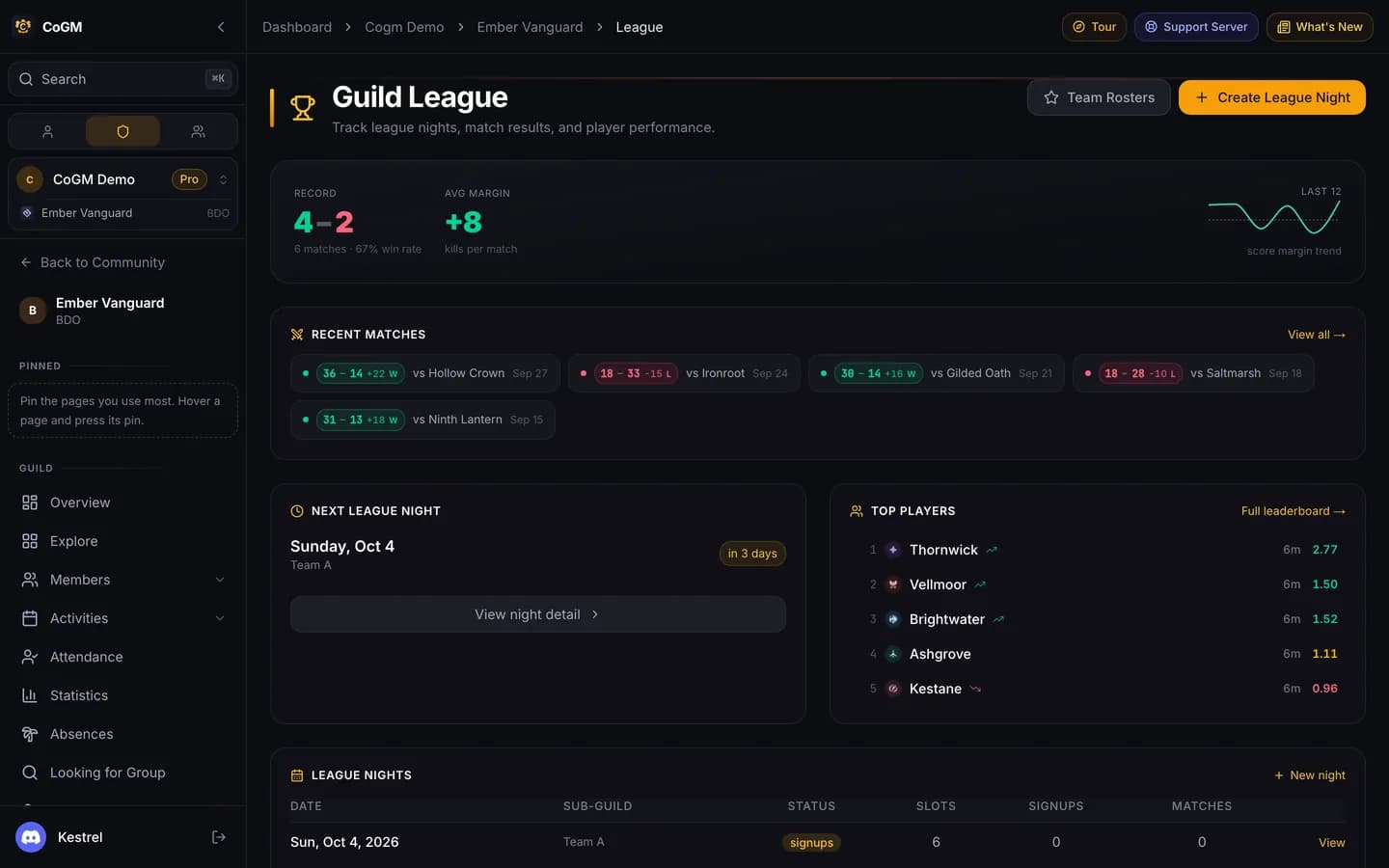
Everything lives under Guild League in the guild sidebar.
Create a league night
Pick the date and team
Click Create League Night. Choose one team, or All three teams to make Guardian, Defense I and Defense II for that date at once, each with its own signup post.
Check the slots
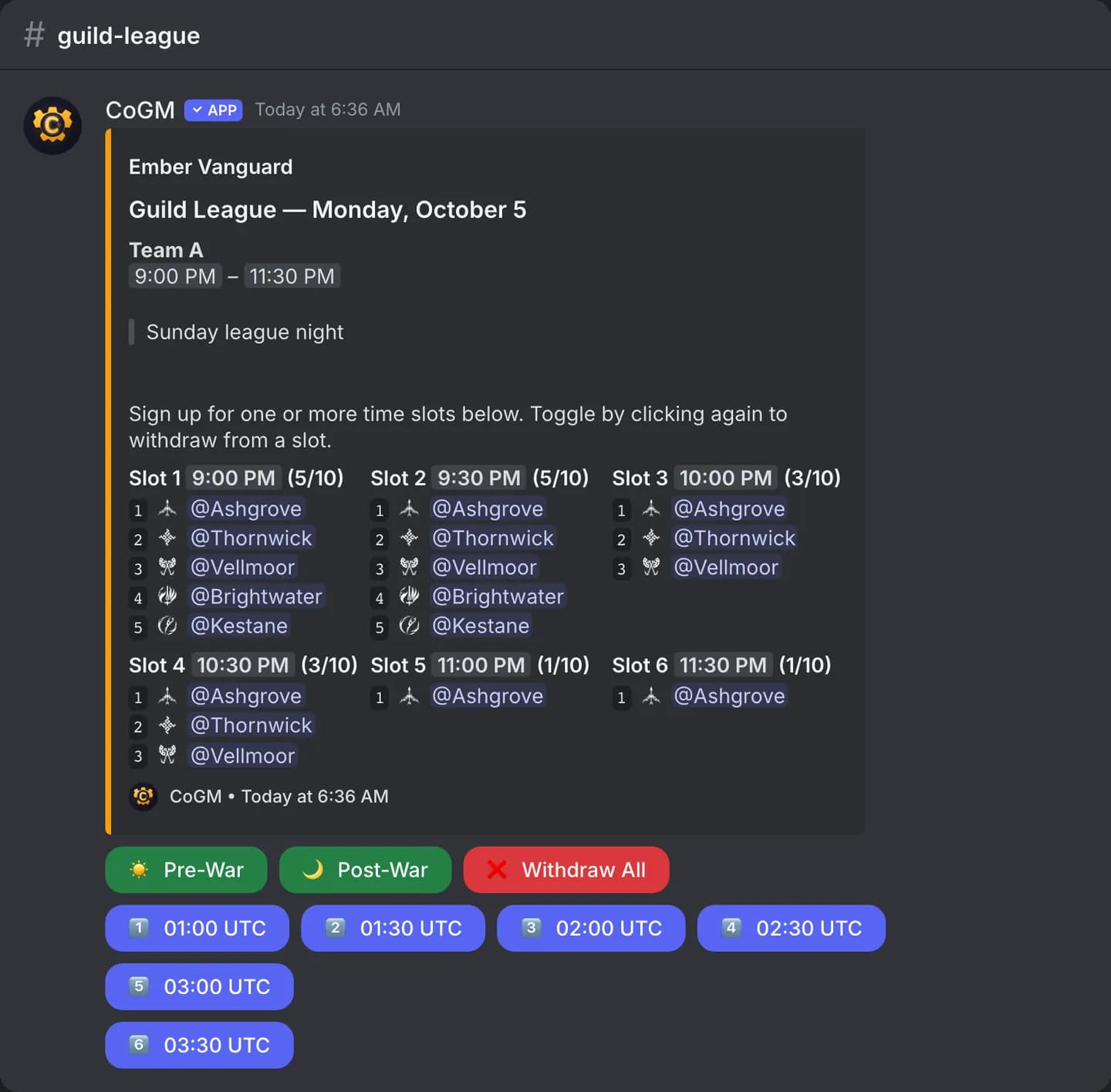
Time slots follow your guild's region (NA, EU and SA have schedules), with the gap for the node war or occupation in the middle. Untick any slot you will not play. Set Max per slot; the post shows it as 3/10.
Rules and class limits
For a single night, add Rules (for example a gear floor or a voice requirement) and class limits. For three teams, set these on each night afterwards, since the teams play by different rules.
Where it posts
Pick the signup channel and a ping role for each team. Tick Recurring night and set Repeat every (days) to have the next night created for you with the same setup.
In Discord, /gleague create makes a night for a date and posts the signup in the channel you pick.
How signups work
- Click a slot button to join that slot; click it again to leave.
- Pre-War signs you up for every slot before the gap. Post-War signs you up for every slot after it. Withdraw All takes you out of the night.
- A full slot puts you on that slot's bench, on the team you picked, and tells you why. Nobody is moved between teams automatically; only an officer moves people.
- Max per class benches the extras: a third Shai waits on the bench once the cap is two, ready to step in if a seated Shai drops.
- Min per class turns nobody away. It shows on the post as what a slot still needs before it queues.
The three teams
- Guardian is ranked. It is the queue that moves your guild's standing.
- Defense I and Defense II are unranked.
Team rosters
A roster is who belongs to a team for the season, separate from who plays a given night. Set them up under Guild League → Rosters. Give a roster a channel and it posts a registration message that stays up to date all season.
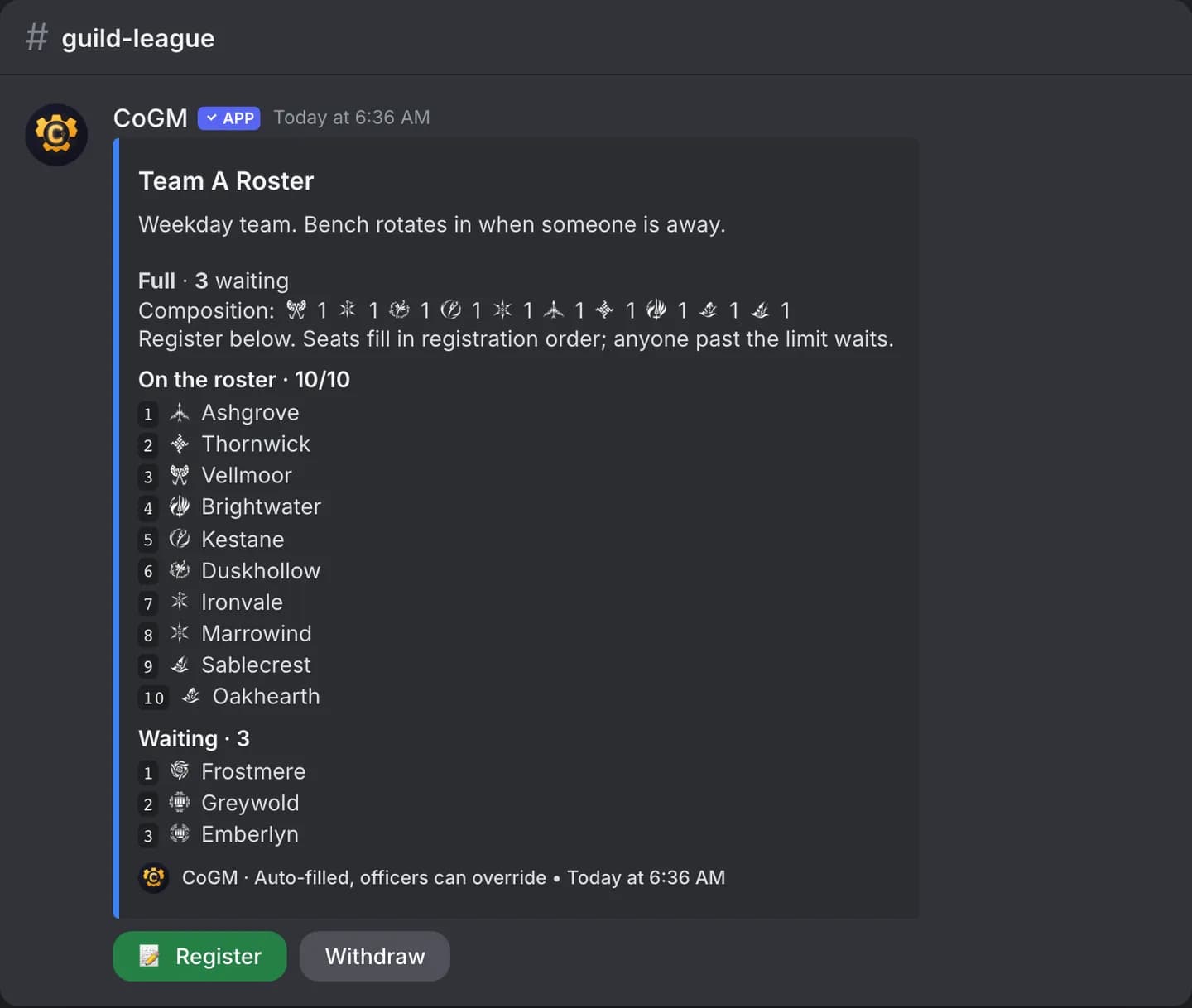
- Anyone can register. Officers let the roster fill against its limits or pick every name.
- Nobody already on a roster is pushed off by a later registration.
- A night can be limited to its team's roster with Only the selected roster can sign up. It is per night and off by default, so you can run a closed night and an open night for the same team.
- Guardian can hold a number of seats per slot for its roster. Everyone else fills the rest. Set the number per night; 0 makes Guardian first come, first served. Held seats are never taken back from someone already signed up.
Record a match
Upload the result screenshot
Open Guild League → Submit Result and drop the match result screenshot. CoGM reads every player's stats from it.
Check the read
Fix any names or numbers, set the opponent and result, and swap the sides if they look wrong. CoGM warns you if the same match was already recorded.
In Discord, /gleague submit takes the same screenshot, and /gleague record shows the season's win and loss record. See /gleague.
Results and seasons
- Match History: every recorded match with its score.
- Leaderboard: player results across the season.
- Opponents: your record against each guild you have played.
- Analytics: trends over the season.
- Seasons: create a season and see wins, losses and win rate per season.
Planning a season