ProBDO
/gleague
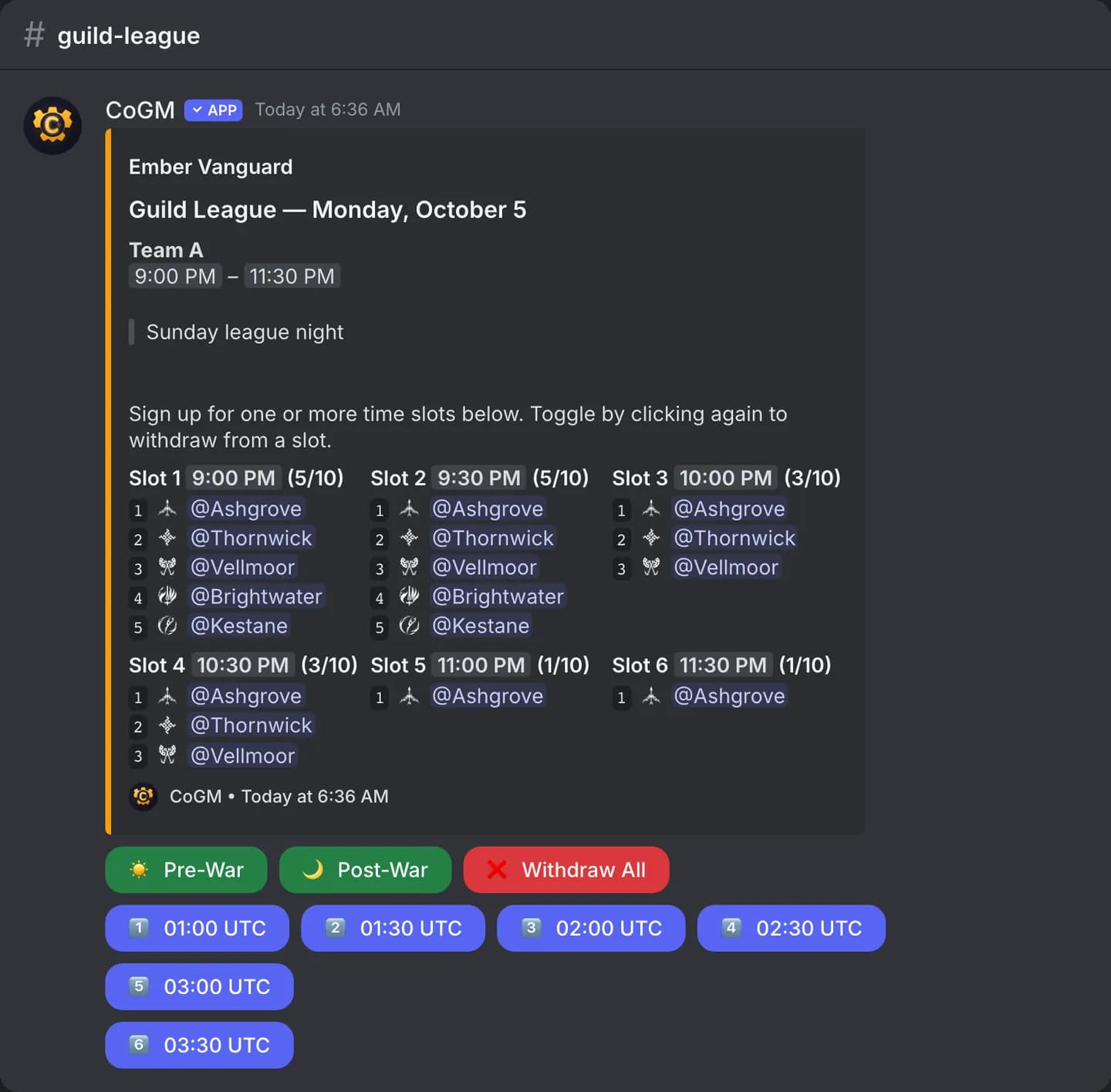
Post a Guild League night with its match slots, read each match result from a screenshot, and track your season win and loss record.
BDO
Who can use it
- Game: Black Desert Online. Plan: Pro.
createandsubmitneed the Manage Guild League permission in the guild, or the community owner.recordis open to anyone.
/gleague create
/gleague create date:<date> [subguild] [channel]| Option | Required | What it takes |
|---|---|---|
date | Yes | The night, for example 2026-10-09 or Friday, October 9. |
subguild | No | Limit the night to one sub-guild. |
channel | No | The text channel for the signup post. Blank posts in this channel. |
The night gets match slots from your region's league schedule, or from the slot count and length in your guild's league settings. Members sign up for the slots on the post.
/gleague submit
/gleague submit image:<screenshot> [subguild]| Option | Required | What it takes |
|---|---|---|
image | Yes | The match result screen, as a PNG or JPEG. |
subguild | No | The sub-guild the match belongs to. |
CoGM reads the result, the opponent, the map and both teams' players from the screenshot and shows a preview. If more than one slot is open, you pick which slot the match belongs to. The match is then saved with every player's line.
/gleague record
/gleague record [subguild]The season's wins and losses, optionally for one sub-guild.
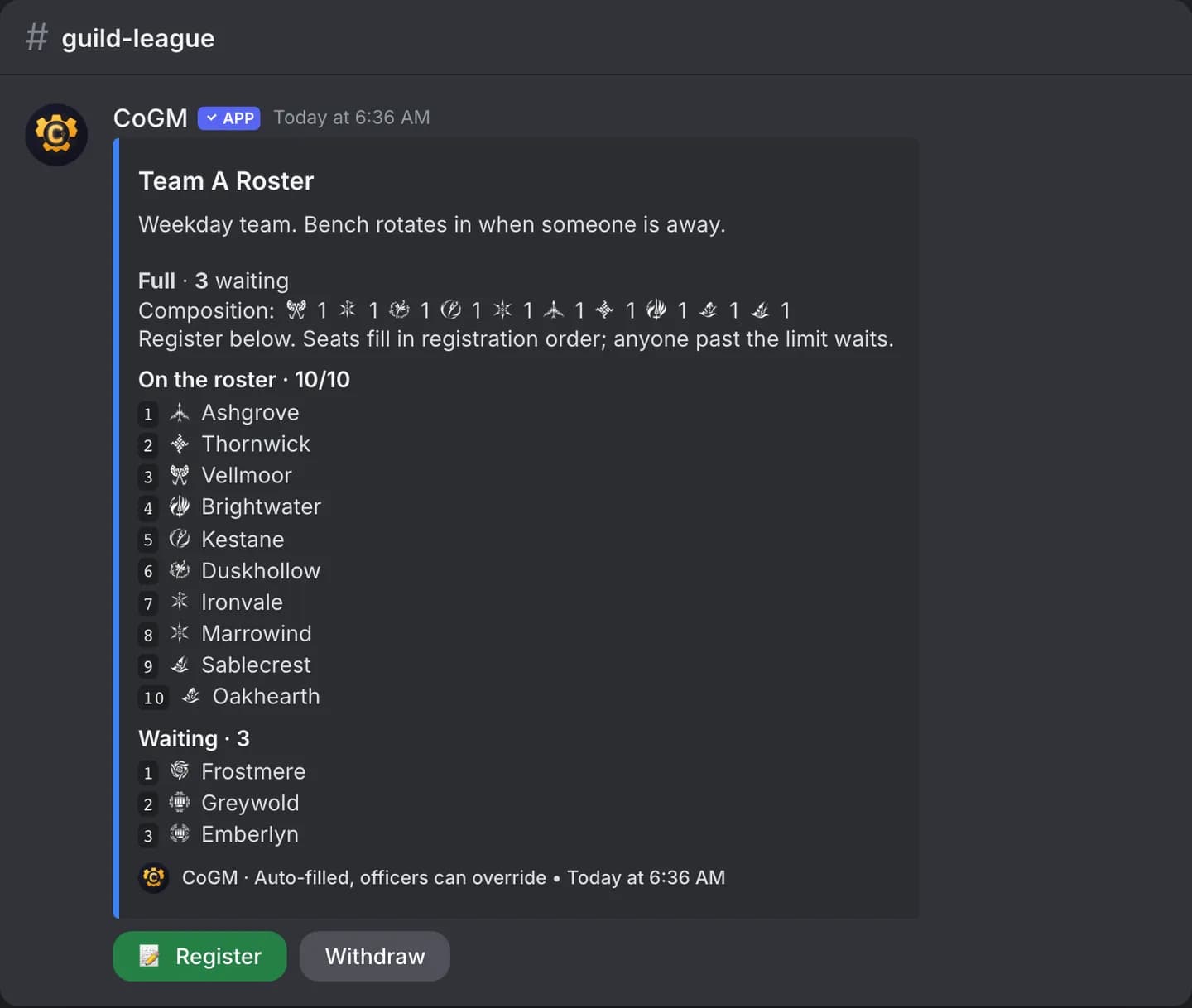
The season roster
BDO
Seasons, rosters and match history live on the dashboard. See Guild League.