Free
/members
List a guild's members sorted by a stat from their uploads, 15 to a page, with the guild average at the top. Filter by class to find who you need.
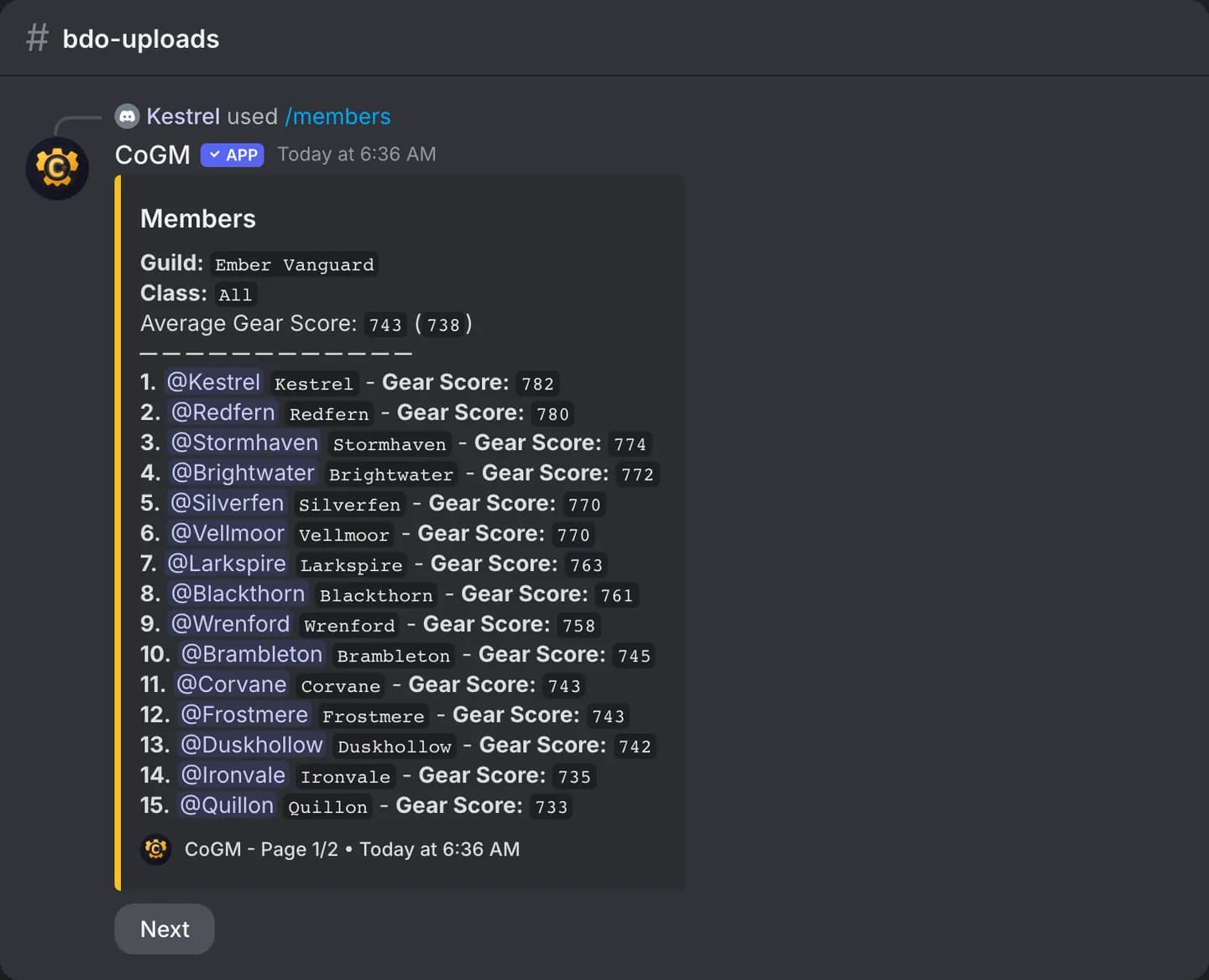
BDO
Who can use it
- Games: Black Desert Online, Aion 2, WoW Forever and Monsters & Memories.
- Plans: Free and Pro.
- Any member. If the guild keeps gear private, only officers and roles with the View Gear permission can see the list, and the reply is only visible to them.
Options
/members field:<stat> [guild] [class] [page]| Option | Required | What it takes |
|---|---|---|
field | Yes | The stat to sort by. The list shows the stats of the guild's game. |
guild | No | The guild to list. Only needed when your community runs several and the channel does not belong to one. |
class | No | Only show this class. The list shows the game's classes. |
page | No | The page number. Each page holds 15 members, and the reply has buttons to page through. |
Sort fields per game
| Game | Fields |
|---|---|
| Black Desert Online | Gear Score, AP, AAP, TP, DP, Accuracy, Evasion, DR |
| Aion 2 | Item Level, Combat Power, Attack, Defense, HP, Accuracy, Evasion |
| WoW Forever | Item Level, Level, Health, Mana, Attack Power, Spell Power, Armor |
| Monsters & Memories | Level, Armor Class, Health, Mana, Endurance, STR, STA, AGI, DEX, INT, WIS, CHA |
Per-game differences
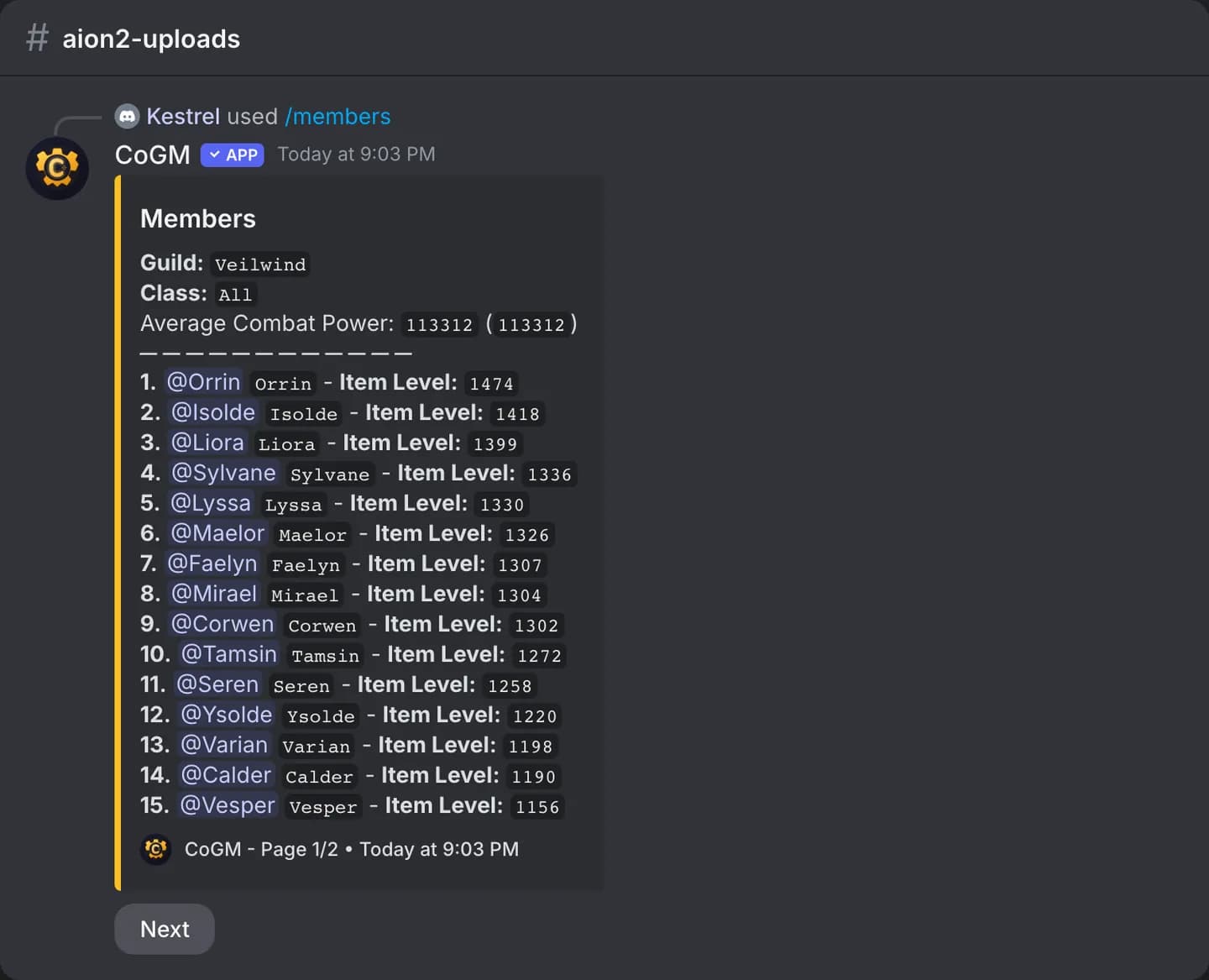
Aion 2
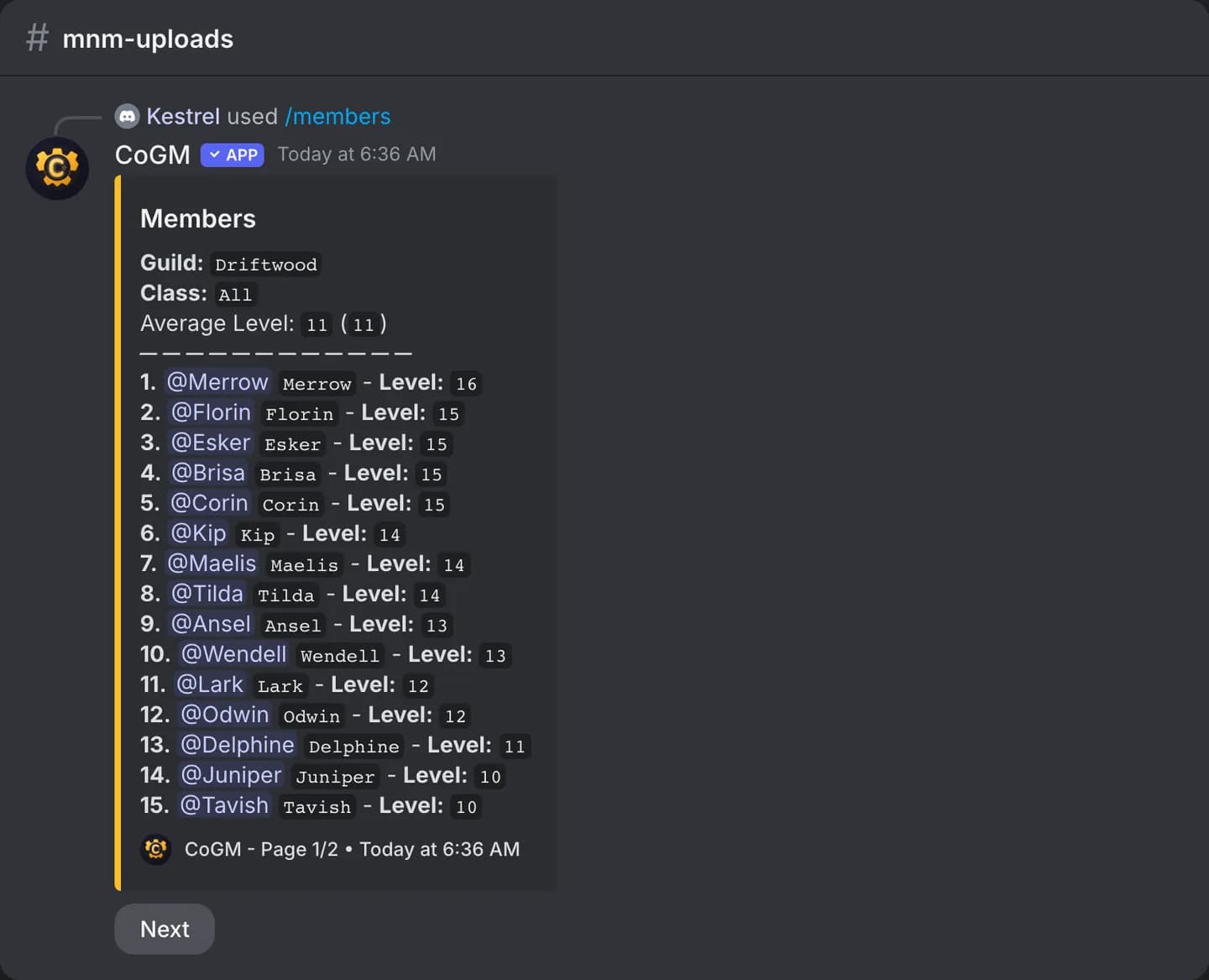
M&M
- Black Desert Online lists one gear profile per member. Aion 2 lists every uploaded character.
- WoW Forever and Monsters & Memories list each member's main, so alts do not crowd the list.
- Aion 2 legions rank by Item Level, so pick Item Level for the ranking. Members with no Item Level on file show last, without a number, with their Combat Power.
- WoW Forever sorts by Item Level when the guild has item levels on file, and by Level otherwise.
- Monsters & Memories has no gear score, so it sorts by Level unless you pick another field.
A member who has not uploaded does not show up. Ask them to run /upload, or send a reminder with /remind. For a member count and the average gear score of a Black Desert Online guild, use /guildinfo.