Events & Signups
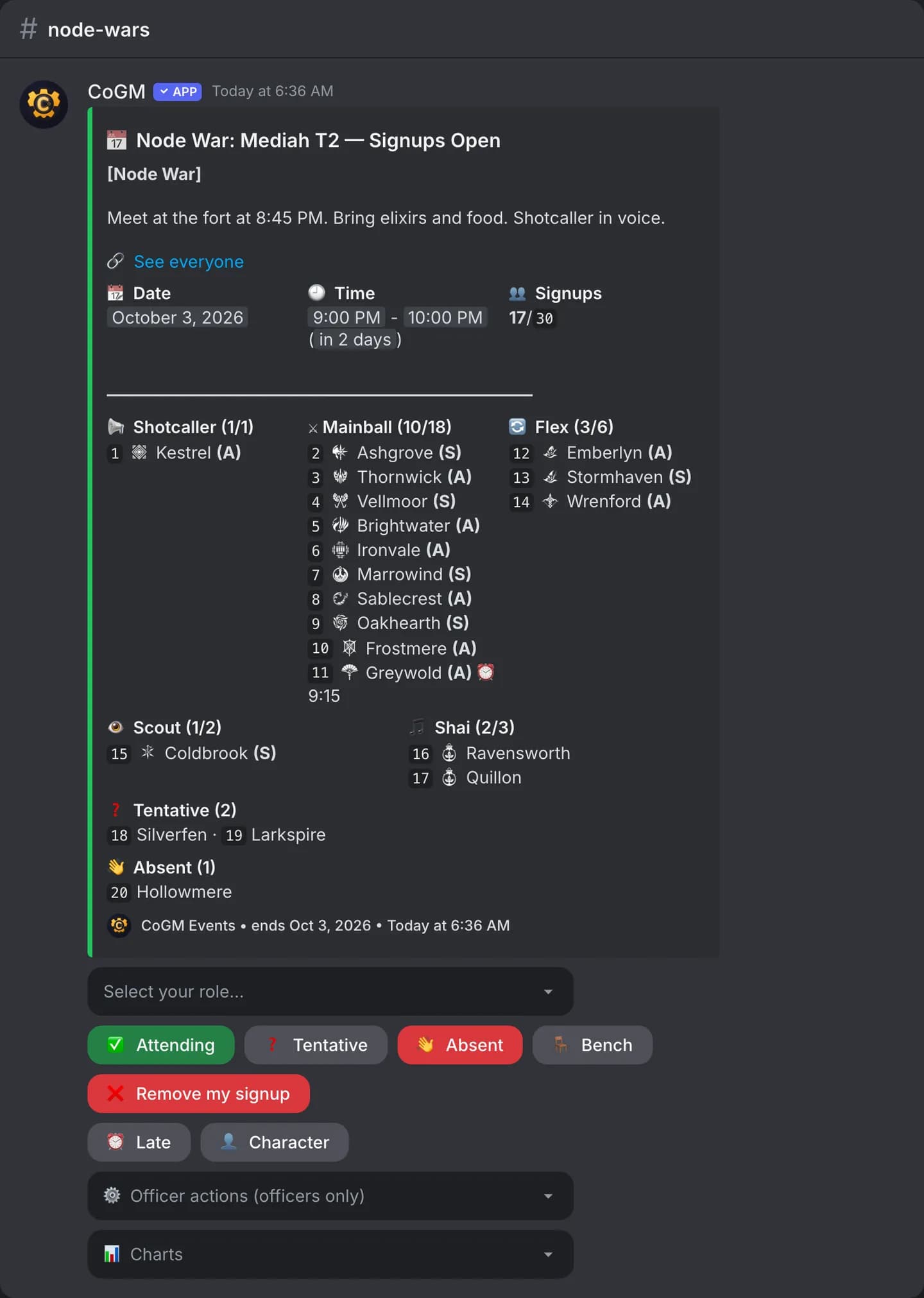
Create an event on the dashboard and CoGM posts a signup in Discord. Members pick a role and a status with buttons, and the post updates as they do.
Who can use it
- Every game: Black Desert Online, Aion 2, WoW Forever and Monsters & Memories. Free on every plan.
- Officers need Create Guild Activities to make events and Manage Guild Activities to edit them. The Guild Leader role has both.
- Any guild member can sign up, in Discord or on the event page.
Create an event
Open the new event form
Set the basics
Choose what the event uses
Save
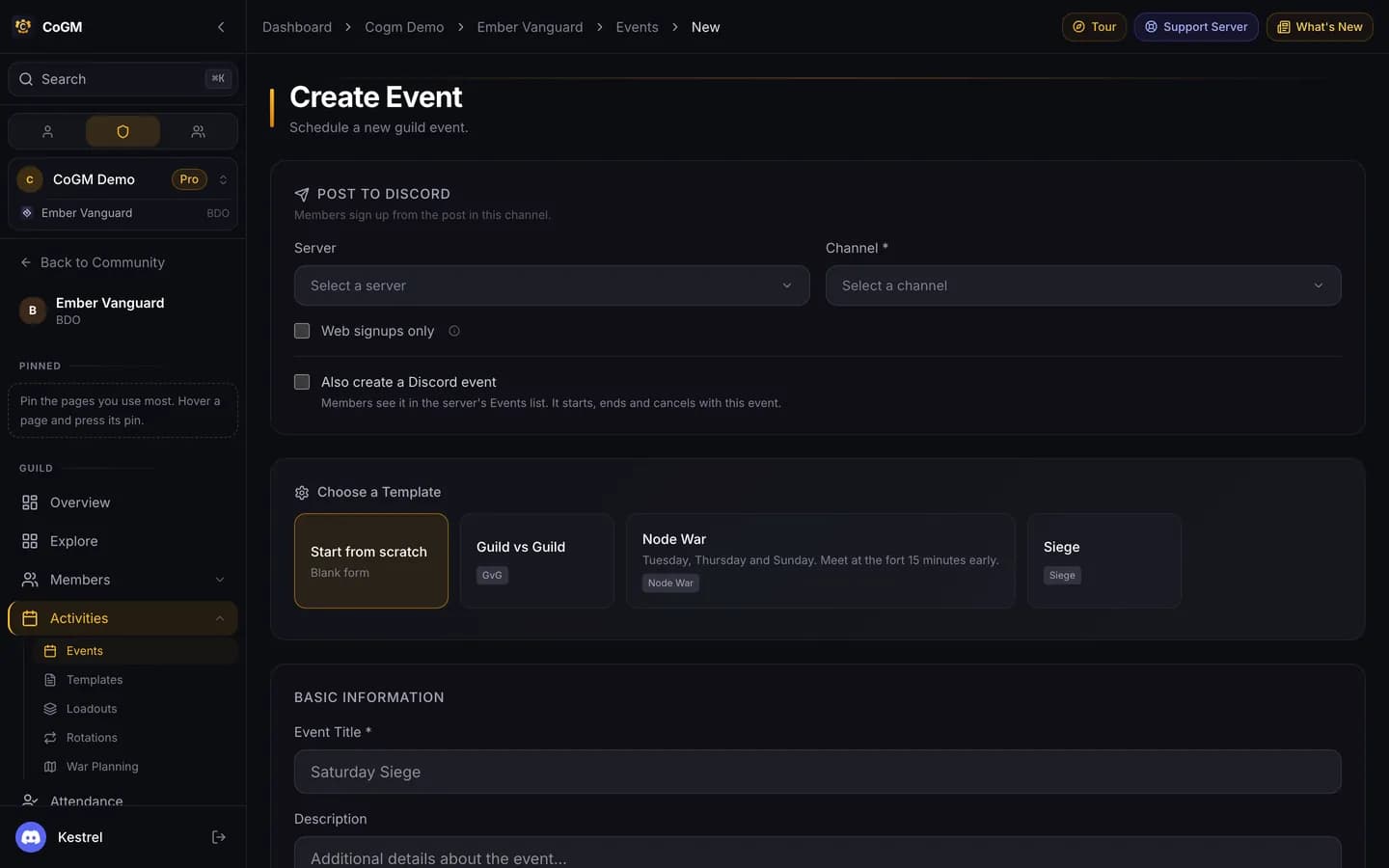
Event options
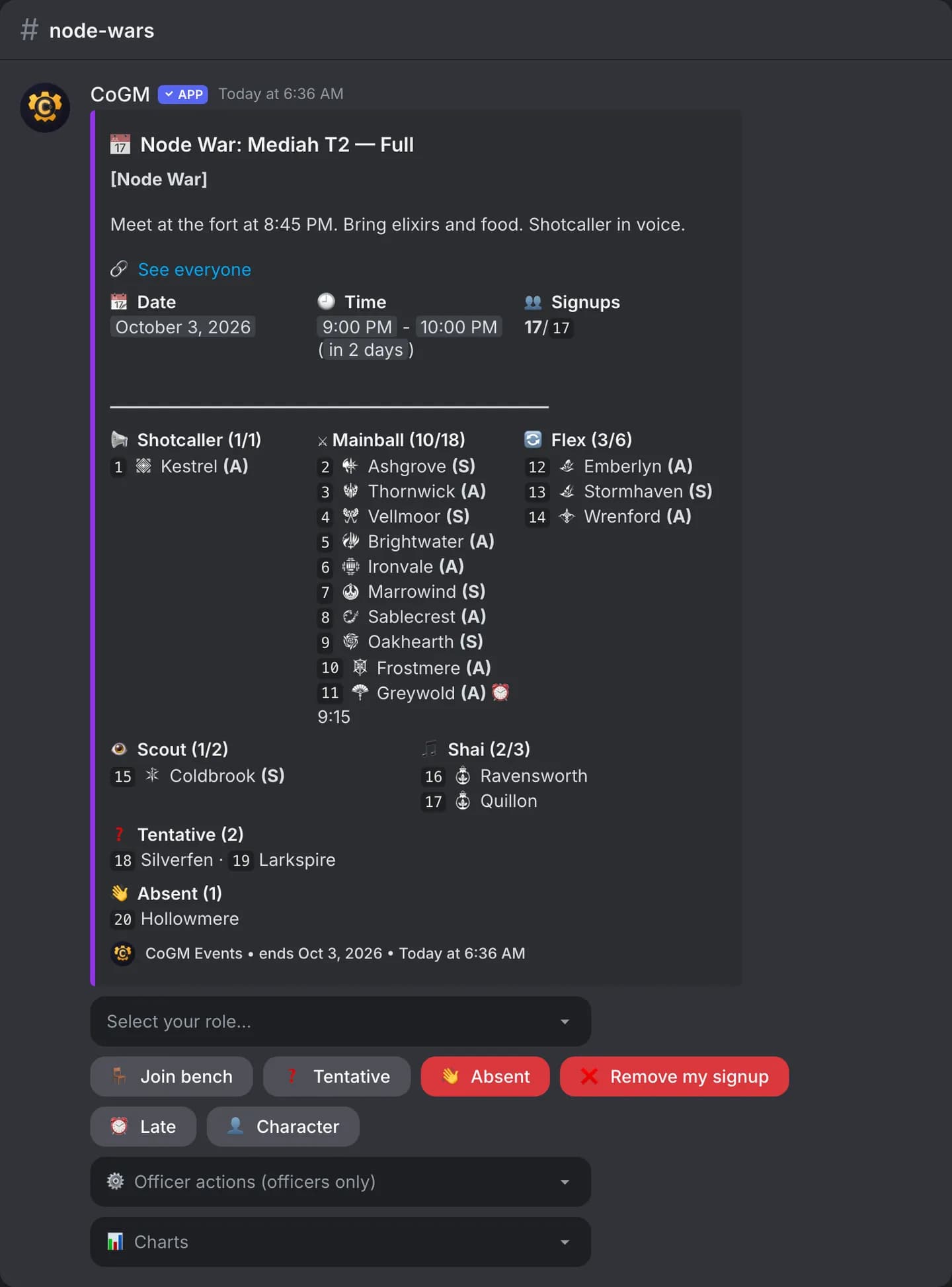
- Role slots: seats per role, such as Mainball 18 and Flex 6. A full role shows as full on the post.
- Class limits: a cap per class.
- Flexible Event: open signups with no caps. Apply a loadout on the event page later to set the real caps. Anyone over a cap is benched in signup order.
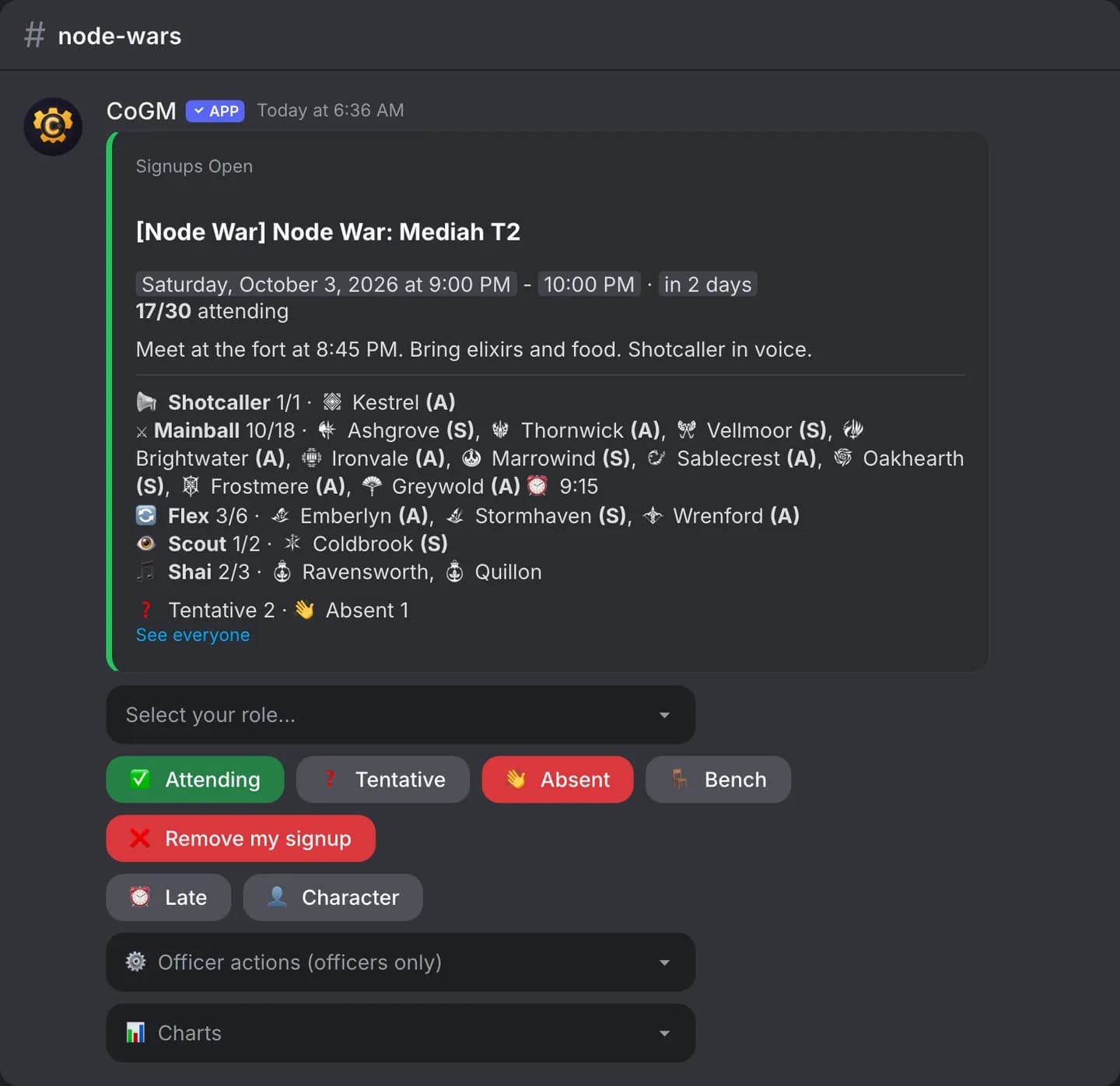
- Post style: Classic or Simplified, a shorter card for the Discord post. Pick it in the post preview's header for each event.
- Required Role: only members with this Discord role can sign up. Leave it empty to let everyone sign up.
- Also create a Discord event: adds it to the server's Events list. It starts, ends and cancels with the CoGM event.
- Announce When Event Starts: a post when the event begins.
- Recurring Event: repeat every set number of days. CoGM creates the next one for you and posts its signup when signups open. Turning the repeat off ends the series: later nights with no signups are deleted, and later nights with signups are cancelled, so you can restore them from their event page.
Signing up in Discord
The post carries everything a member needs:
- Select your role: the role menu, when the event has role slots.
- Attending, Tentative, Absent and Bench: the signup status.
- Remove my signup: takes you off the event.
- Late: marks you as arriving late, with the time shown next to your name.
- Character: picks which of your characters signs up.
- Officer actions and Charts: officer tools and the signup charts.
Reminders
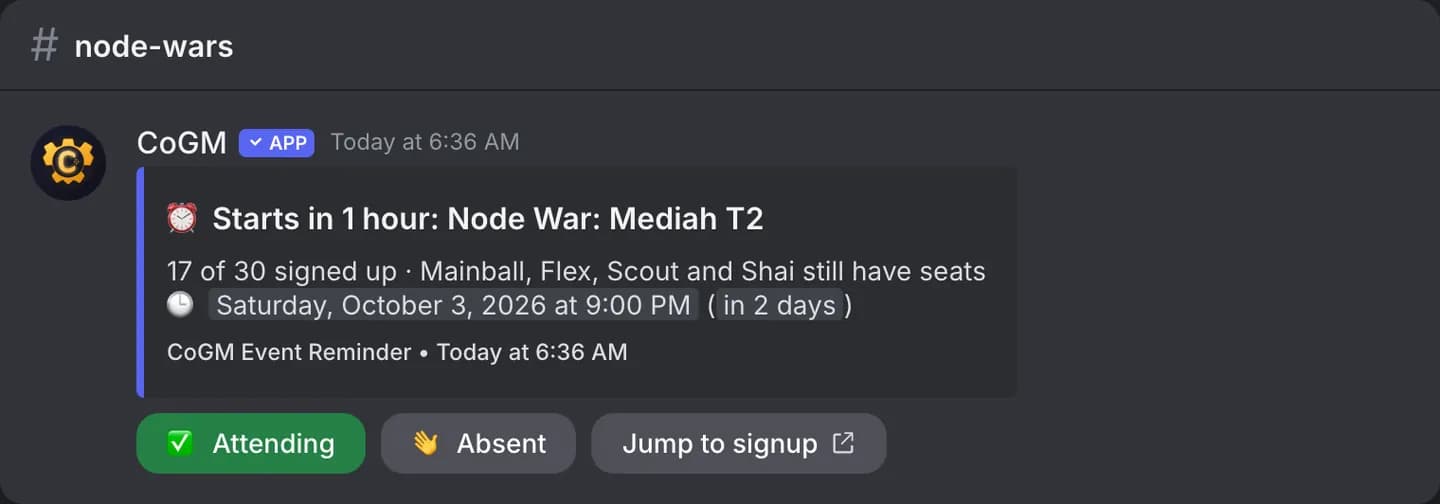
Turn on Enable Reminders on the event. The bot posts a reminder before the start with the seats still open. Turn on Repeat reminders and set Send Every to post again on an interval until the event starts. Reminders ping the event's ping role. Members on approved leave are skipped when you ping or DM the people who have not signed up.
The event page
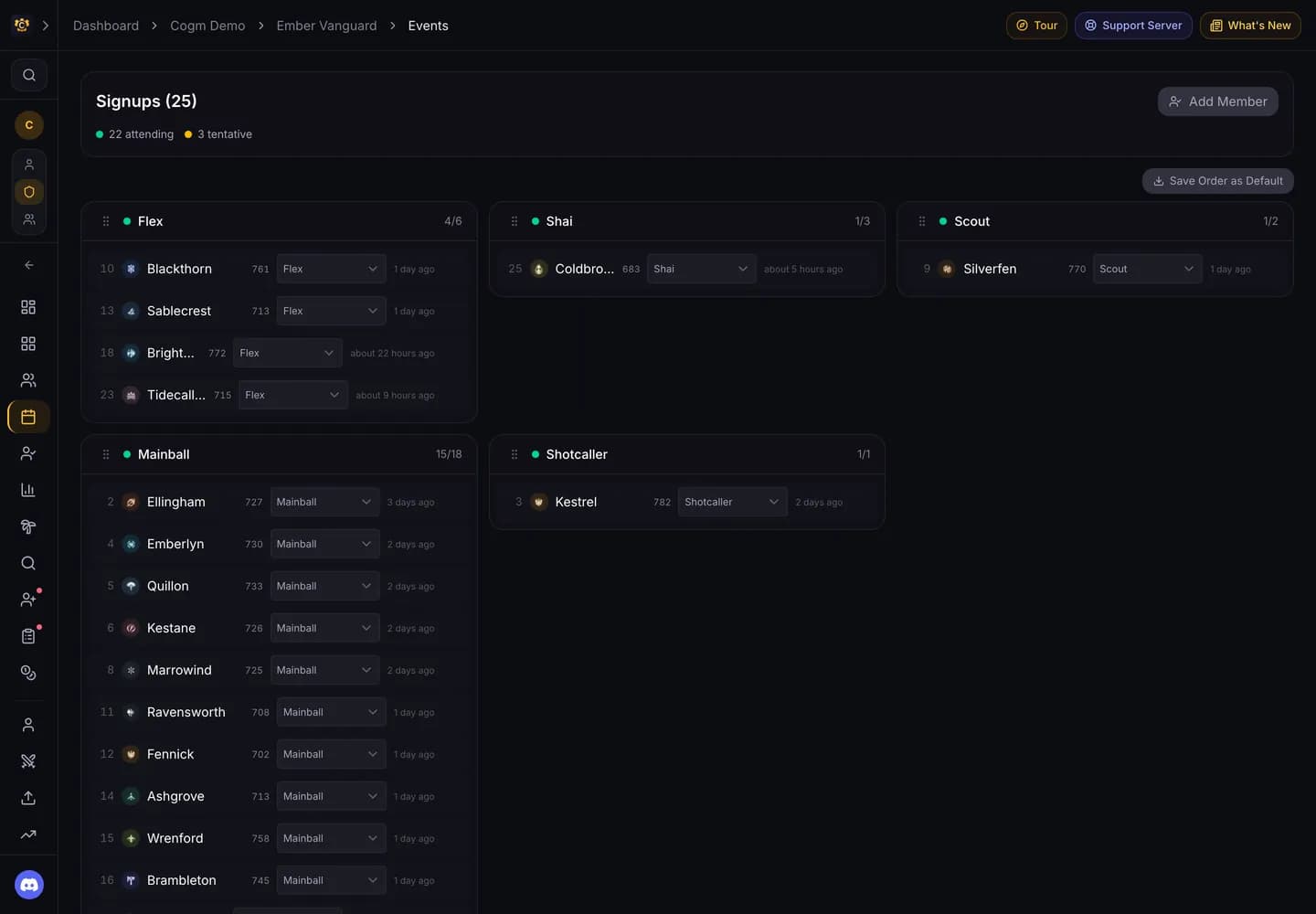
Each event has a page with its time, description and signup counts, the signups grouped by role, and the attendance once it has run. Officers edit, cancel and post the signup from here. A cancelled event keeps its post in Discord with the reason.
Event status
- Draft: saved, but not posted to Discord yet. Guild members can still see it on the Events page.
- Signups: published. The post is up and members can sign up.
- Active: the event is running. Voice attendance tracks here when it is on.
- Archived: finished. Attendance and results stay on the page.
Templates
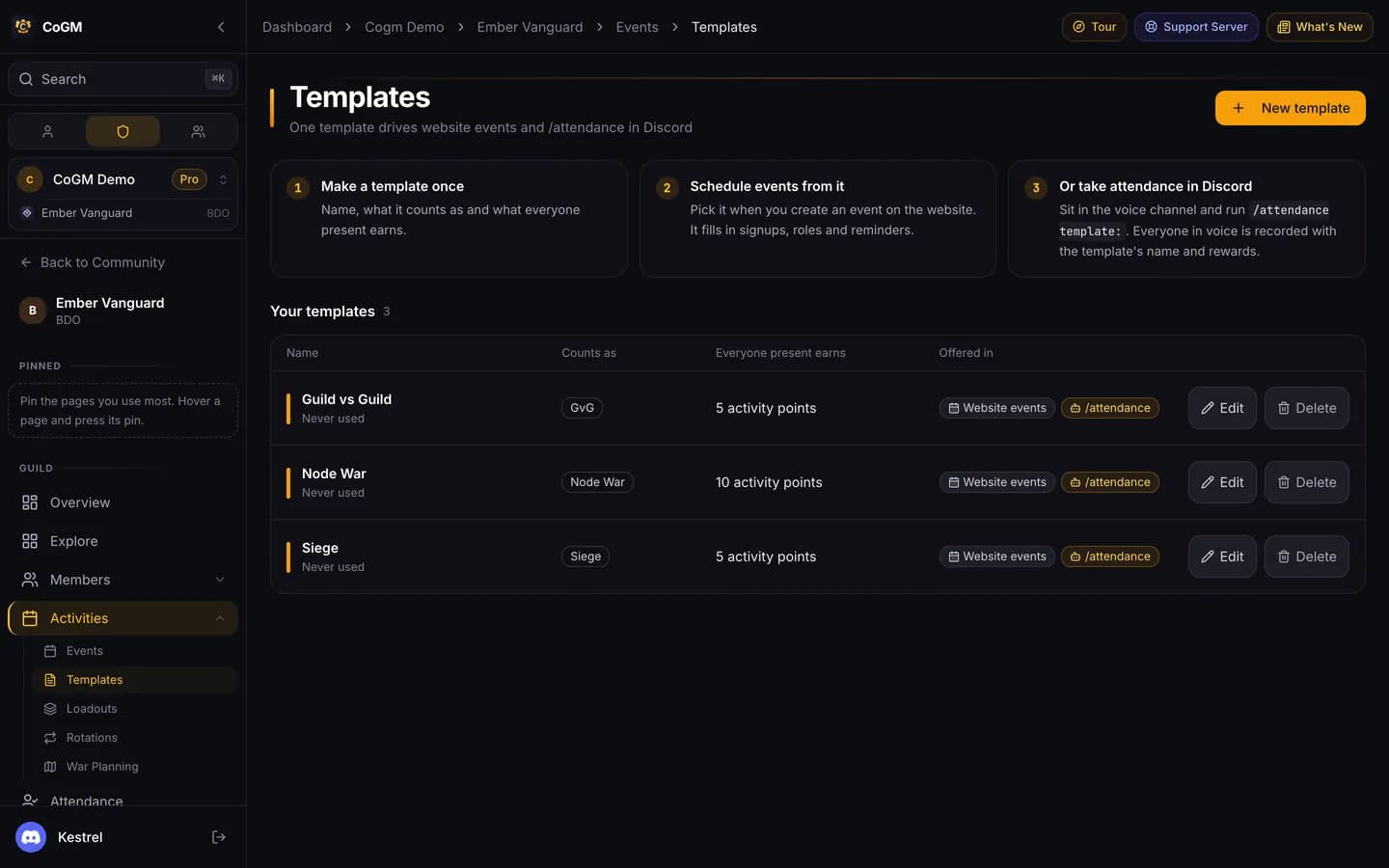
A template saves an event's roles, caps and settings. Open Activities, then Templates, to make or edit one. Pick it on the new event form and every field fills in.
WoW Forever raid nights
Related
- Party Builder: put signups into parties.
- Attendance: who showed up.
- /events: upcoming events in Discord.