Free
/attendance
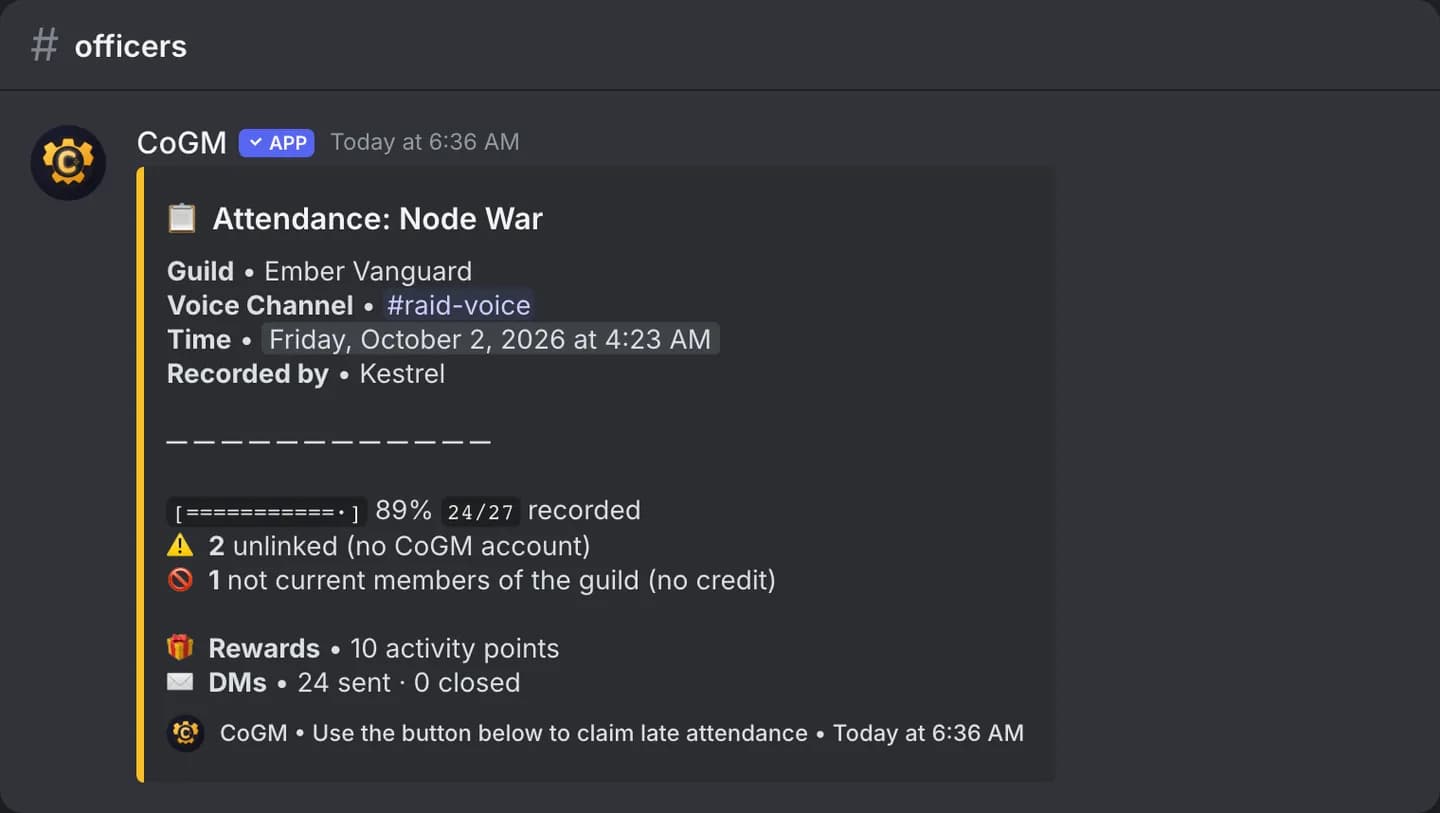
Record everyone in your voice channel as attending, against one of your guild's activity templates. Any DKP or activity points on the template are paid at the same time.
Who can use it
- Games: all of them. Plans: Free and Pro. DKP payouts only happen on WoW Forever and Monsters & Memories guilds on Pro or a trial.
- You need the Manage Guild Activities permission in the template's guild.
- You must be in a voice channel when you run it.
Options
/attendance template:<template> [guild]| Option | Required | What it takes |
|---|---|---|
template | Yes | An activity template, for example Raid Night. The list shows the DKP and activity points each one pays. Templates set to Website only do not show. |
guild | No | Narrows the template list to one guild. Only needed outside a guild's channel when you run several. |
Take attendance
1
Make a template
On the dashboard, open your guild's Activities, then Templates, and create one. Set the DKP or activity points it pays.
2
Join the voice channel
Join the channel where your members are gathered.
3
Run /attendance
Pick the template. If one of the guild's scheduled events is running or just ended with no attendance yet, the bot asks whether to record into that event, so the same night is not paid twice.
4
Share the code with late members
Only you see the 6-character access code. Members who arrive late press Claim Attendance and enter it within 12 hours.
What gets recorded
- Everyone in the channel who is signed in to CoGM and on the guild's roster is credited.
- Each credited member gets a direct message. Members in the channel who have not linked their Discord account get the code and a Sign in to CoGM button, so they can claim once they link.
- You get a direct message with the code and a CSV file of everyone in the channel: voice, not in guild, unlinked or removed, and what each was paid.
You can also mark attendance on the dashboard. See Attendance.