Black Desert Online
CoGM's deepest game. Members upload their gear from Discord, officers plan node wars and sieges with siege roles, and CoGM Logger turns each war into a recap with a kill map.
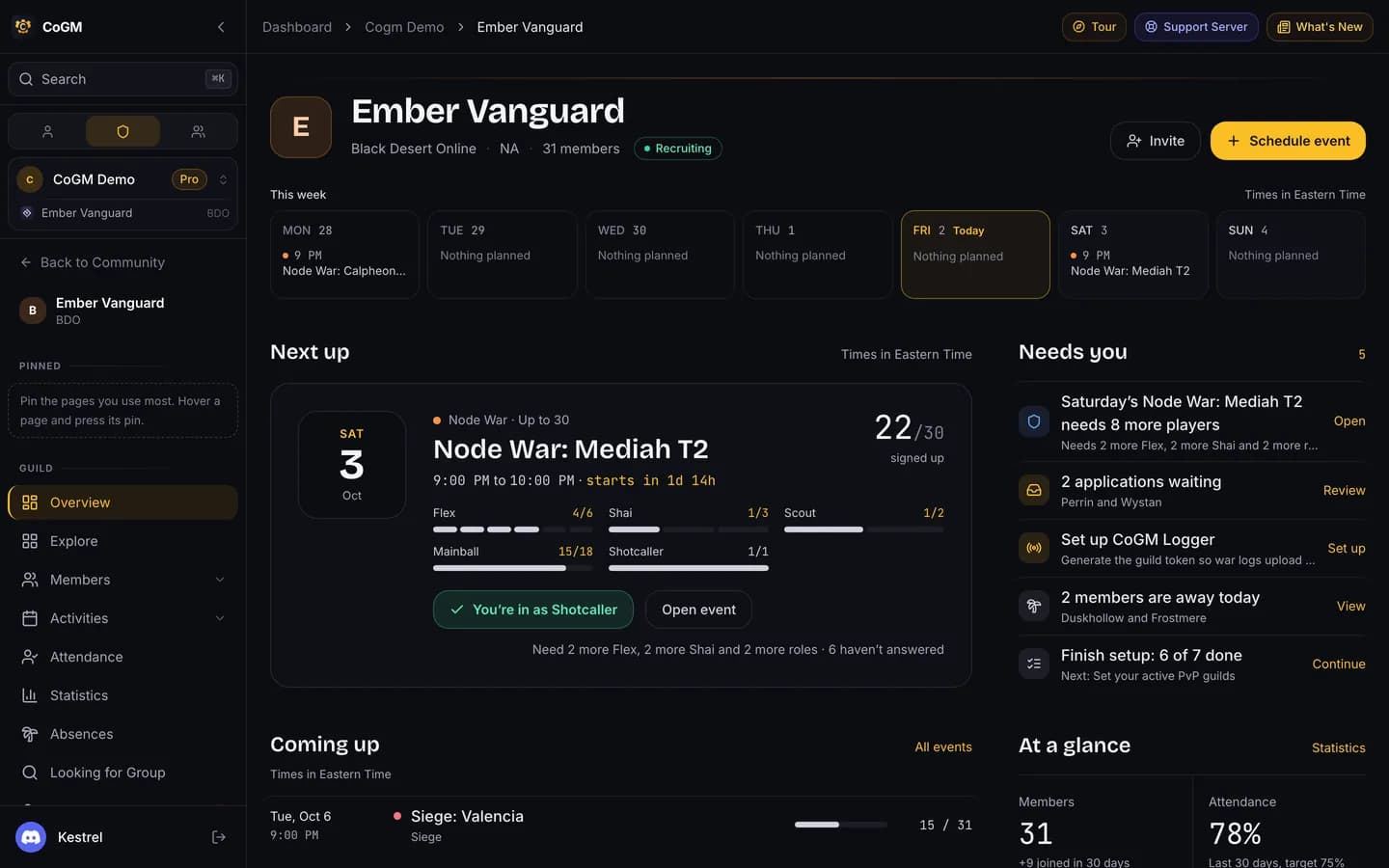
New guild? Follow the BDO Setup Guide. It covers the region, member role, siege roles and minimum gear score. CoGM supports all 32 classes and their specs: Awakening and Succession, or Ascension for the classes that only have Ascension. Shai has no spec.
Gear and the roster
Members run /upload with a screenshot of their gear window and pick their class and spec on the first upload. CoGM reads AP, Awakening AP, DP, accuracy, evasion and damage reduction, works out the gear score, and posts a card with their rank in the guild.
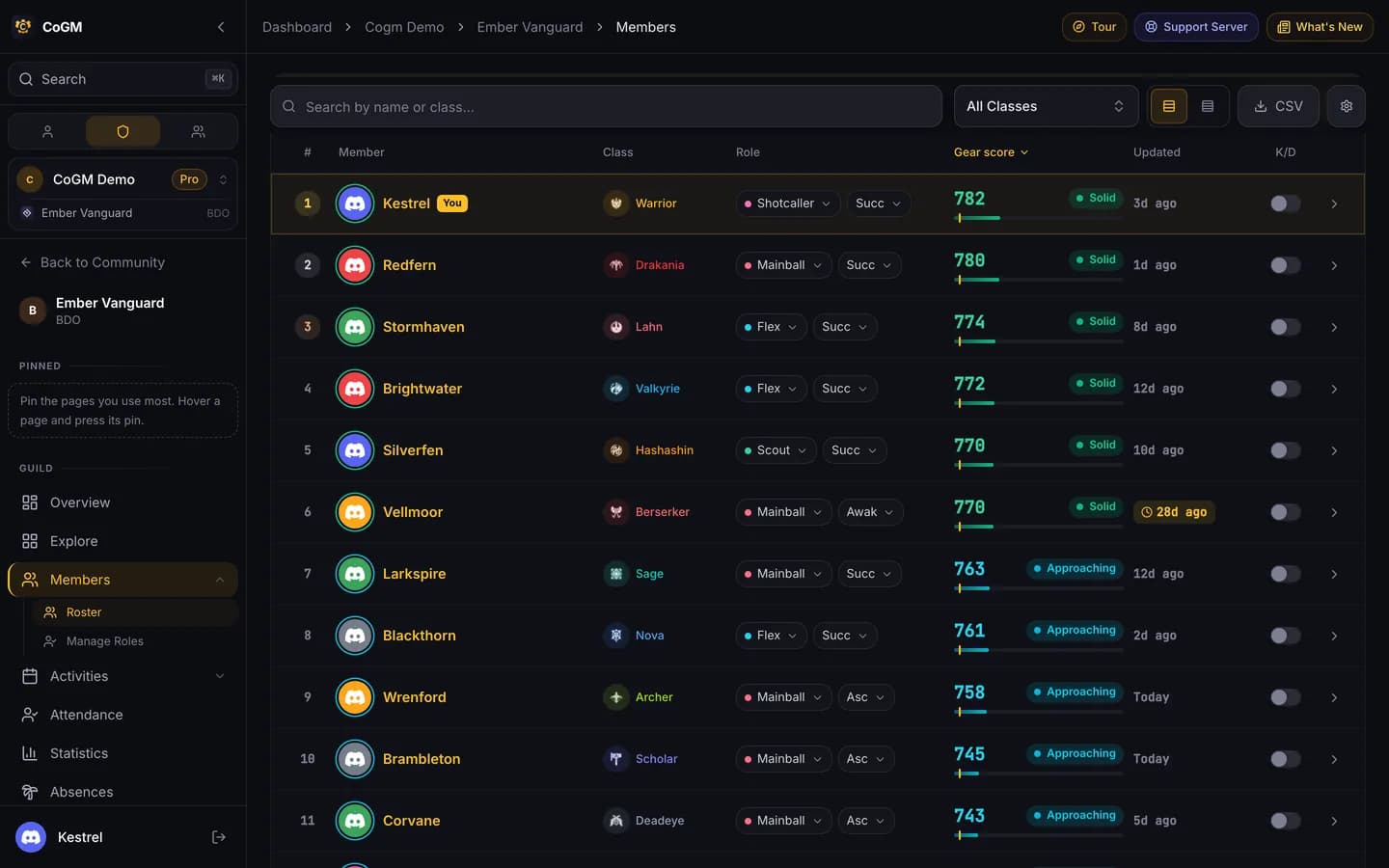
- The roster colors members against your minimum gear score, and the chart at the top sorts them into your gear tiers.
- Officers can remind one member, everyone who is behind, or set automatic reminders. The reminder lets the member send a new screenshot right in the direct message.
- Missing Data lists members with no upload or an old one. Compare puts members side by side.
- Set the tiers, the cutoff and automatic reminders in the guild's Settings > Game.
More: Gear Tracking, Missing Data, Gear Tracking Setup.
Node wars and sieges
Post node wars and sieges from your templates. Members sign up in Discord or on the dashboard and pick a siege role. On Pro, officers drag signups into platoons with the party builder. The bot posts reminders before the start. Record attendance from voice, on the event page or with /attendance.
On Pro, War Planning lets officers draw flags, cannons, forts and arrows on the node map for an event and show it to members, Rotations share out bench and sit-out turns fairly, and Payouts work out payout tiers from each member's activity.
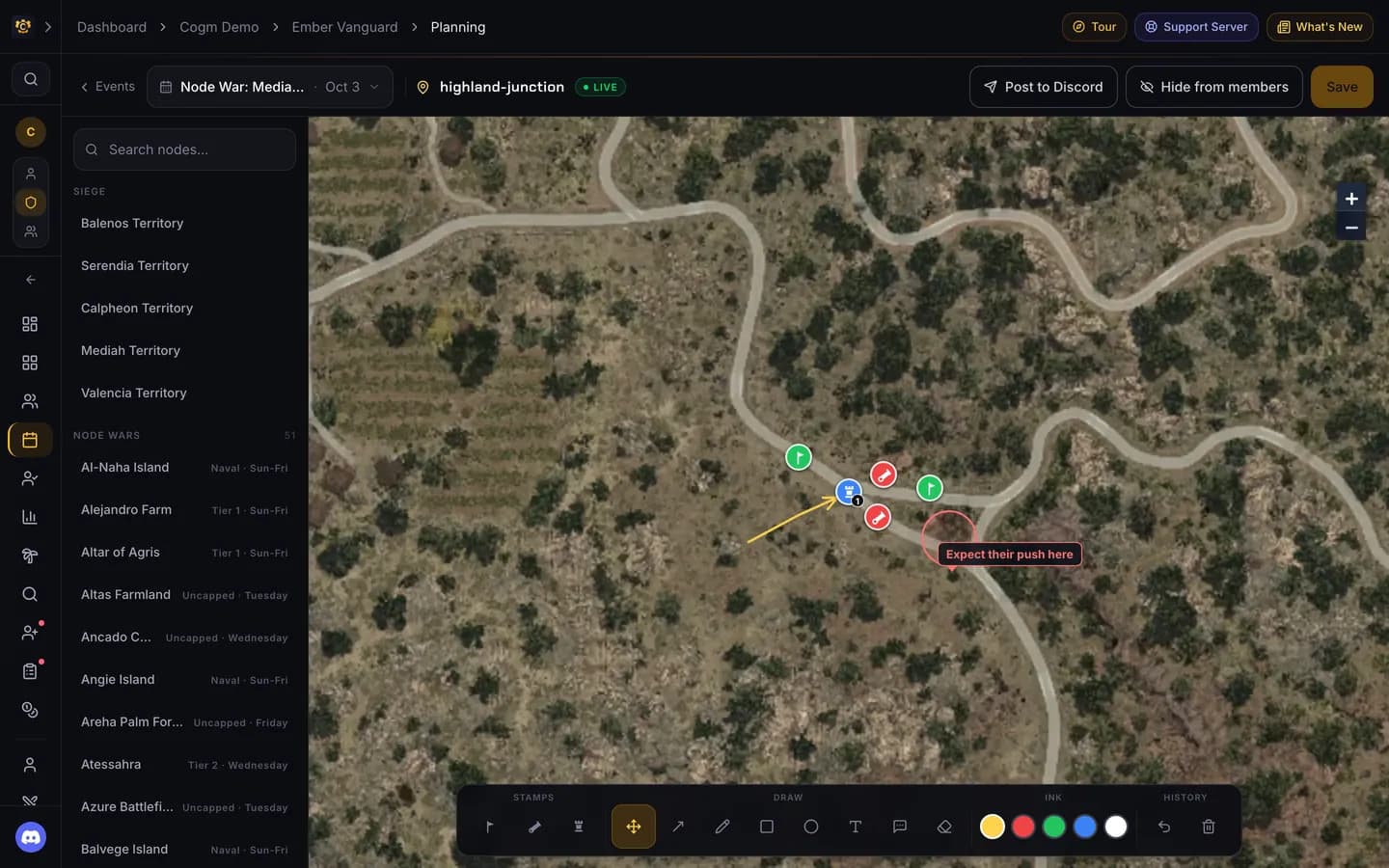
Step by step: Node War Prep and Siege Coordination.
War logs and PvP analytics
Run the CoGM Logger desktop app during a war and upload the log when it ends. CoGM builds a recap with each member's kills and deaths, a kill map of where the fighting happened, and a guild leaderboard across recent wars. You can also upload a log file by hand; it fills the recap, but only the Logger records positions for the kill map. PvP analytics and the Logger are free.
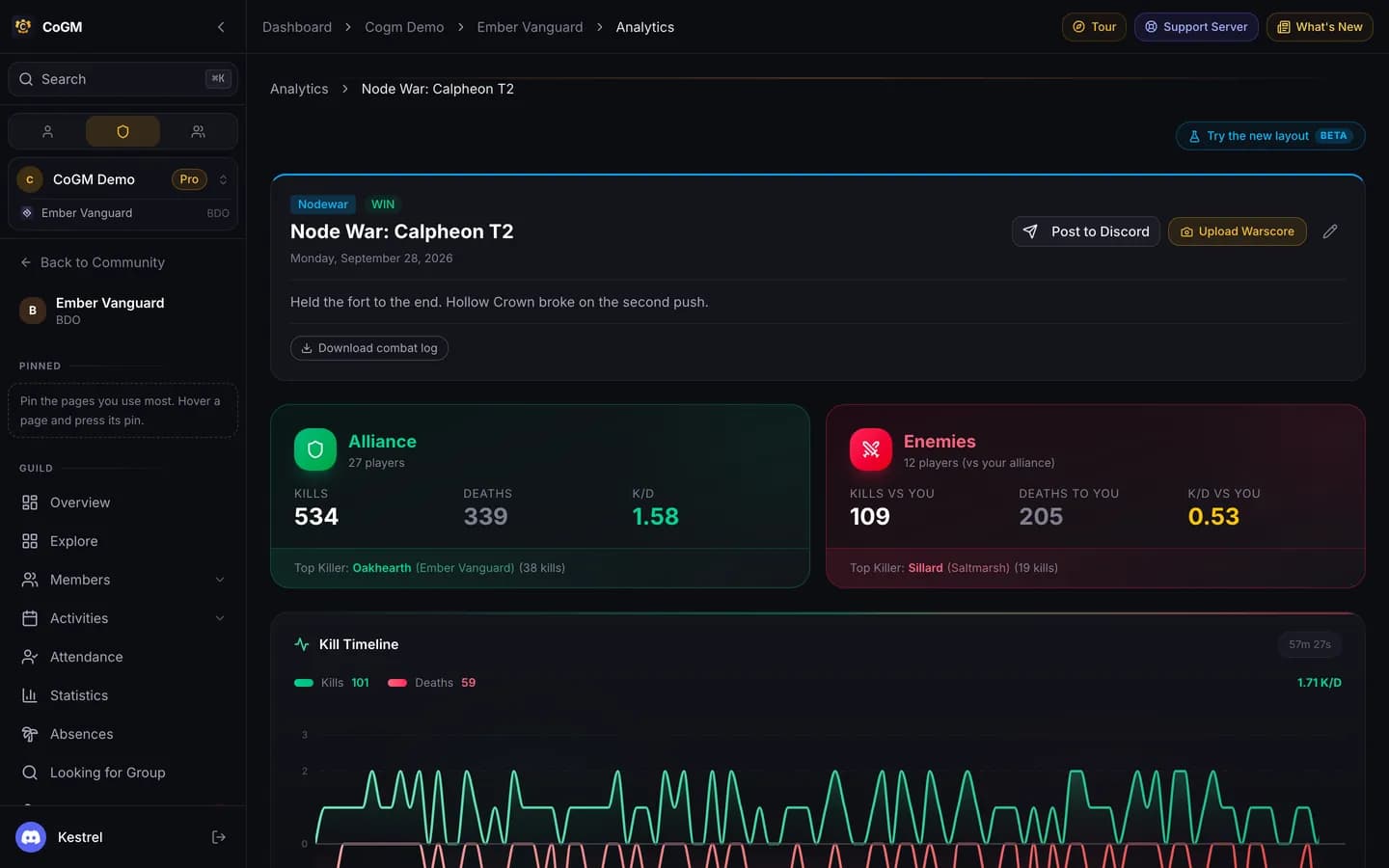
More: CoGM Logger, PvP Analytics, Upload a war log.
Guild League
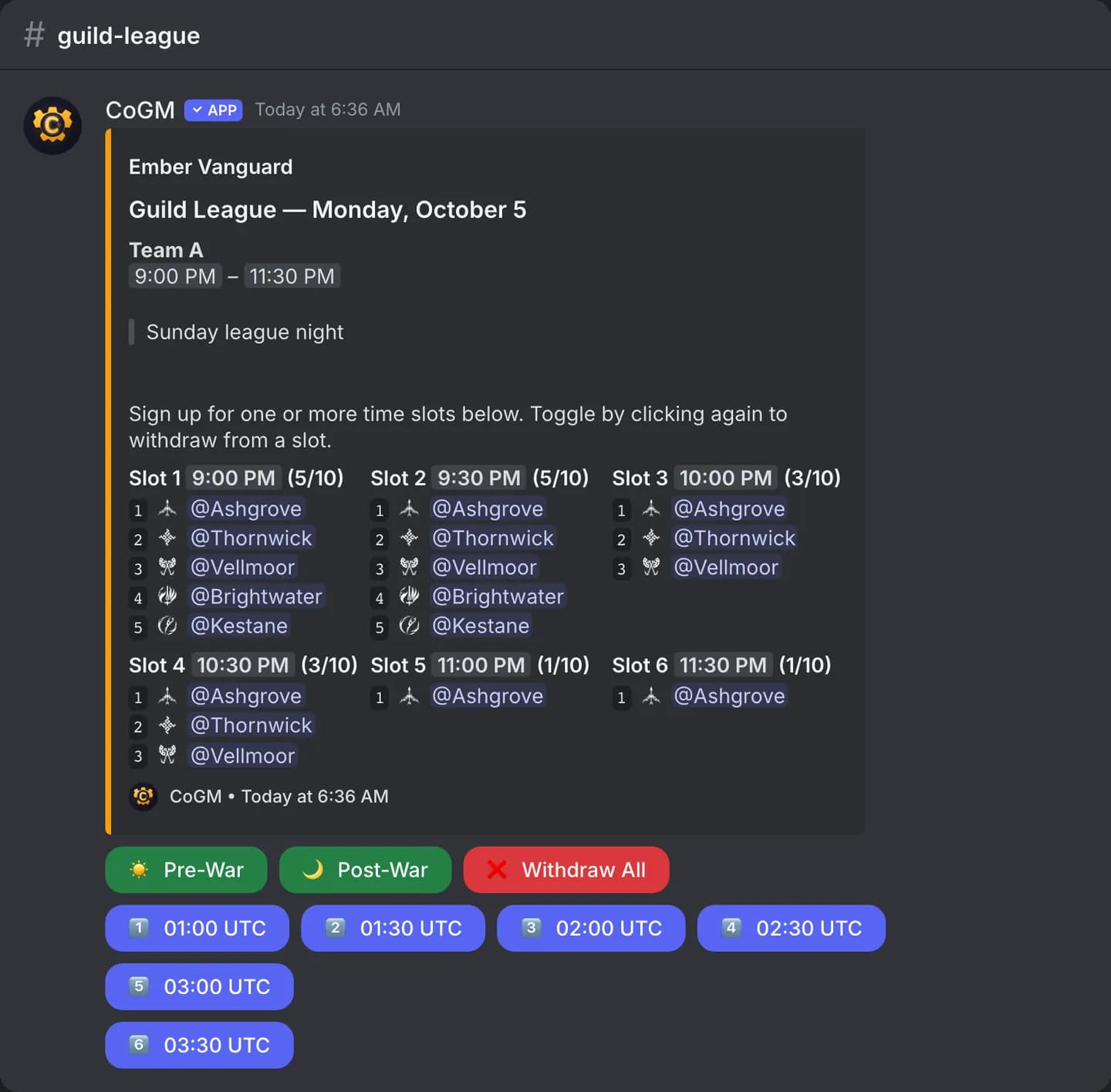
On Pro, run Guild League seasons: weekly match slots with signups, a roster per match, results, and standings. Members sign up with /gleague or on the dashboard. See Guild League and the GL Season guide.
Alliances and lookups
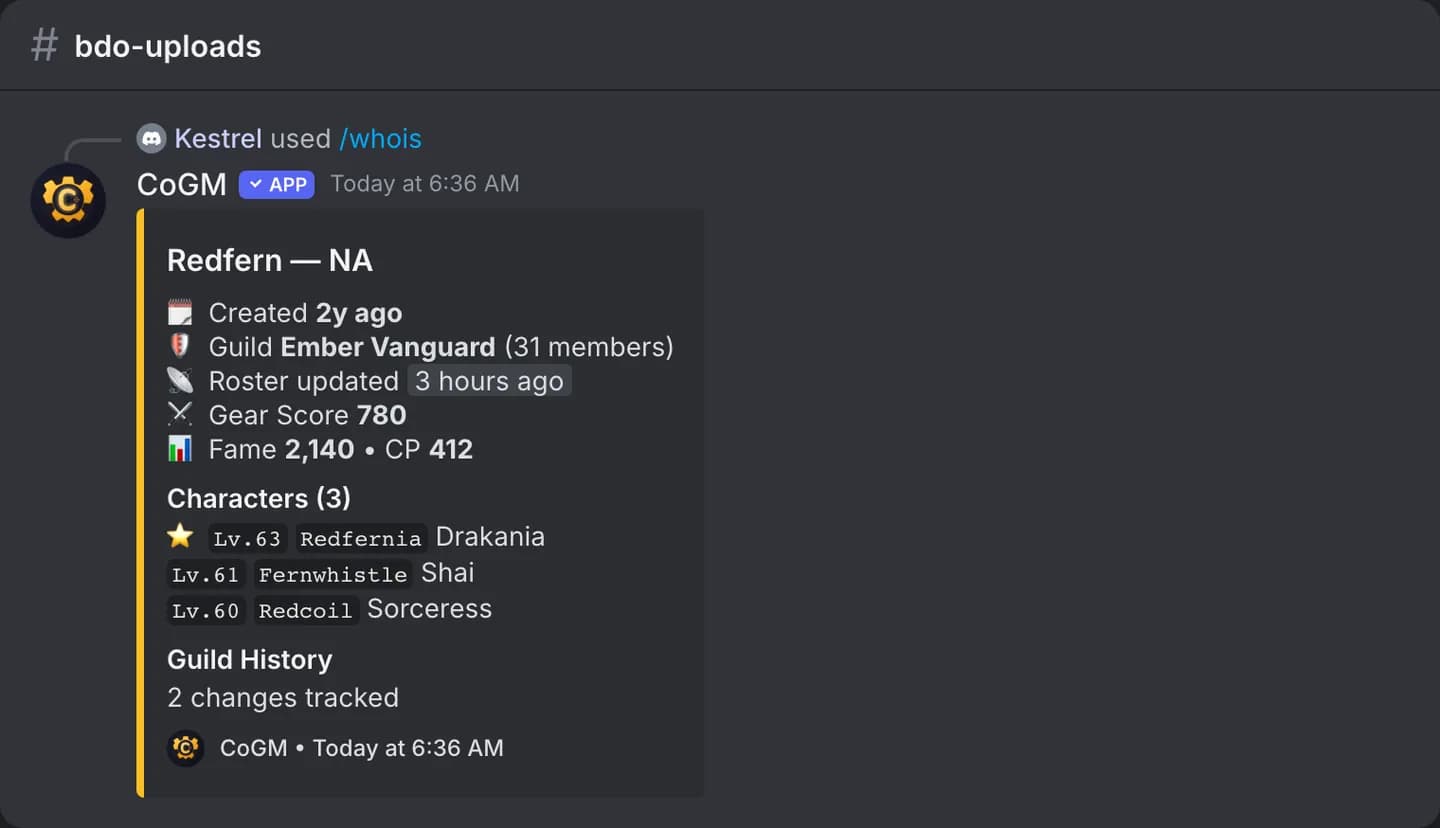
/alliance shows each guild in your alliance with its size and average gear score. /whois looks up a family name: characters, guild history and gear score. The Alliance Overview page on the dashboard shows combined gear scores and class makeup across your alliance guilds.
Builds, market and video
- Build guides (Pro): post a build panel in Discord with
/builds. Members pick their class and spec to see lightstones, crystals, add-ons, skills and combos. Officers can change the defaults for the guild. See Build Guides. - Market tools (Pro): marketplace watchlists, price alerts, and cron outfit data with
/outfits. See BDO Economy. - VOD review (Free): members send YouTube or Twitch videos with
/vod-submitor on the dashboard, and officers leave notes. See VOD Review. - Clips (Pro): share and browse PvP clips with
/clips. See Clips.
Discord commands
These work in a Black Desert Online guild's server, on top of the commands every game gets.
| Command | What it does | Plan |
|---|---|---|
/upload | Upload your gear window. Officers can upload for a member. | Free |
/update | Re-read your gear from a new screenshot, or change your class or spec. | Free |
/gear | Show your gear card or another member's. | Free |
/members | The guild ranked by AP, DP or gear score, filtered by class. | Free |
/guildinfo | Member count, gear coverage and average gear score. | Free |
/crystals | Upload a crystal or lightstone screenshot. | Free |
/remind | Officers: message members whose gear upload is old. | Free |
/whois | Look up a family: characters, guild history and gear score. | Free |
/alliance | Each alliance guild's size and average gear score. | Free |
/guildscan | Look up a guild on the official site by name and region. | Free |
/vod-submit | Send a YouTube or Twitch video for review. | Free |
/gleague | Guild League schedule, signups and standings. | Pro |
/builds | Post the build panel members use to look up their class. | Pro |
/outfits | The most popular cron outfits, with pre-order and sales data. | Pro |
/clips | Share and browse the guild's PvP clips. | Pro |
/lfg | Post a group for grinding, dungeons and more. | Free |
/profile is not used in Black Desert Online. /gear shows the same card.Free and Pro
Free covers up to 30 members with uploads per guild, gear uploads (with a weekly limit), the roster, events, siege roles, attendance, PvP analytics, CoGM Logger, VOD review, applications and Looking for Group. Pro is $10/mo per guild, holds up to 300 members with uploads per guild, then +200 for $5/month, and adds unlimited uploads, the party builder, loadouts and auto-fill, Rotations, War Planning, Payouts, Guild League, build guides, market tools and clips. Black Desert Online does not use DKP or the Guild Bank. See Pricing.