Server commands
Connect a Discord server to your CoGM community, check what it can do, and get quick guild facts.
| Command | Who | Where it shows up |
|---|---|---|
/link, /unlink | Discord Administrator | Every server the bot is in |
/help, /ping | Anyone | Every server the bot is in |
/status, /join | Anyone | Linked servers |
/guildinfo | Anyone | Linked servers that run Black Desert |
/guildscan | Discord Manage Server | Linked servers that run Black Desert |
All of them are free.
/link
/link password:<password>| Option | Required | What it takes |
|---|---|---|
password | Yes | The linking password from your community's Discord settings on the dashboard. |
Get a linking password
On the dashboard, open your community's Discord settings and press Link Another Server. Only the community owner can do this. The password lasts 60 seconds.
Run /link in the server
Run /link with the password. The server's commands update right away. A Free community can link 1 server. Once any guild is on Pro or a trial, it can link up to 5.
A server can belong to one community. To move it, run /unlink first.
/unlink
/unlinkDisconnects the server after you confirm. Bot commands stop working there. Your data on the dashboard stays, and the channel settings come back if you link the server again.
/status
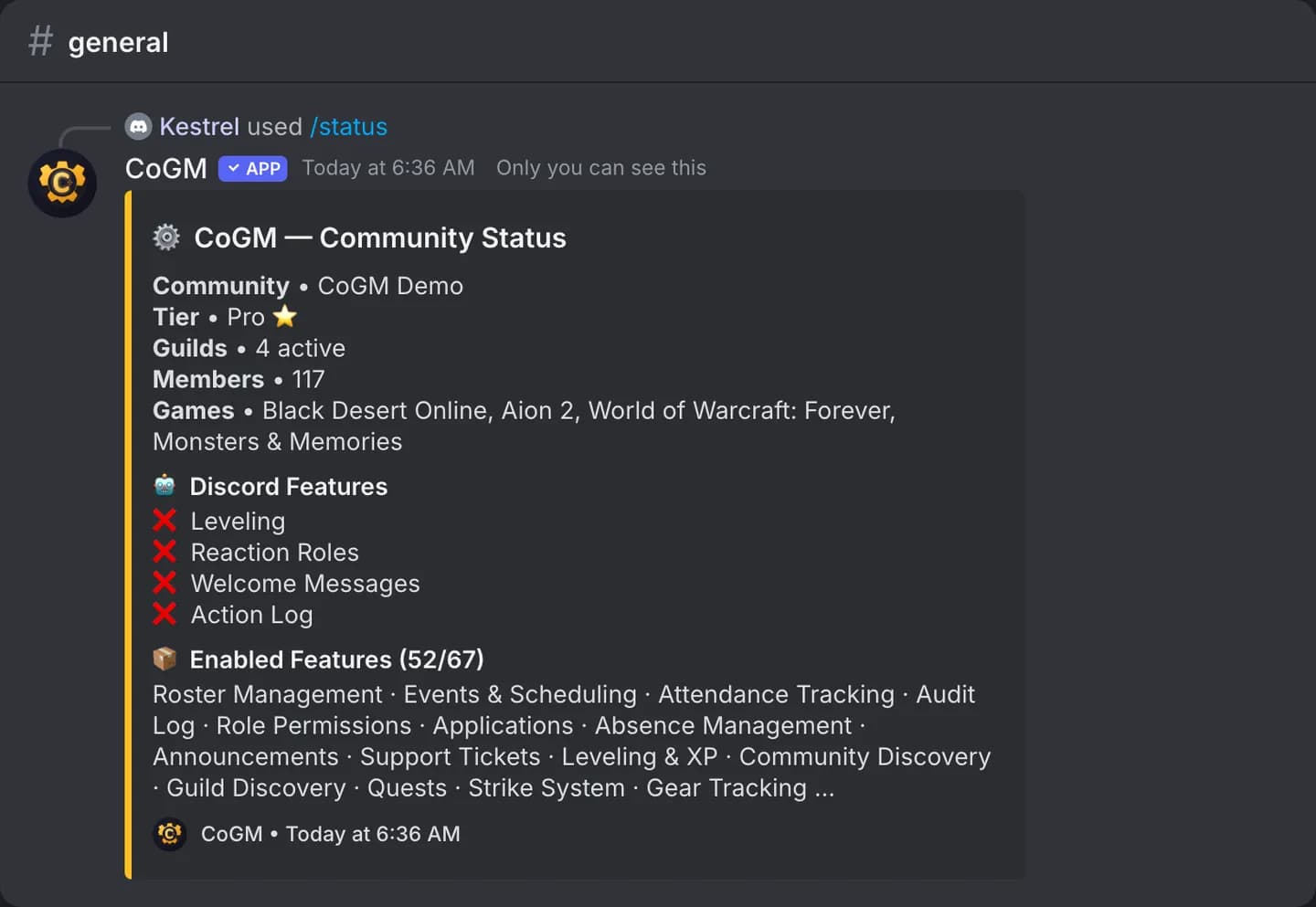
Shows the community's plan, its guilds and the features that are on. The plan reads Pro when any guild in the community is on Pro. Use it first when a command is missing.
/join
Replies with a link to join this community on CoGM. Share it with new members.
/help
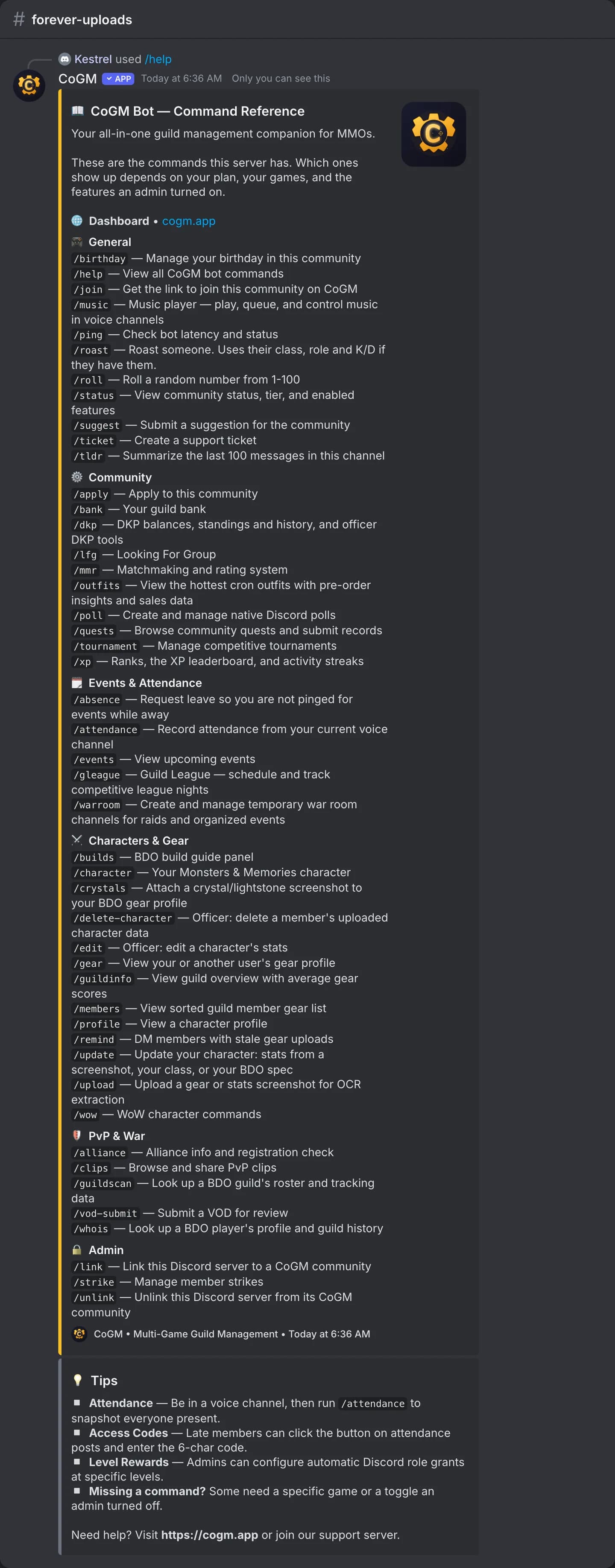
Lists the commands this server can use, grouped by job, with tips. It follows the server's games, plan and switched-on features, so it never shows a command you cannot run.
/ping
Checks that the bot is online and shows how long it takes to answer.
/guildinfo
/guildinfo guild:<guild>| Option | Required | What it takes |
|---|---|---|
guild | Yes | The guild, from the list. |
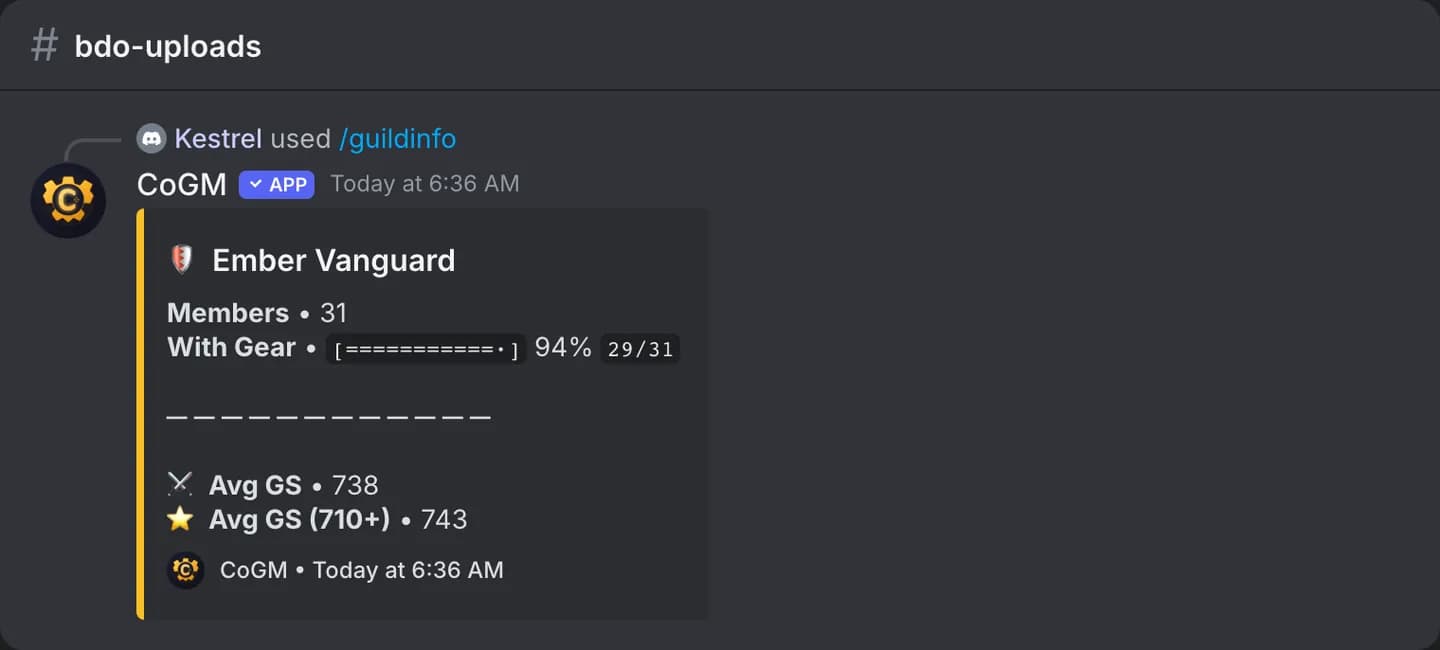
Black Desert only. Shows the guild's member count, how many have gear on file, and the average gear score.
/guildscan
/guildscan guild_name:<name> [region]| Option | Required | What it takes |
|---|---|---|
guild_name | Yes | The Black Desert guild to look up. |
region | No | NA, EU, SA or SEA (Asia). |
Black Desert only, for members with Discord's Manage Server permission. Looks up any guild's roster on the official Black Desert site, for scouting. For one player, use /whois.