Rotations
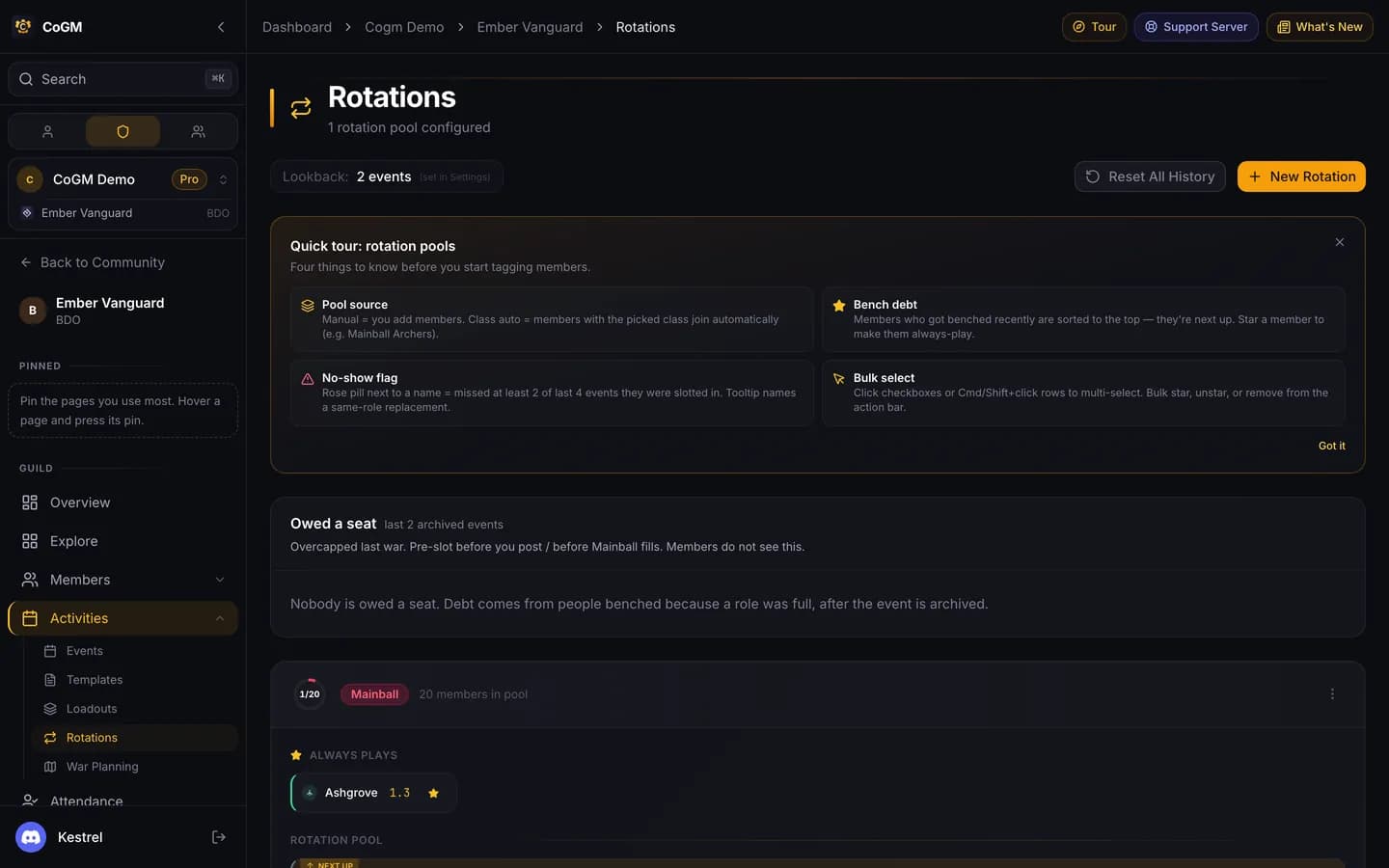
When more people sign up for a role than it has seats, Rotations decides who plays and who sits out, and makes sure the same people do not sit out every war.
Who can use it
- Game: Black Desert.
- Plan: Pro.
- Permissions: officers with Manage Rotations. Members never see bench debt.
Turn it on
Open Settings → Events & Fairness and, under Fairness & Rotation, switch on Role-based rotations. That adds Activities → Rotations to the sidebar. The same card holds:
- Bench priority queue: members benched because a role was full get priority when a seat opens. On by default.
- Priority queue lookback: how many archived events count toward who is owed a seat. Only benches from a full role count, never someone who chose to sit out.
- Auto-include threshold and Auto-remove after: how many signups add a member to a role's pool, and how many events without a signup take them out.
- Swap-hint K/D threshold: playing members below this K/D get flagged for your review.
- Show "always plays" badges publicly and Bench debt persists across role swaps.
Create a rotation pool
Name the role
Click New Rotation and enter the siege role the pool manages, for example Mainball.
Pick the pool source
Manual: you add and remove members. Auto Class/Role: members who match a class, a siege role or both join on their own, for example Mainball Archers.
Star your regulars
Star a member to make them always play. Use the checkboxes (or Cmd or Shift and click) to star, unstar or remove several at once.
How it picks
For each event, per role, the pick goes in this order:
- Only members who signed up for that role on this event count.
- Anyone an officer locked to play gets a seat first. Anyone locked to bench sits out.
- Starred members fill the next seats.
- The rest are ordered by bench debt (who sat out most recently because the role was full), then by who signed up first.
If there are more seats than people, everyone plays. With no history yet, it is first come, first served.
Owed a seat at the top of the page lists who was benched from a full role in recent wars, so you can slot them before signups fill. A rose pill next to a name means the member missed at least 2 of the last 4 events they were slotted in; hover it for a same-role replacement.
In the party builder
On an event's party builder, the Rotation Auto-Pick panel shows who plays and who is benched for each role with a pool. Lock a member to play or to bench, or clear the lock. When a playing member's K/D is below your swap-hint threshold and a benched member does better, it suggests a swap you can accept.
Start over
Related: Party Builder, War Planning.