Payouts
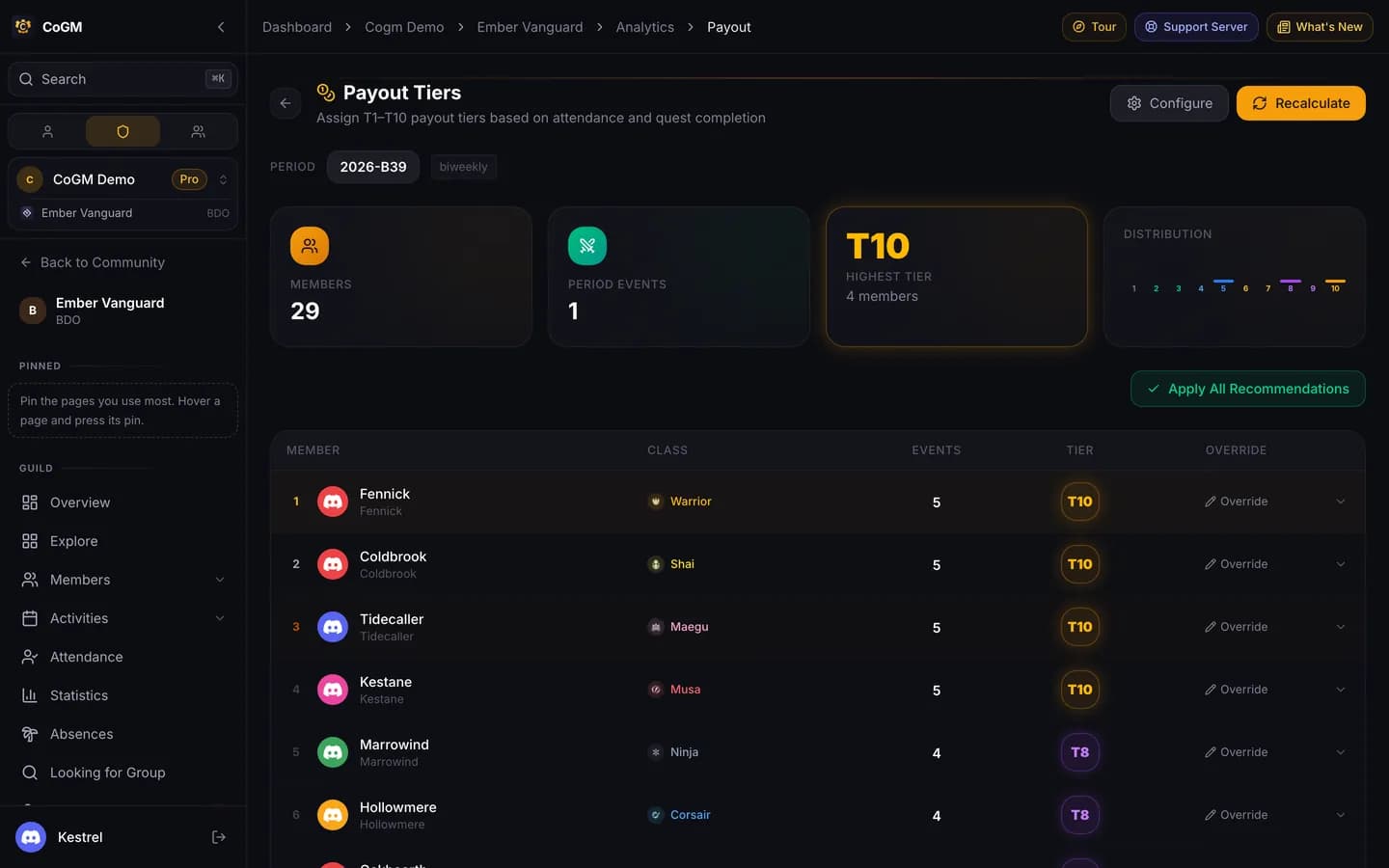
Set the rules for each payout tier once. Every period, CoGM counts what each member attended and recommends their tier, so guild payout day takes minutes.
Who can use it
- Game: Black Desert. Guilds on games with DKP use DKP instead.
- Plan: Pro.
- Permissions: View PvP Analytics to see the page. Manage PvP Analytics to set the tiers, recalculate and override.
Open Payouts in the guild sidebar.
Set up your tiers
Pick the period
Click Configure and choose the Period Type: weekly, every two weeks or monthly.
Define the tiers
Each tier from T1 to T10 has conditions, counted per period: node wars, sieges, GvG, events (finished guild events the member took part in) and quests (approved quest submissions). For example, T10 needs 5 node wars, T8 needs 3 and T5 needs 1. A tier with no conditions always matches, so it works as the floor.
Combine conditions
Conditions inside a group must all be met. Use Add OR group for a second way to reach the same tier, for example 3 node wars, or 2 node wars and 1 siege. Click Save Configuration.
Each payout day
- Click Recalculate. Each member gets the highest tier whose conditions they meet.
- Open a row to see the activity breakdown behind the tier.
- Use Override on a row to set a different tier. Overridden rows are marked and show the recommended tier next to yours.
- Click Apply All Recommendations to accept every recommended tier at once.
Where the numbers come from