War Planning
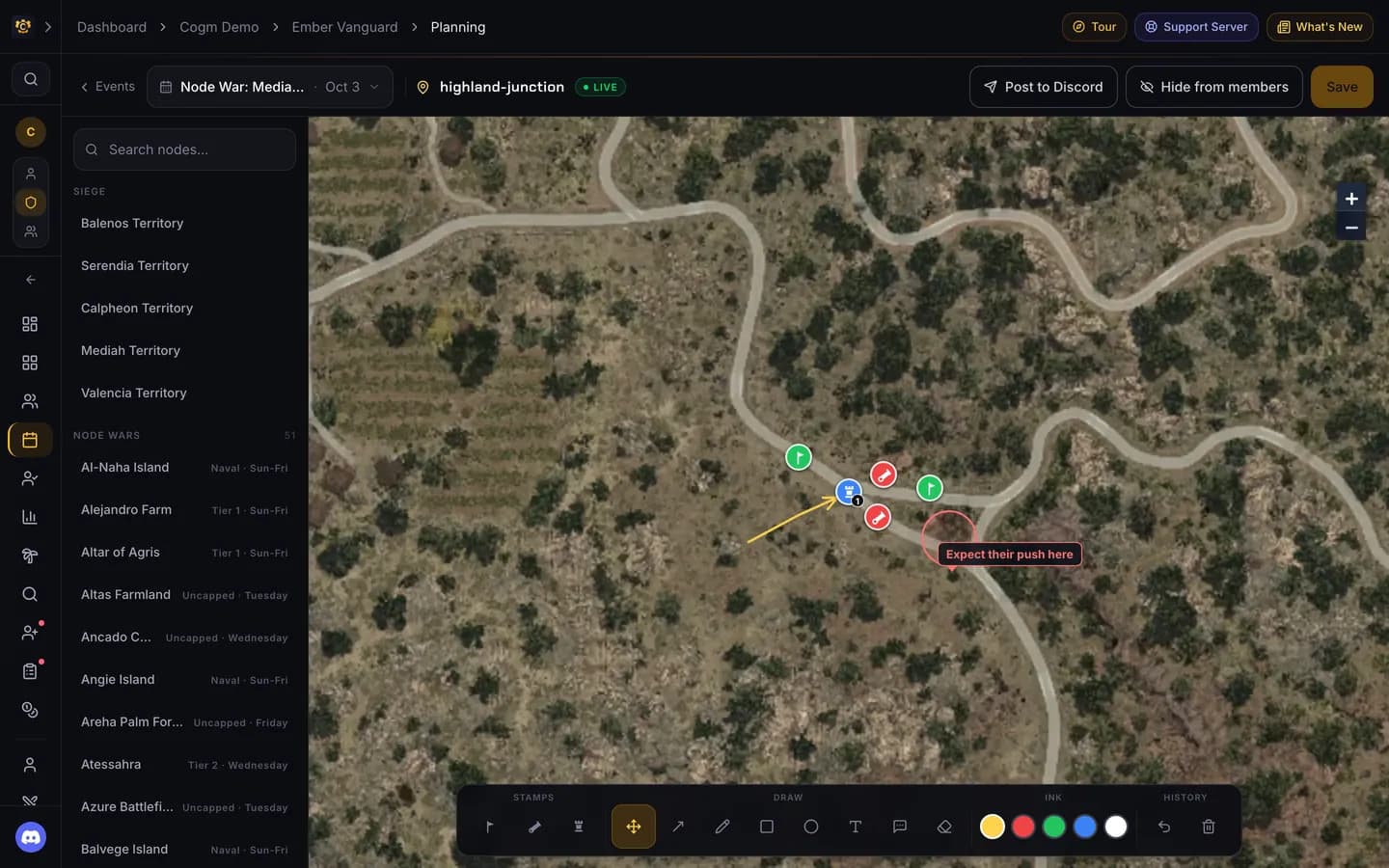
Pick the node, stamp where the flags, cannons and fort go, draw the pushes, and show the plan to your members before the war.
Who can use it
- Game: Black Desert.
- Plan: Pro.
- Permissions: officers who can create events (Create Guild Activities) draw and publish plans. Members see a plan once an officer shows it to them.
Open it from Activities → War Planning, or from the Planning button on an event.
Plan a war
Pick the event
Choose the event at the top; the list has upcoming and past events. A plan belongs to one event. No event yet? Create it first from Events.
Pick the node
Search the node list on the left. Sieges are listed by territory; node wars show their tier and war days. The map moves to that node.
Draw the plan
Use the toolbar at the bottom. Stamps place a flag, a cannon or a fort. Draw has move, arrow, pen, rectangle, circle, text, callout and eraser. Pick an ink colour, and undo or clear from History. Copy last starts from the last plan you made for this node.
Save and show it
Click Save. Members cannot see the plan until you click Show to members; the button then reads Hide from members so you can take it back.
Share it in Discord
Post to Discord posts a picture of the map to the event's channel. The event needs a channel set first.
Node playbooks
Pick a node without picking an event and you open the guild's playbook for that node: a standing plan you keep and reuse. Playbooks are for officers only. Members see playbook content when an officer copies it into an event's plan and shows it. Nodes with a playbook are marked in the list.
Before the war