Build Guides
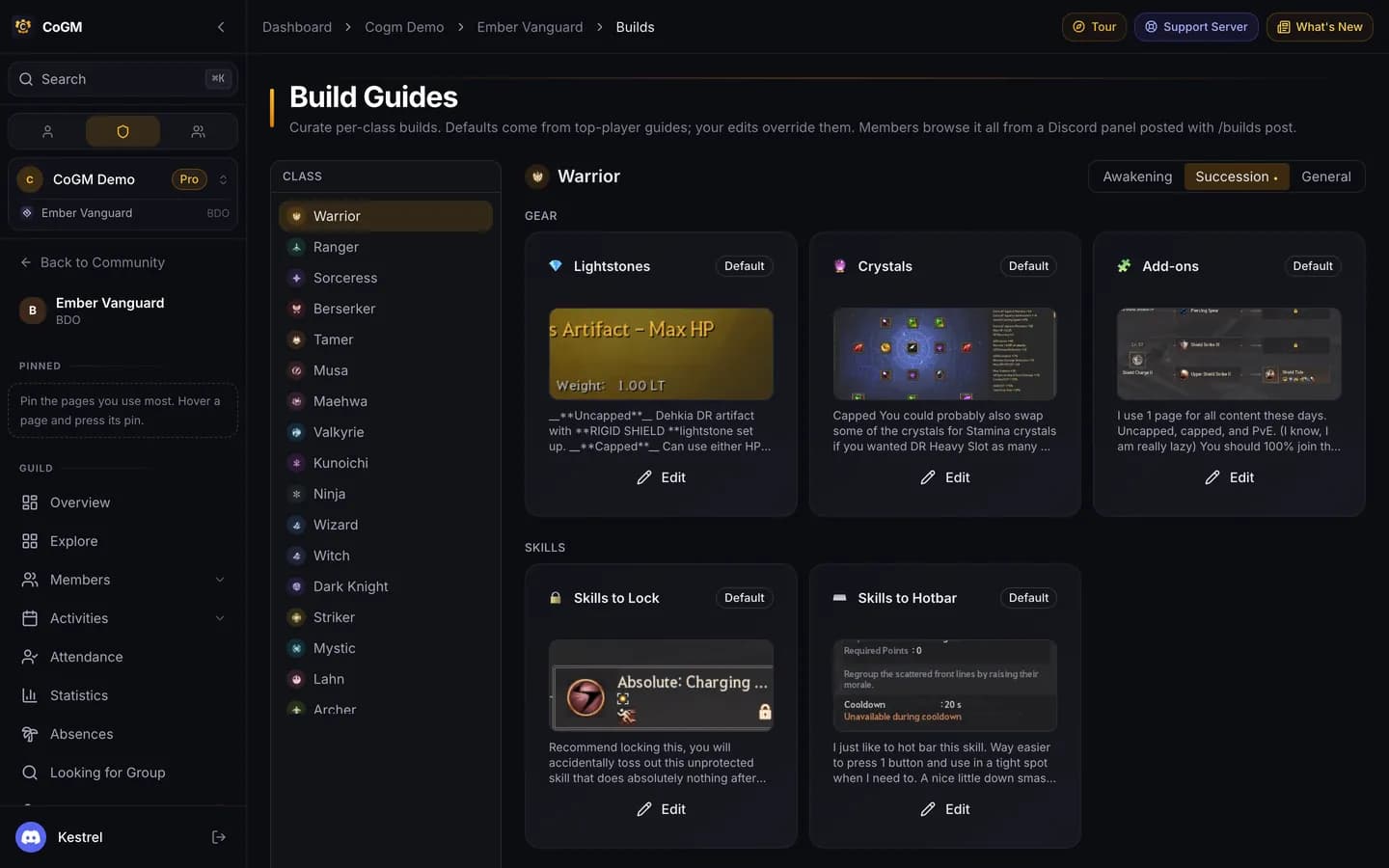
Post one panel in Discord and members look up their own build: pick a class, pick a spec, pick what they want to see. Every class comes filled in, and your officers can change anything.
Who can use it
- Game: Black Desert.
- Plan: Pro.
- Permissions: officers with Manage Guild Settings edit builds and post the panel. Every member can use the panel in Discord.
What a build covers
For each class, on the Awakening, Succession and General tabs:
- Gear: lightstones, crystals, add-ons and Rabam.
- Skills: skills to lock, skills to hotbar, skill add-ons and core skills.
- Playstyle: self buffs, debuffs, reliable CCs, movement and combos.
- Info: an overview, plus notes and VODs.
Set it up
Check the builds
Open Build Guides in the guild sidebar. Pick a class and a spec tab. Each card says whether it shows the Default, your Custom text, or is Hidden.
Edit what your guild does differently
Click Edit on a card to write your own text and add images. You can hide a component you do not want on the panel, or reset it to the default. The member preview shows what the panel will look like.
Post the panel
In the Discord channel you want, run /builds post. After you edit builds, run /builds refresh to update every panel you posted.
What members see
The panel is one message with class menus. A member picks a class, then a spec, then a component. Each answer is only visible to them, so the channel stays clean.
Attach crystals to your profile
/crystals. See /builds and /crystals.