Discord Features
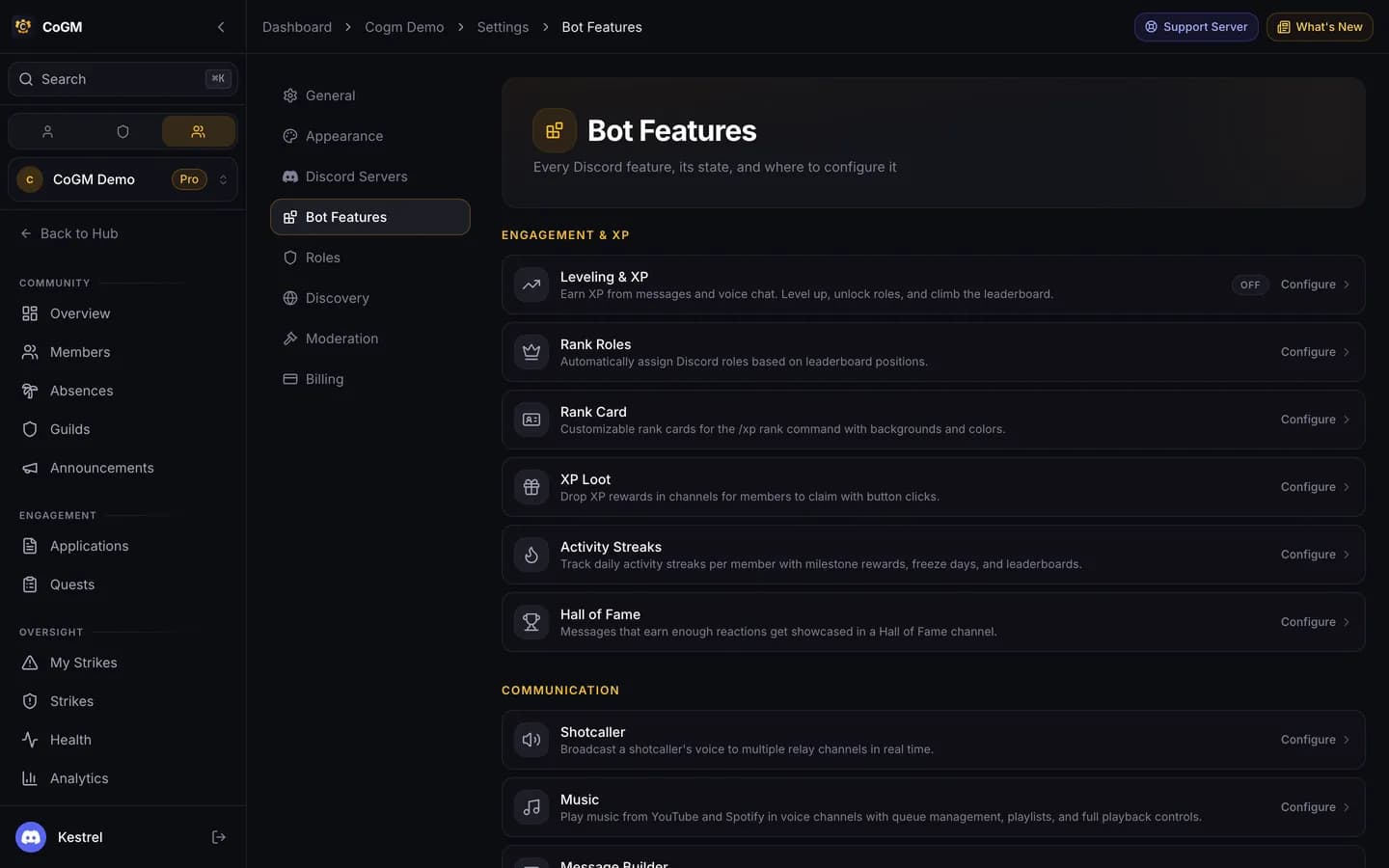
Modules for your Discord server that are not tied to one guild. Officers switch them on and set them up from the Discord Features page.
Who can use it
- Every game. Each module below is marked Free or Pro.
- Music, War Rooms, Auto Moderation, Post Spotlight, Reaction Roles, Activity Streaks, Matchmaking and Tournaments belong to the whole server. They turn on once any guild in your community is on Pro.
- Manage Bot Config lets someone switch modules and change their settings. Everyone else sees each card's state, read-only.
Turn a module on
1
Open Discord Features
In the community sidebar, open Discord Features. The same list is in the community's Settings under Bot Features.
2
Switch it on
Welcome Messages, Action Log, Leveling and Reaction Roles have a switch on their card. Gate Keeper is switched on from its own page. The rest are on whenever your plan includes them.
3
Set it up
Open the card to pick channels, roles and messages. A card marked locked needs Pro.
Engagement and XP
- Leveling Free: XP for messages and voice, level-ups and reward roles. Has its own page: Leveling.
- Rank Card Free: Style the card /xp rank shows, with a background and colors.
- Hall of Fame Free: Messages that earn enough reactions are reposted in a showcase channel.
- Rank Roles Pro: Give Discord roles to the top of the XP leaderboard, and move them as ranks change.
- XP Loot Pro: Drop XP in a channel for members to claim with a button.
- Activity Streaks Pro: Daily activity streaks with milestones and a top streakers list. /xp streak shows yours.
Communication
- Welcome Messages Free: Greet new members when they join your server.
- Message Builder Free: Compose a Discord message with embeds and buttons, preview it, and send it to a channel.
- Post Spotlight Pro: Repost the most-reacted post each week or month in a channel.
- Music Pro: Play music in voice with /music: a queue, skip, loop, volume and saved playlists.
Server management
- Action Log Free: Log server events, such as members leaving, to a channel.
- Count Channels Free: Show live member and voice counts in channel names.
- Support Tickets Free: Members open a private ticket thread with /ticket. Staff answer on the dashboard or in Discord.
- Absences Free: The Request Leave panel and /absence. See Absences.
- Reaction Roles Pro: Panels where members pick their own roles.
- Surge Channels Pro: Join a trigger channel to get your own voice channel. It is deleted when empty.
- War Rooms Pro: Temporary text and voice channels for a war or raid, limited to roles you pick, cleaned up after.
- Auto Moderation Pro: Anti-raid and anti-spam filters with the action you choose.
- Gate Keeper Pro: Alt account alerts and a verification prompt for new members.
- Looking for Group Pro: The LFG channel and panel. See Looking for Group.
Competitive
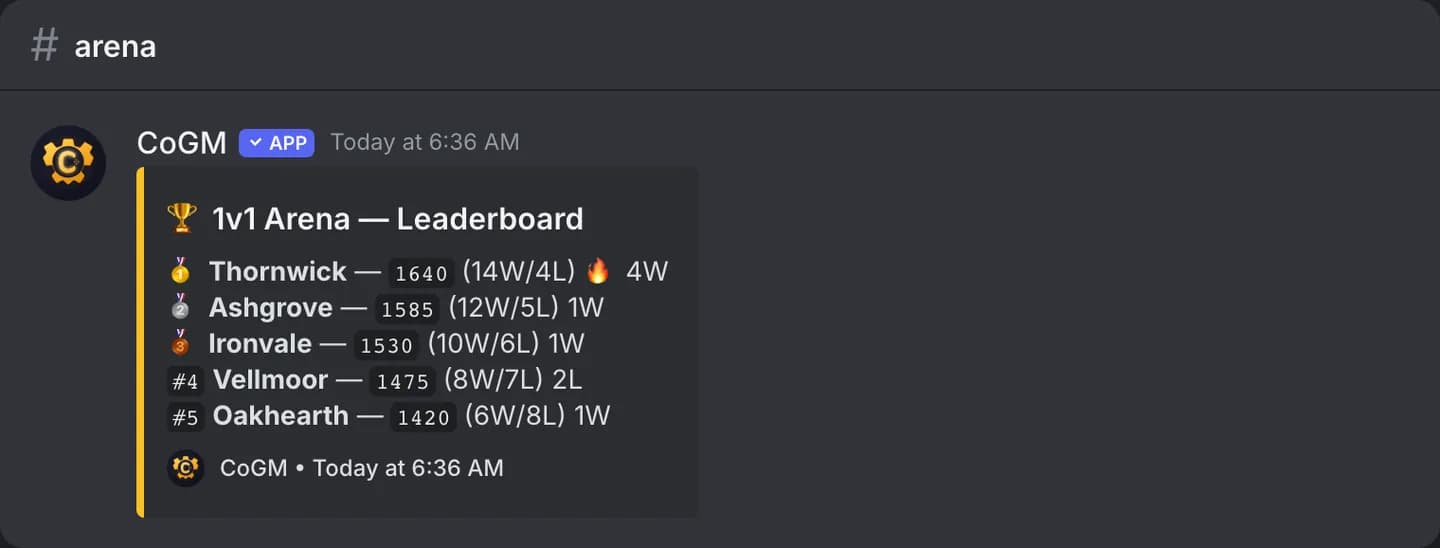
- Matchmaking Pro: Rated ladders. Members register with /mmr register and check their rating and the top 10 with /mmr.
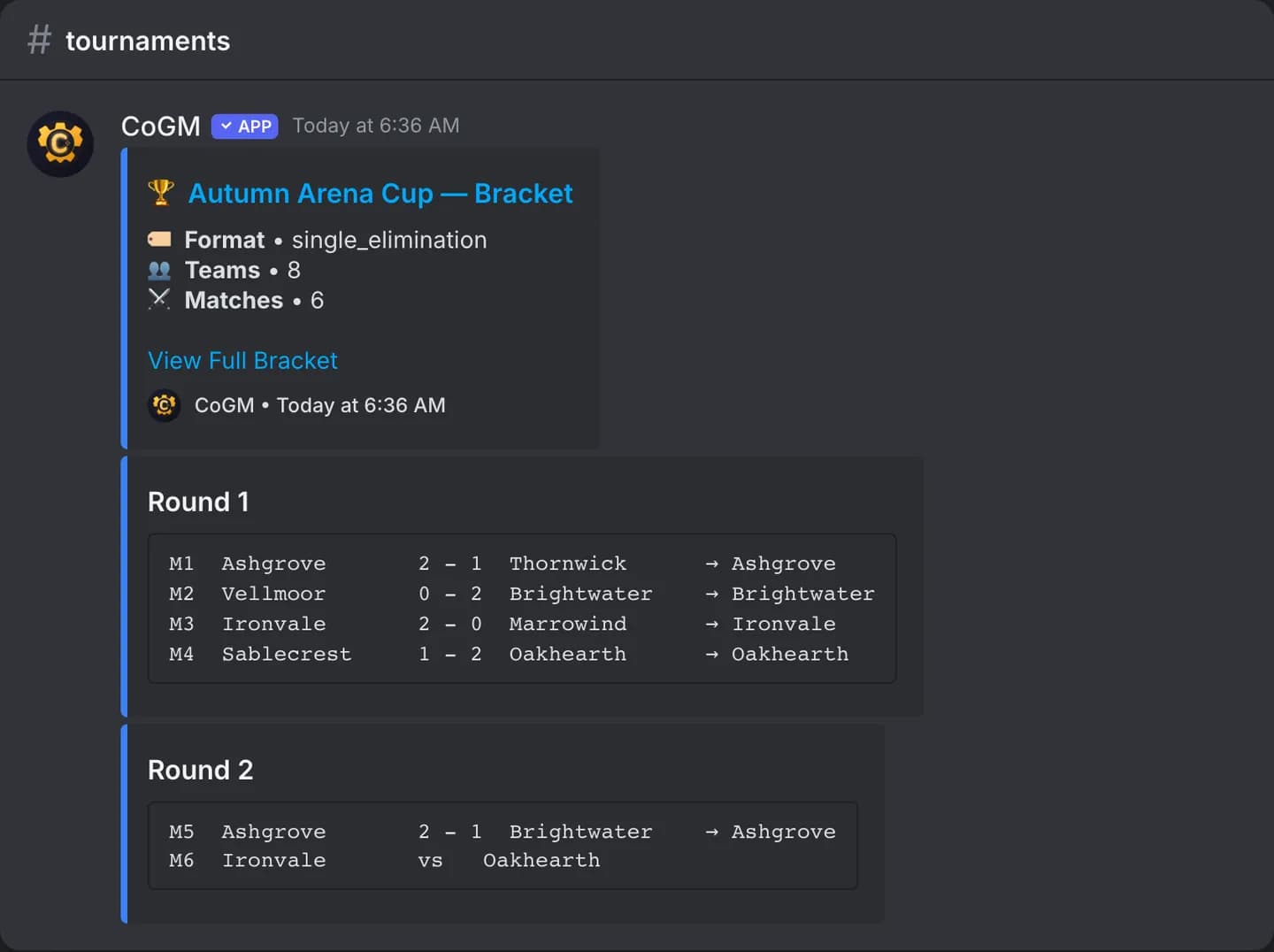
- Tournaments Pro: Create a tournament, add teams, start it and report scores with /tournament. The bot posts the status and the bracket.
Commands that need no setup
/poll create: a native Discord poll with up to 10 answers. Free./birthday set: members save their birthday./birthday listshows the next 10. Free.
Where are the other pages?
Leveling, Absences and Looking for Group have their own pages: Leveling, Absences and Looking for Group. Commands are listed under Community commands.