Missing Data & Compare
Three officer tools for keeping a Black Desert roster honest: find who has not set their class or uploaded gear, compare members side by side, and watch who moves between guilds.
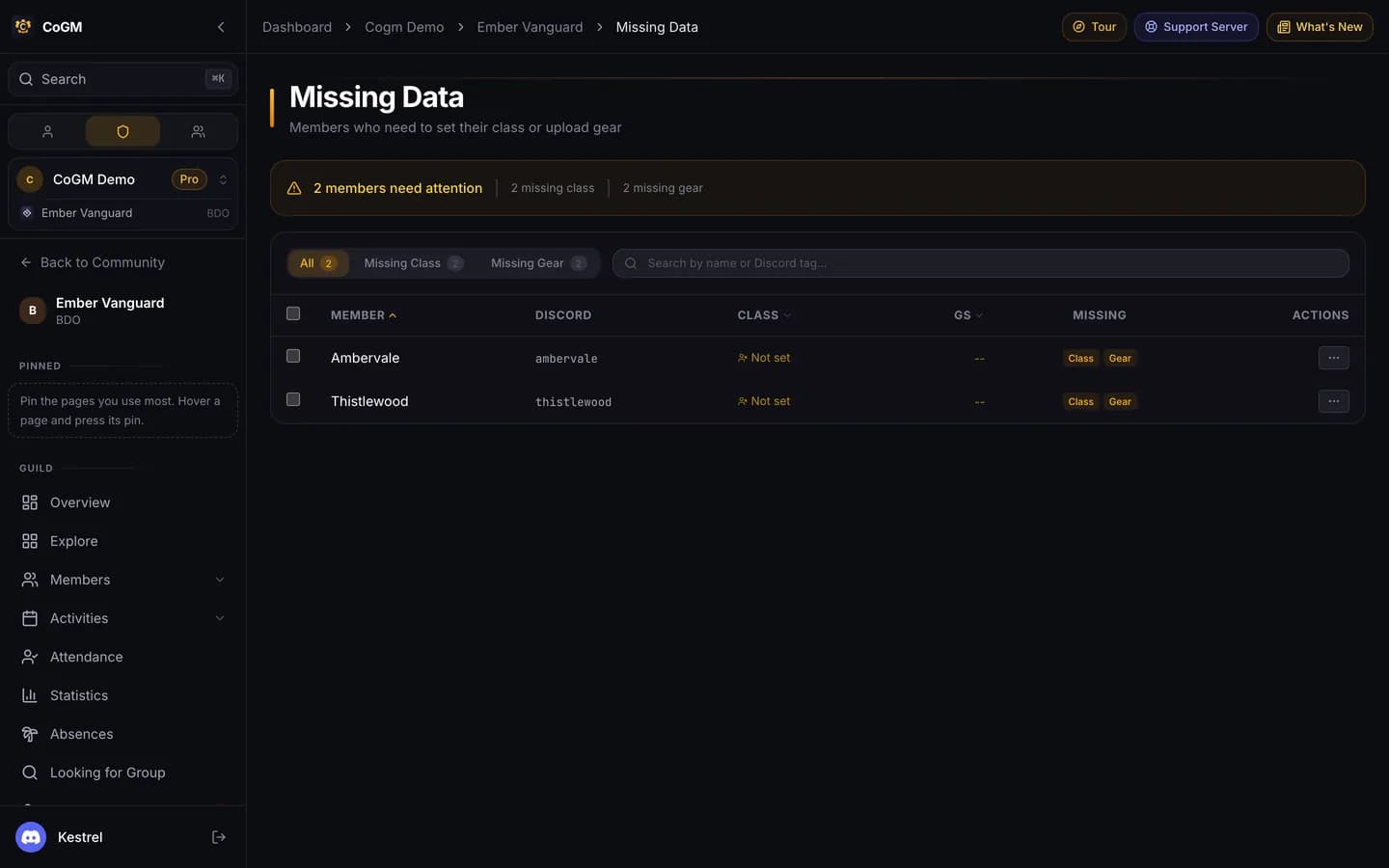
Missing Data
Lists every active member who has no class set or no gear uploaded. Black Desert, Pro, and the View Missing Data permission (guild admins have it by default). Find it under the admin section of the guild sidebar.
Narrow the list
Use the tabs (All, Missing Class, Missing Gear), the guild filter and the search box. Sort by member, class or gear score.
Fix it or ask for it
From a member's actions menu:
- Send upload reminder: the bot DMs them to upload. Members without a linked Discord account cannot be reached.
- Set class manually: pick their class for them.
- Archive member: take someone who left off the roster (needs Manage Guild Members).
Tick several rows and click Copy tags to copy their Discord names in one go.
For gear that is old rather than missing, use the reminders on the roster or /remind. See Gear Tracking.
Compare Players
Pick up to three members and see them side by side. Black Desert and Aion 2, Pro, and the Compare Players permission (officers have it by default). Open it from Performance → Compare Players.
- Equipment: gear score, AP, Awakening AP and DP.
- PvP: total kills, total deaths, K/D, wars attended and average performance from your war logs.
- Attendance: how many events each attended and their rate.
The best value in each row is highlighted.
Roster Activity
A feed of who joined and who left the Black Desert guilds you track: your own guilds and the guilds in the alliances you set up for war stats. Free, with the View PvP Analytics permission. Open it from PvP Events → Roster Activity.
- Filter by joined or left, by our guilds or enemy guilds, by guild, and search by player name.
- Bleeding Enemy Guilds shows enemy guilds that are losing members.
- Recruitment Opportunities lists players with a 1.5 or better K/D who left an enemy guild.
- The page refreshes itself every 30 seconds.
- Officers who manage the bot settings can have joins and leaves posted to a Discord channel after each hourly sync.
Which guilds are tracked