Monsters & Memories Setup Guide
Monsters & Memories has no setup page. After you create the guild you land on its overview. These five steps get it ready for the first signup.
You need the guild's settings permissions for these steps. The guild owner and community admins have them.
Pro trial
Steps
Check the server
You picked the server when you created the guild. Characters stay on their server, so one CoGM guild plays on one server. If your community plays on two, make a guild for each. To change it, open the guild's Settings > General. The servers are:
- Estaire: US West, PvE
- Trem: US East, PvE
- Tilustra: US East, PvE
- Kravvin: US, PvP
- Nunavoth: US, PvE, 3 clients
- Vespyra: EU, PvE
Pick the member role
Open the guild's Settings > Discord and set Member Role to the Discord role your members have. Anyone with it can sign up from Discord and is added to the roster. Set Officer Role too if you use one. The same page has the footer text for bot posts.
Add the starter event templates
Open Activities > Templates. While the guild has no templates, the page shows Start with a template for your game with three one-click starters. Press Create on the one you use most, then add the others with New template, picking the same kind under what it counts as:
- Camp: 6 seats. One group at an outdoor camp. Put the zone and level band in the title.
- Dungeon: 6 seats. One group in a dungeon. Dungeons are open world, so other groups may be there too.
- Named target: Open signups. A named mob with a long respawn. No size is published, so signups stay open.
You post events from these templates, and they are the list /attendance offers in Discord. /attendance cannot record anyone until the guild has at least one template.
Make an application form
Optional. On the Recruitment page, open Forms and create a form. Press Start from the Monsters & Memories template to fill in the usual questions: character name, race, class, level, server, alts, play times and MMO experience. Then turn on Open Recruitment in Settings > General. Applications are free on every plan.
Ask members to upload
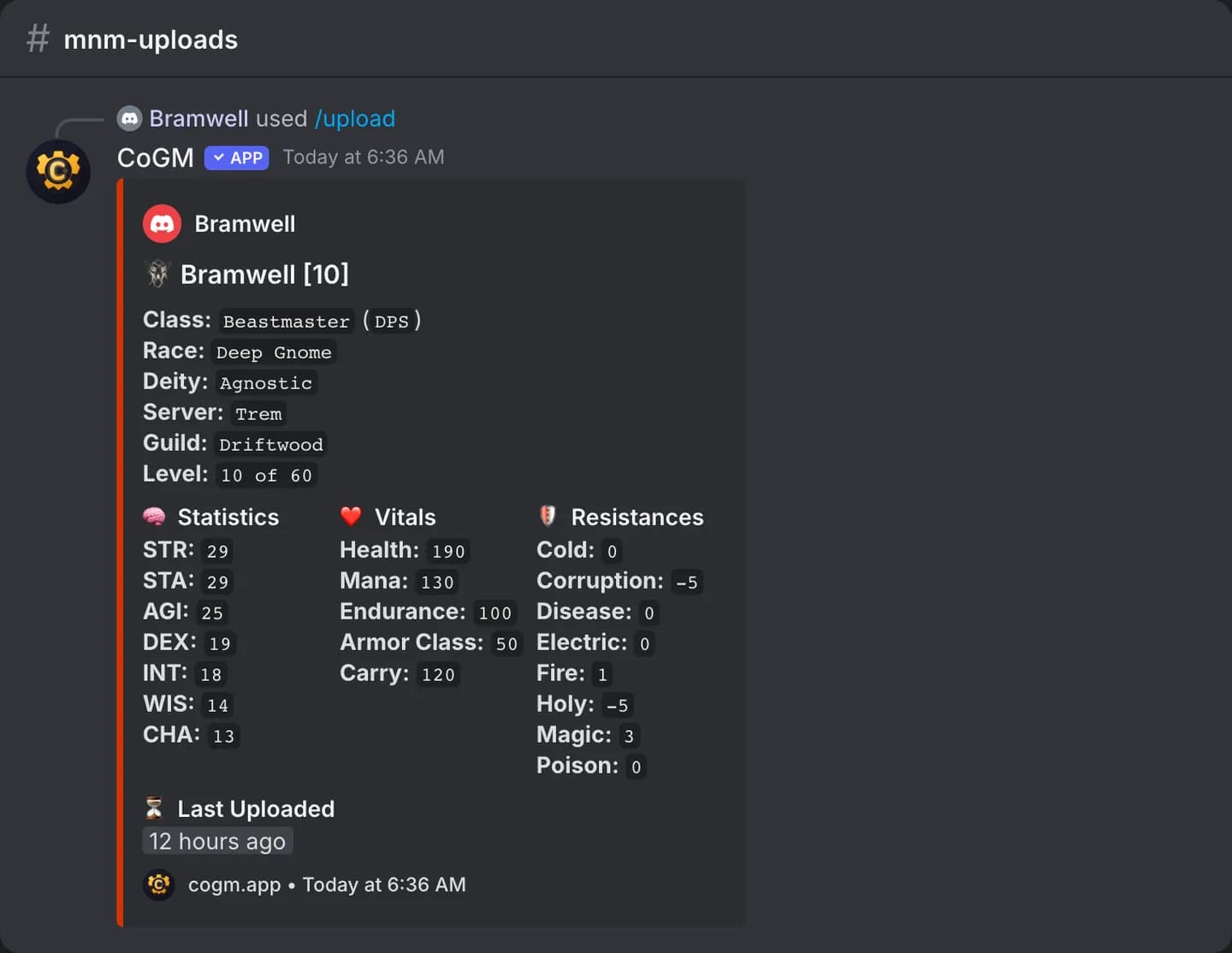
Members run /upload in Discord with a screenshot of their character window on its Inventory tab. CoGM reads the name, level, race, class, deity, health, mana, armor class, stats and resists, and the bot posts the character's card. Members can also add characters by hand on the Roster page.
Game settings
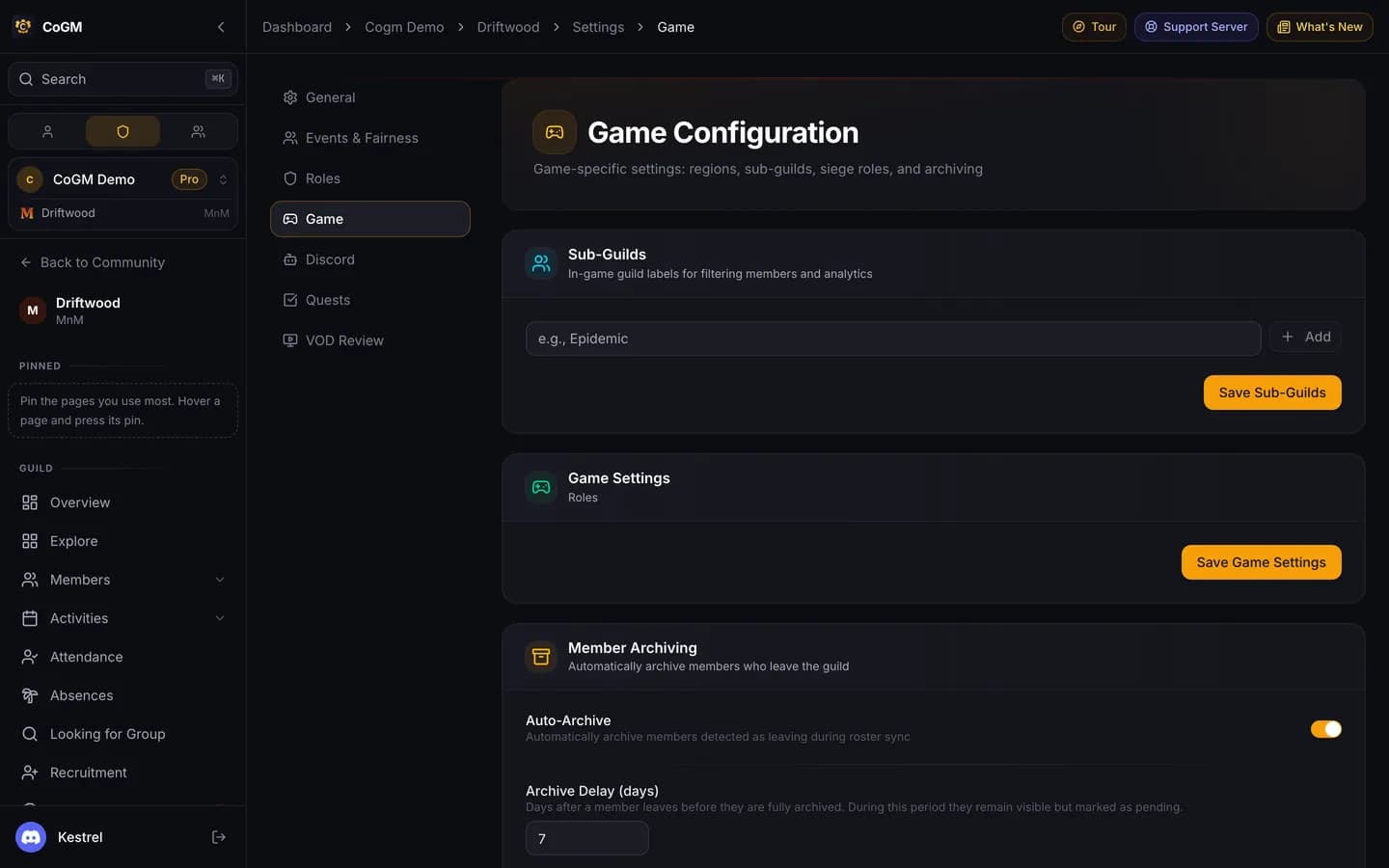
The guild's Settings > Game page has sub-guild labels, if you run more than one in-game guild under this CoGM guild, and member archiving: how many days after someone leaves before they are archived.
Next
- Post your first camp or dungeon from a template. A group is six: one tank, one healer, one support and three DPS by default.
- DKP, loot auctions, the Guild Bank and Looking for Group are on Pro. See DKP, Loot, Guild Bank and Looking for Group.
- Everything CoGM does for this game: Monsters & Memories.